Inforiver

Upcoming webinar on 'Inforiver Charts : The fastest way to deliver stories in Power BI', Aug 29th , Monday, 10.30 AM CST.    Register Now

Waterfall Chart in Power BI

Download PBIX File

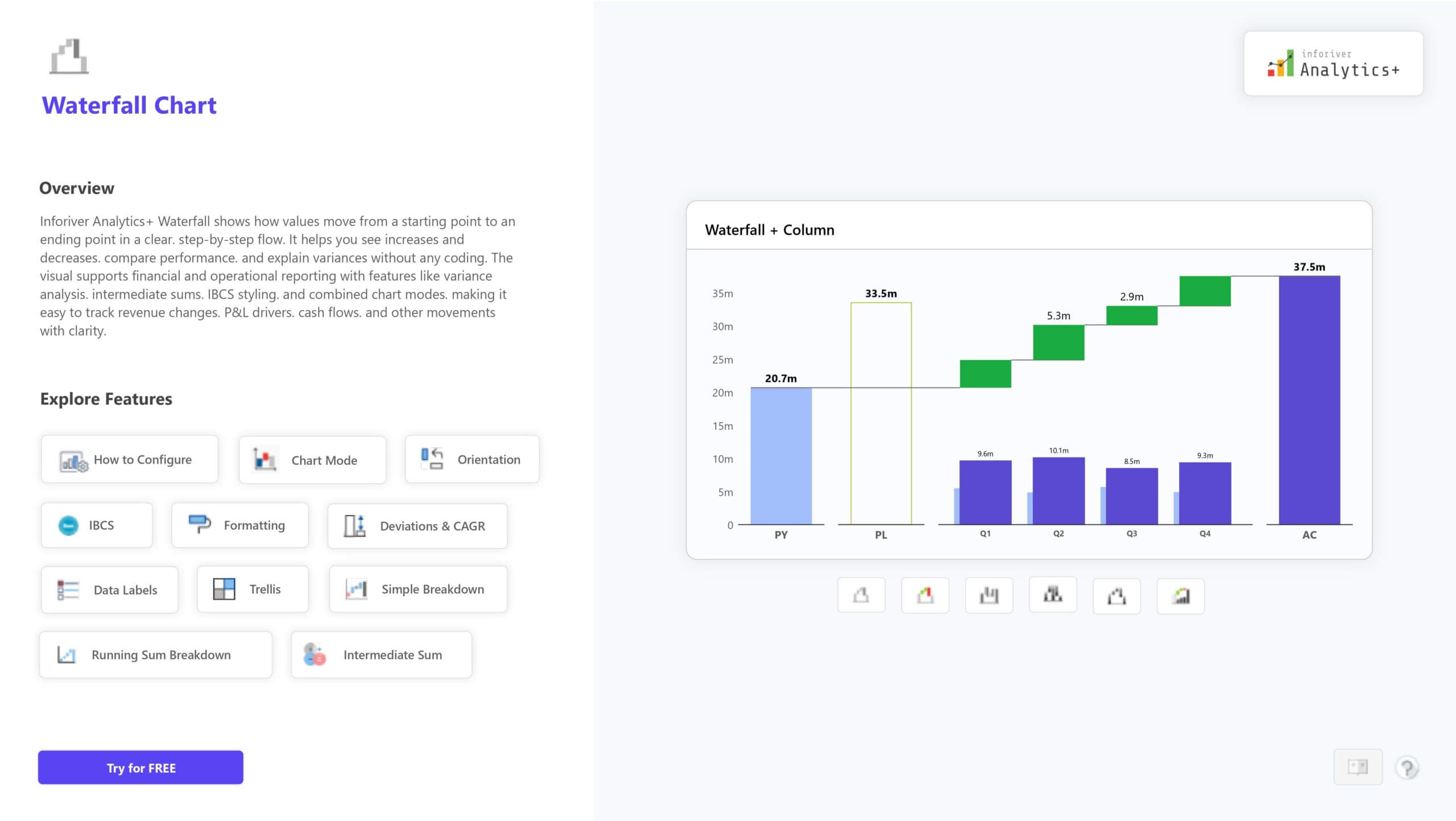
The Waterfall Chart in Inforiver Analytics+ helps you track how values change step by step, making it perfect for showing profit, revenue, or cost movement. It supports multiple variations, including stacked, breakdown, variance, and IBCS-compliant charts. 

You can add intermediate totals, customize colors, apply conditional formatting, and use small multiples for detailed analysis. It’s a simple yet powerful way to visualize cumulative changes and insights. 

For more details, demos, and pricing, visit: Explore the Waterfall Chart on Inforiver Analytics+ 

iframe preview
View interactive content

Waterfall Chart in Power BI

The Waterfall Chart in Inforiver Analytics+ helps you track how values change step by step, making it perfect for showing profit, revenue, or cost movement. It supports multiple variations, including stacked, breakdown, variance, and IBCS-compliant charts.  You can add intermediate totals, customize colors, apply conditional formatting, and use small multiples for detailed analysis. It’s a simple yet powerful way to visualize cumulative changes and insights.  For more details, demos, and pricing, visit: Explore the Waterfall Chart on Inforiver Analytics+ 

iframe preview
View interactive content

Download Report for Free

to try advance features

[demo_download_modal title="Waterfall Chart in Power BI" link="https://inforiver.com/wp-content/uploads/waterfall-chart-in-analytics-plus-demos.zip"]

Related Demos

Decomposition Tree

Break KPIs into root causes with the Decomposition Tree in Power BI. Easily explore contributors, compare branches, and format the view for clear insight.

Network Graph

Visualize and explore relationships with the Network Graph in Power BI using Inforiver Analytics+. See how nodes connect, compare links, and analyze complex networks with clear, customizable layouts.

Sankey Chart

Visualize how values move between stages. Flow widths show volume, helping you track changes and understand relationships.

Waterfall Chart

Track step-by-step value changes for clear profit, revenue, or cost analysis. Supports totals, breakdowns, and flexible formatting.

Histogram Chart

Show how numerical values are distributed by grouping them into bins. Useful for spotting patterns, trends, and frequency shifts.

Radar Polar

Visualize multi-dimensional data in a circular view to compare categories and reveal clear performance patterns.

Download Waterfall Chart in Power BI

By clicking on Download PBIX File you agree to our terms and conditions and you acknowledge having read our EULAThe PBIX file is available only for limited duration

Get Inforiver brochure

Maximize your business potential with Inforiver's paginated reporting, data entry, planning & budgeting capabilities
Download now
Inforiver

Inforiver helps enterprises consolidate planning, reporting & analytics on a single platform (Power BI). The no-code, self-service award-winning platform has been recognized as the industry’s best and is adopted by many Fortune 100 firms.

Inforiver is a product of Lumel, the #1 Power BI AppSource Partner. The firm serves over 3,000 customers worldwide through its portfolio of products offered under the brands Inforiver, EDITable, ValQ, and xViz.
homemagnifiercross linkedin facebook pinterest youtube rss twitter instagram facebook-blank rss-blank linkedin-blank pinterest youtube twitter instagram