Upcoming webinar on 'Inforiver Charts : The fastest way to deliver stories in Power BI', Aug 29th , Monday, 10.30 AM CST. Register Now
Upcoming webinar on 'Inforiver Charts : The fastest way to deliver stories in Power BI', Aug 29th , Monday, 10.30 AM CST. Register Now
Identifying precise differences and trends between business units or time periods is essential for targeted strategy and resource allocation. While Power BI offers a variety of standard visuals, they can miss subtle but important variations in your data. Storytelling charts such as the Dumbbell Chart, Dot Plot, Range Bar, and Arrow Plot are designed to reveal these comparative insights with greater clarity and impact. These visuals enable analysts to pinpoint shifts, gaps, and directional changes that inform actionable decisions.
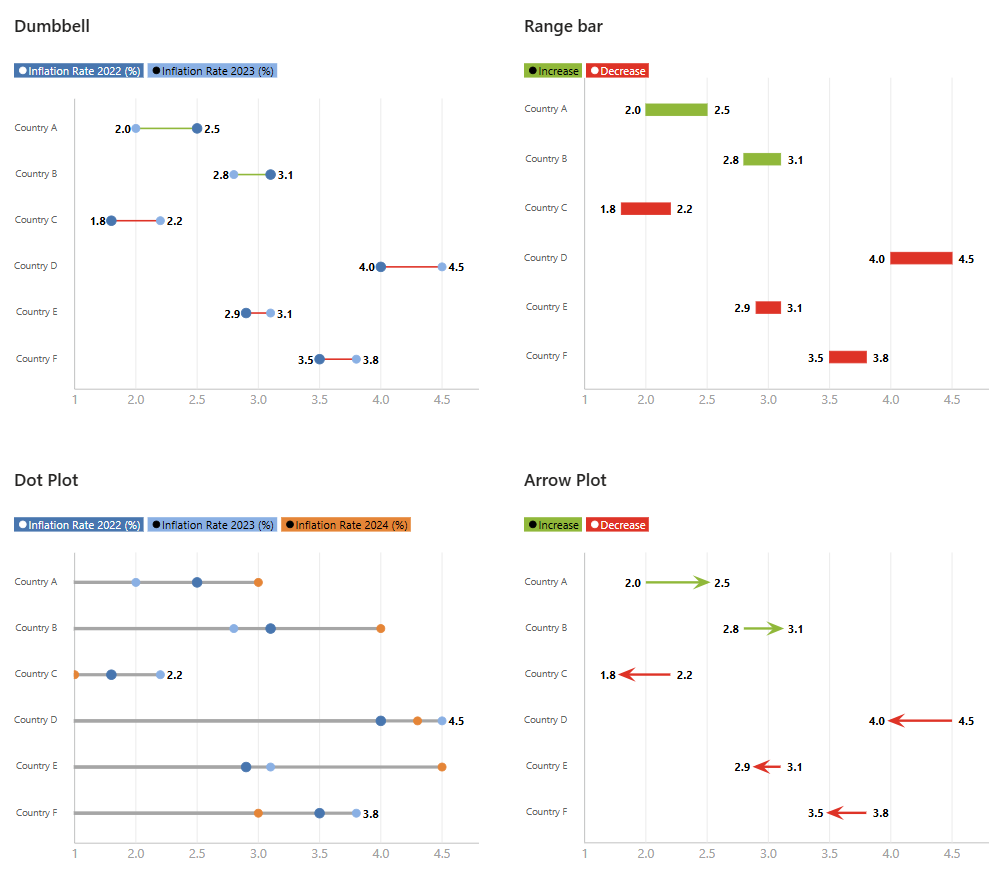
What these four charts share in common is their fundamental purpose to illustrate direct comparison and clearly articulate relationships or differences within your data. Unlike many standard charts that might only show a single value or distribution, these visuals inherently focus on demonstrating how one point relates to another—be it a difference, a change over time, or a defined range. They move beyond simple magnitude to highlight the context of your numbers.
However, the Dot Plot stands out than other three in a key aspect. While Dumbbell, Range Plot and Arrow Plot intrinsically deal with two distinct, connected points (showing a difference, a range, or a change/movement), a basic Dot Plot can simply display individual data points or distributions across categories. It doesn't necessarily require two connected points to convey its primary message. While a "connected dot plot" is essentially a dumbbell chart, the versatility of the general dot plot allows it to also function as a cleaner alternative to a bar chart for single-value comparisons, or to show the spread of data without implying a direct "from-to" relationship like the others.
To plot these comparative charts, your underlying data needs to be structured in a precise, aggregated format, much like the organized layout of a pivot table. For Dumbbell Charts, Range Bars, and Arrow Plots, the essential data structure typically involves at least three key columns: a Category or unique identifier (such as a product name, region, or time period) to delineate each comparative instance, followed by two distinct value columns that represent the 'start' and 'end' points of the comparison. For instance, an Arrow Plot comparing performance might need 'Product', 'Sales_Q1', and 'Sales_Q2', while a Range Plot might use 'Task', 'Start_Date', and 'End_Date'.
In contrast, the data structure for a Dot Plot is highly flexible. While it can display individual quantitative measures across various categories using just a Category and a single Value column, it also readily supports multiple Value columns to plot different series alongside each other (e.g., 'Product', 'Sales 2023', 'Sales 2024', 'Sales 2025'…… so on) .This versatility allows Dot Plots to enable straightforward point-to-point comparisons for single metrics or to show multiple comparative measures for each category without necessarily needing an inherent 'start' and 'end' pair for each data item.
Inforiver Analytics+ significantly enhances the capabilities of these comparative storytelling charts in Power BI by offering a suite of powerful features that go far beyond standard visuals. These capabilities ensure your data narratives are precise, impactful, and easy to understand:


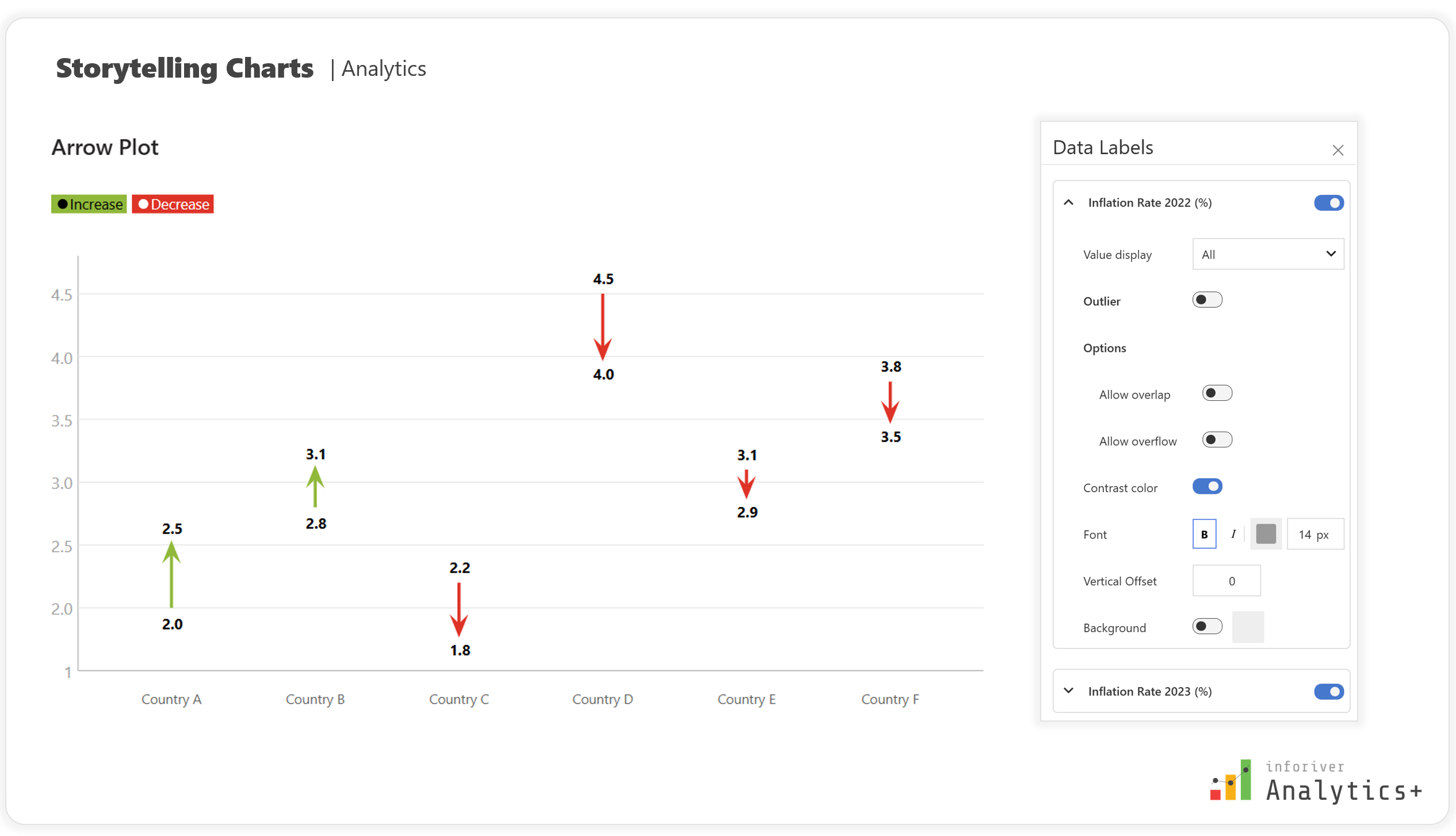


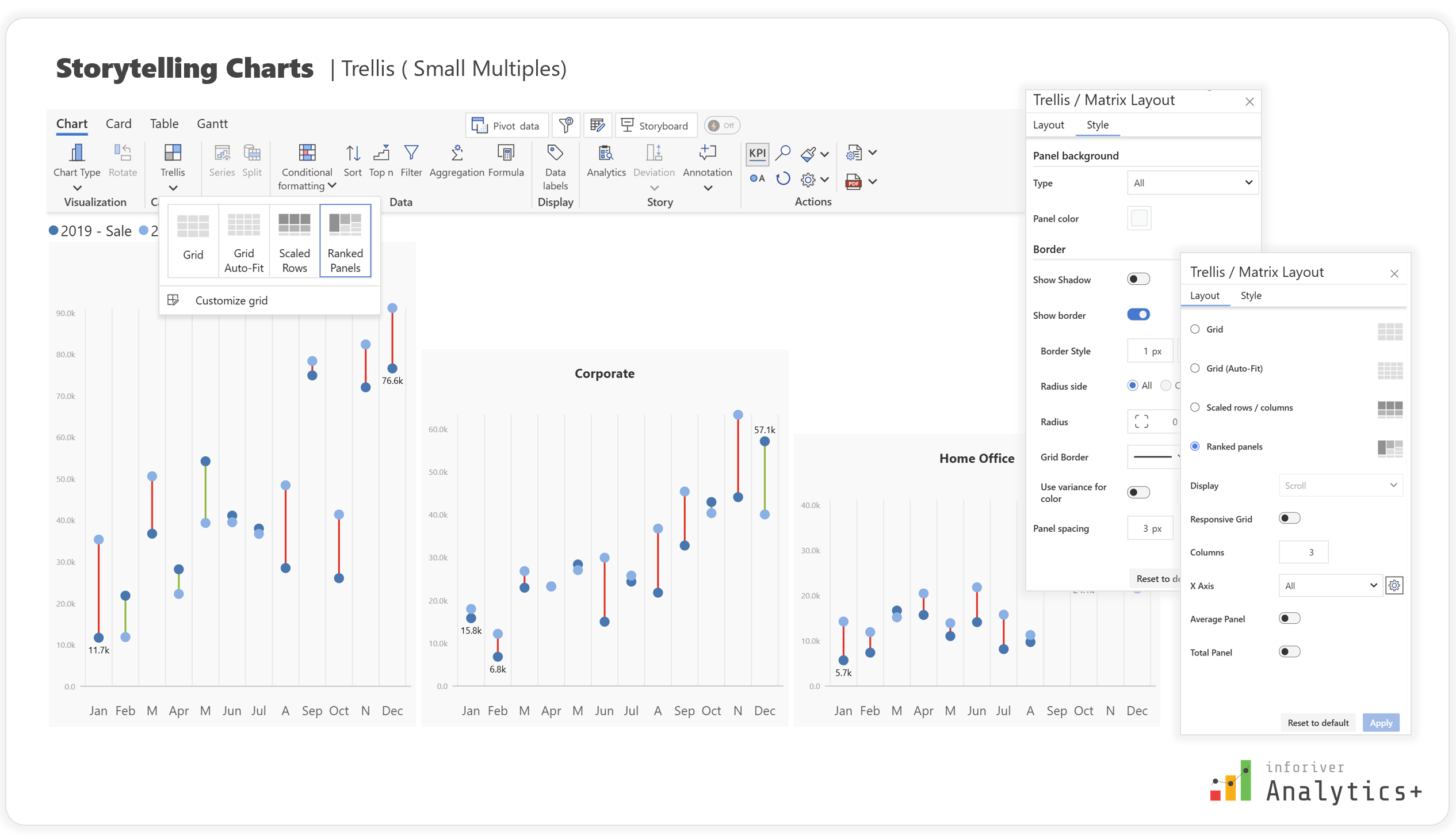
These robust features collectively empower users to transform raw data into compelling and insightful comparative narratives, making your Power BI reports truly stand out.
Effectively communicating comparisons and changes within your data is crucial for informed decision-making. While Power BI's native capabilities provide a strong foundation, custom visuals like Inforiver Analytics+ unlock a new realm of visual storytelling. By leveraging Dumbbell Charts, Dot Plots, Range Plots, and Arrow Plots with Inforiver's extensive customization and analytical features, you can create reports that not only present data but also articulate clear, actionable insights, empowering your audience to understand trends, differences, and relationships briefly.
Try Inforiver Analytics+ for yourself with a free trial and explore how it can transform your reporting experience.

Inforiver helps enterprises consolidate planning, reporting & analytics on a single platform (Power BI). The no-code, self-service award-winning platform has been recognized as the industry’s best and is adopted by many Fortune 100 firms.
Inforiver is a product of Lumel, the #1 Power BI AppSource Partner. The firm serves over 3,000 customers worldwide through its portfolio of products offered under the brands Inforiver, EDITable, ValQ, and xViz.