Inforiver

Upcoming webinar on 'Inforiver Charts : The fastest way to deliver stories in Power BI', Aug 29th , Monday, 10.30 AM CST.    Register Now

Upcoming webinar on 'Inforiver Charts : The fastest way to deliver stories in Power BI', Aug 29th , Monday, 10.30 AM CST.    Register Now

Hierarchy

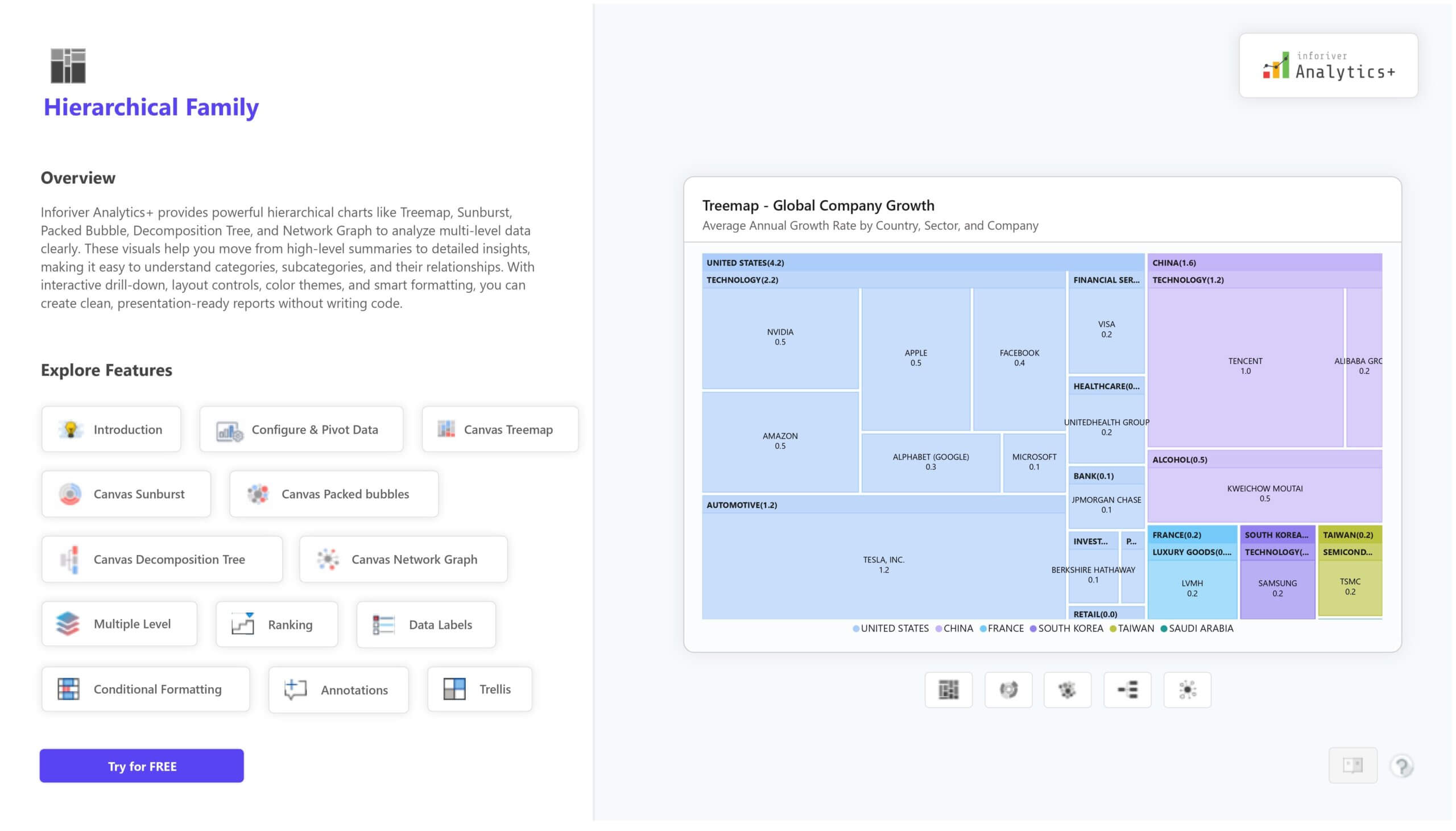
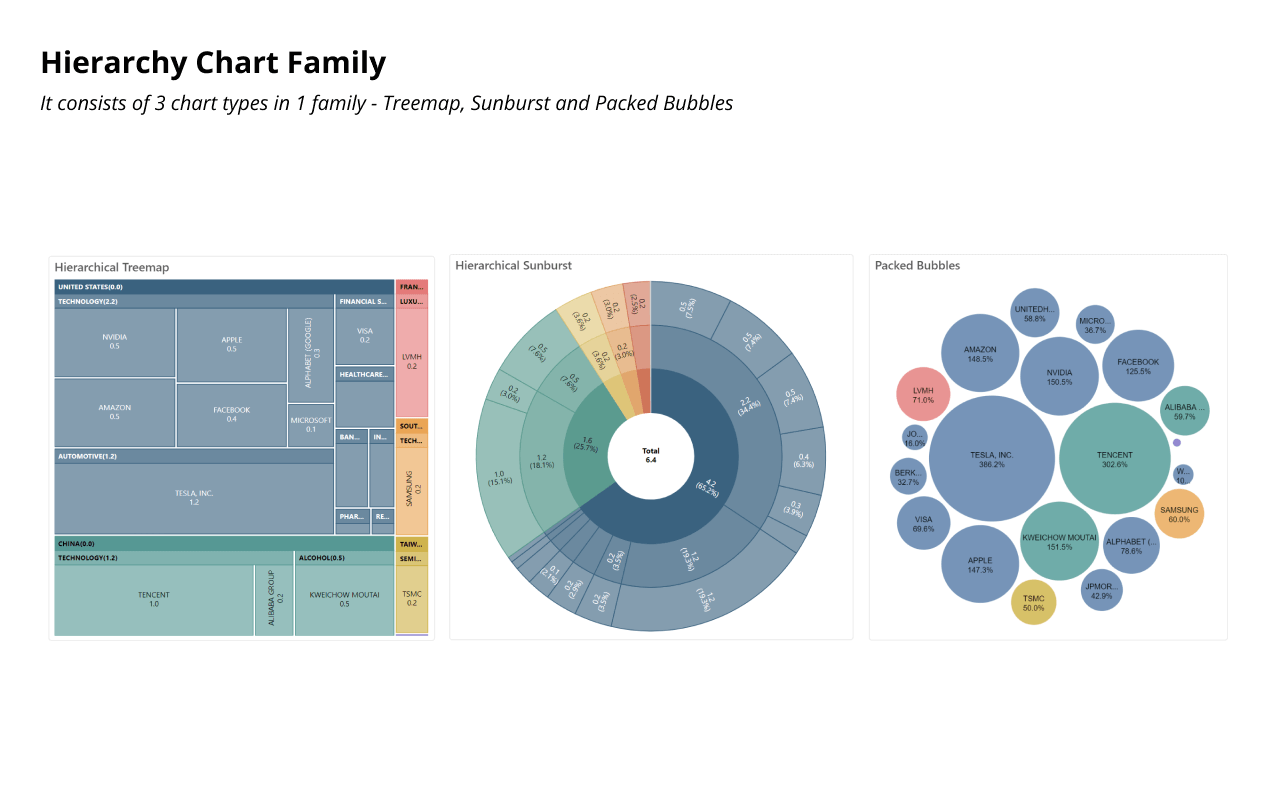
Inforiver Analytics+ Hierarchy Suite includes treemap, sunburst and packed bubbles. It contains visuals that are used to display hierarchical datasets with a nested view where the top category is the parent and bottom-most is the child. Visuals can be grouped by parent level and can be drill-down across multiples levels for detailed insight.
Explore 100+ charts in Inforiver Analytics+ suite
Download PBIX
inforiver-hierarchy-treemap-hero-btn-icon
Tree Map
inforiver-hierarchy-sunburst-hero-btn-icon
Sunburst
inforiver-hierarchy-packed-bubble-hero-btn-icon
Packed Bubbles
Network graph
Network Graph
Decomposition Tree
iframe preview
View interactive content
Tree map
Sunburst
Packed Bubbles
Network Graph
Decomposition Tree

Key features

Multiple level

Support nested hierarchy with as many categories as needed.

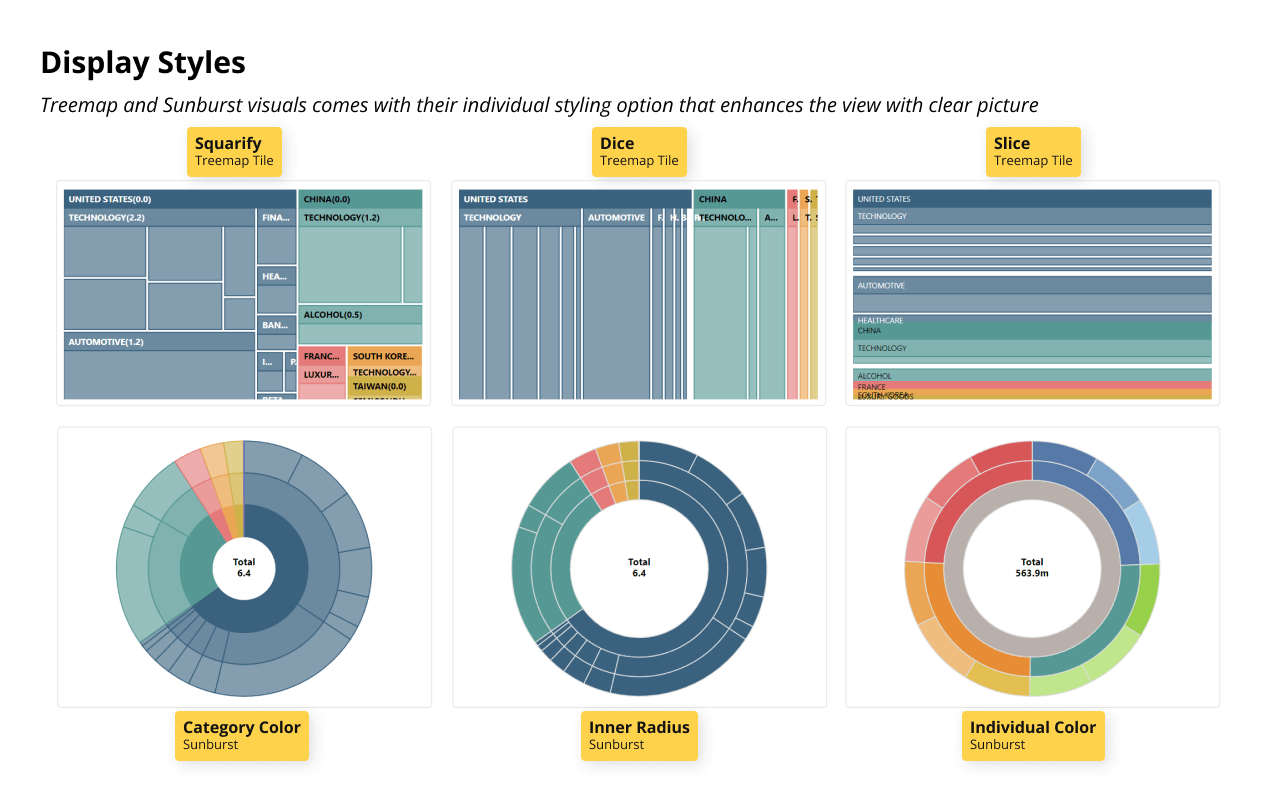
Display Style

Display style and formatting are available to support each visualization.

Data Labels

Display labels with value, percentage and both. Sunburst chart also supports center circle label.

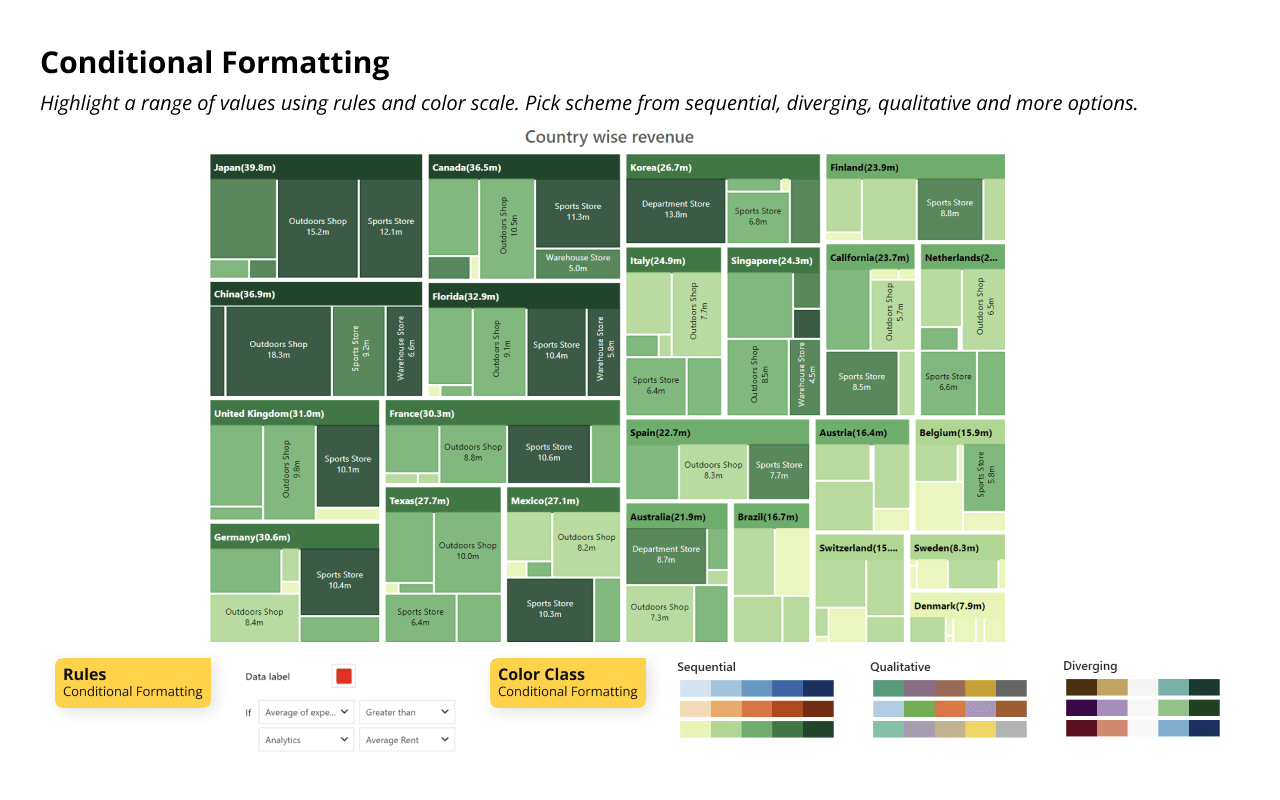
Conditional Formatting

Highlight outliers by applying color conditions based on rules or color class.

Annotations

Enhance your storytelling options by adding comments/annotations inside the custom visual.

Small Multiples

Get trellis support with multi-level hierarchy, grid layouts, axis scaling and more.

Ranking

Filter the top/bottom N based on values or percentages. Show or hide remaining categories as “Others”.
Tree maps provide a dynamic way to visualize hierarchical data, using nested rectangles to depict different categorical proportions with clarity. ls and financial data with precision.
Inforiver Analytics+ Tree map enhances advanced hierarchy visualization, enabling users to effortlessly explore complex, multi-level datasets that are perfect for analyzing sales, organizational mode
Try for FREE
inforiver-hierarchy-treemap

Key features

Multi-Level

Display nested categories directly to provide a comprehensive view of datasets.
IBCS compliant charts

Display Style

Enhance the visual by choosing from a range of tile layouts such as Binary, Dice, Slice, Squarify etc

Ranking

Supports nested ranking with top/bottom N based on values or percentages. Show or hide remaining categories as “Others”.
inforiver-hierarchy-interactive-drill-down

Interactive Drill -Down

Enable the drill-down option to view the chart at a higher granularity

Data Labels

Display labels with value, percentage and both. Sunburst chart also supports center circle label

Annotations

Enhance your storytelling options by adding comments/annotations inside the visual

Conditional Formatting

Highlight outliers by applying color conditions based on rules or color class.

Small Multiples

Get trellis support with multi-level hierarchy, grid layouts, axis scaling and more.

Resources

A sunburst chart is a circular visualization that represents hierarchical data using concentric rings, where each level's total sums up to 100%
Inforiver Analytics+ enhances Sunburst chart visualization with powerful features, making hierarchical data exploration more efficient. It allows users to explore relationships between categories and subcategories effortlessly
Try for FREE
inforiver-hierarchy-sunburst

Key features

Multi-Level Hierarchy

Display nested relationships with concentric rings, enabling clear insights into structured datasets
inforiver-hierachy-sunburst-display-style

Display Style

Clearly represents data proportions within different categories for easy comparison

Ranking

Filter the top/bottom N based on values or percentages. Show or hide the remaining categories as "Others".
inforiver-hierachy-sunburst-interactive-drill-down

Interactive Drill -Down

Enable the drill-down option to view the chart at a higher granularity.

Data Labels

Display labels with value, percentage and both. Sunburst chart also supports center circle label.

Annotations

Enhance your storytelling options by adding comments/annotations inside the visual.

Conditional Formatting

Highlight outliers by applying color conditions based on rules or color class

Small Multiples

Get trellis support with multi-level hierarchy, grid layouts, axis scaling and more.

Resources

A packed bubble chart displays data in the form of bubbles that are packed together without overlapping. Each bubble represents a data point, and its size typically corresponds to a qualitative value.
The Inforiver Analytics+ packed bubble charts come with a rich set of features designed to enhance data storytelling and visual clarity
Try for FREE

Key features

inforvier-hierachy-packed-bubble-size-based-representation

Size-Based Representation

Each bubble size reflects a qualitative value to compare the magnitude visually
inforvier-hierachy-packed-bubble-styling

Styling

Distinguish different data values by applying different fill patterns like solid, outlined or hatched.
inforvier-hierachy-packed-bubble-cluster-mode

Clustered Mode

Group child categories under their respective parent categories within the packed bubble chart.
inforvier-hierachy-packed-bubble-ranking

Ranking

Filter the top/bottom N based on values or percentages. Show or hide the remaining categories as "Others".

Data Labels

Display labels with value, percentage and both. Sunburst chart also supports center circle label

Annotations

Enhance your storytelling options by adding comments/annotations inside the visual

Conditional Formatting

Highlight outliers by applying color conditions based on rules or color class
inforvier-hierachy-packed-bubble-small-multiple

Small Multiples

Get trellis support with multi-level hierarchy, grid layouts, axis scaling and more

Resources

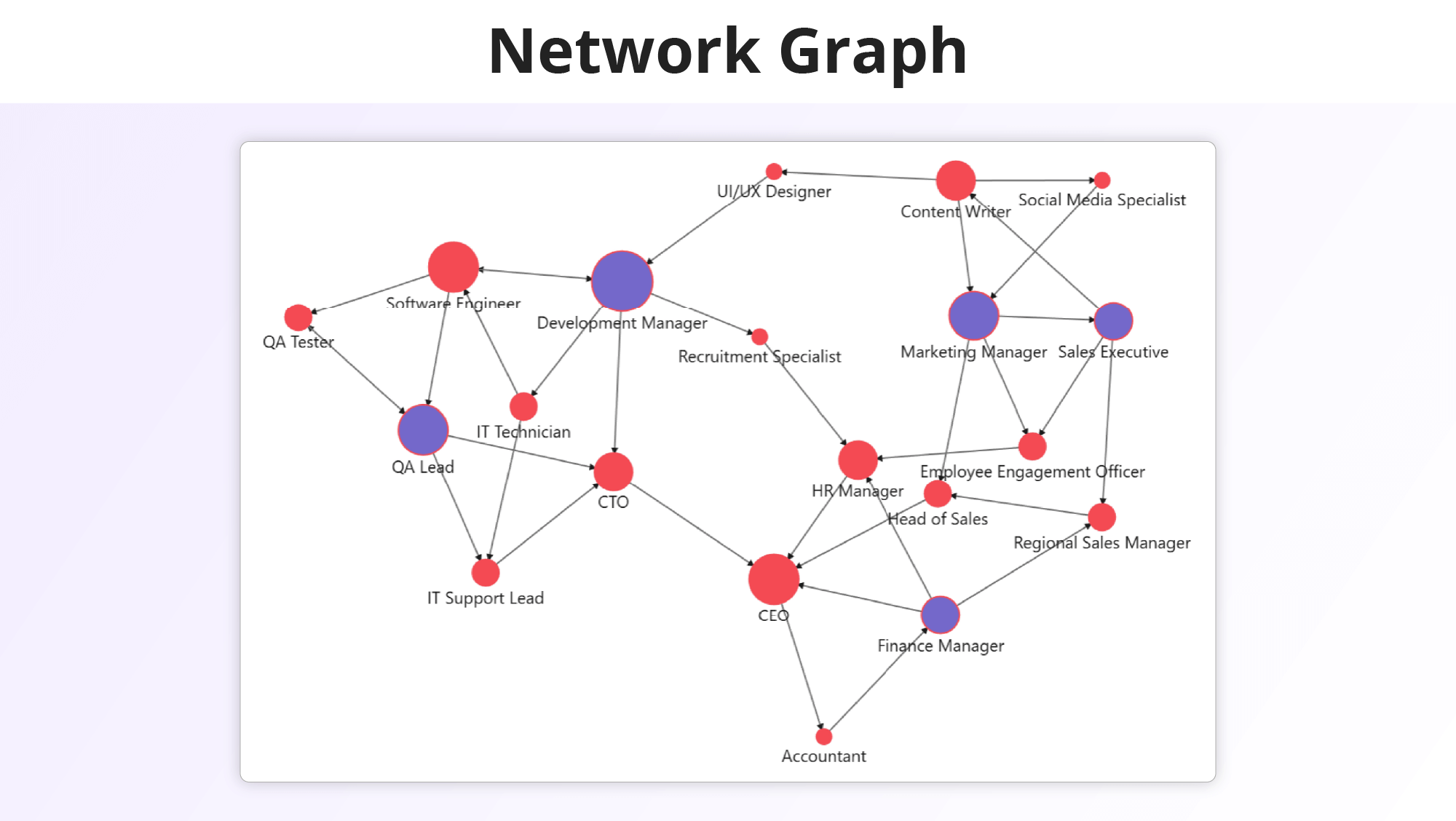
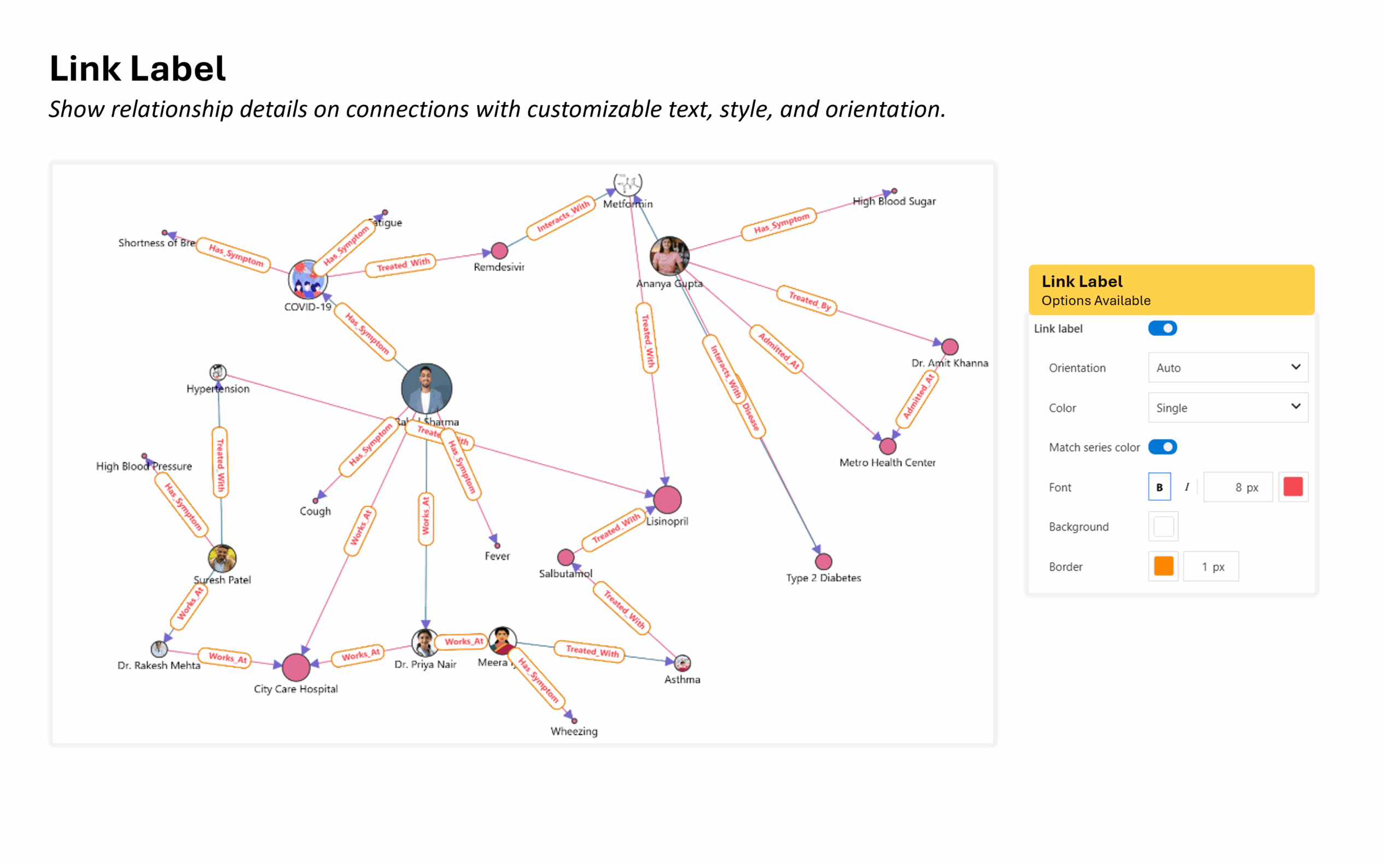
Network Graphs are powerful tools for visualizing relationships, uncovering hidden patterns, and identifying key influencers within large and complex relational and graphical datasets. 
Inforiver Analytics+ brings an intuitive Network Graph experience to Power BI with smart layouts, directional flows, dynamic weights, and rich formatting. Interactive filtering, conditional formatting, and responsive visuals make it easy to explore complex networks and highlight key insights.
Try for FREE

Key features

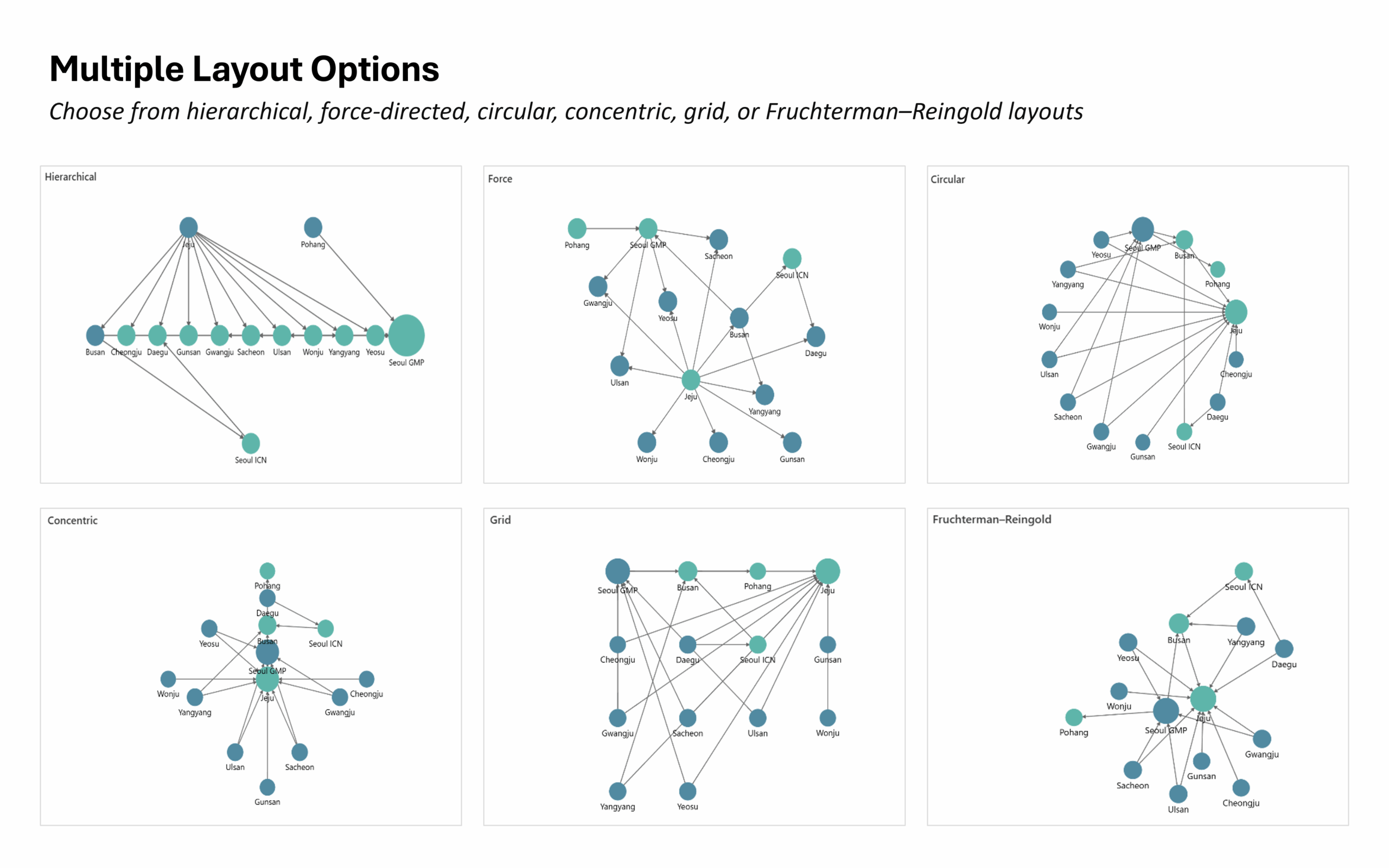
Multiple Layout Options

Multiple Layout Options

Choose from hierarchical, force-directed, circular, concentric, grid, or Fruchterman–Reingold layouts to display relationships in the clearest way.
Source and target

Source and Target

Enable Source and Target to collapse repeated nodes into a single point, preserving every link and reducing clutter.
Directional arrows

Directional Arrows

Display arrowheads on lines to reveal how one node connects and flows toward another.
Dynamic links

Dynamic Weighted Links

Adjust link thickness automatically based on values to emphasize stronger or more important relationships.
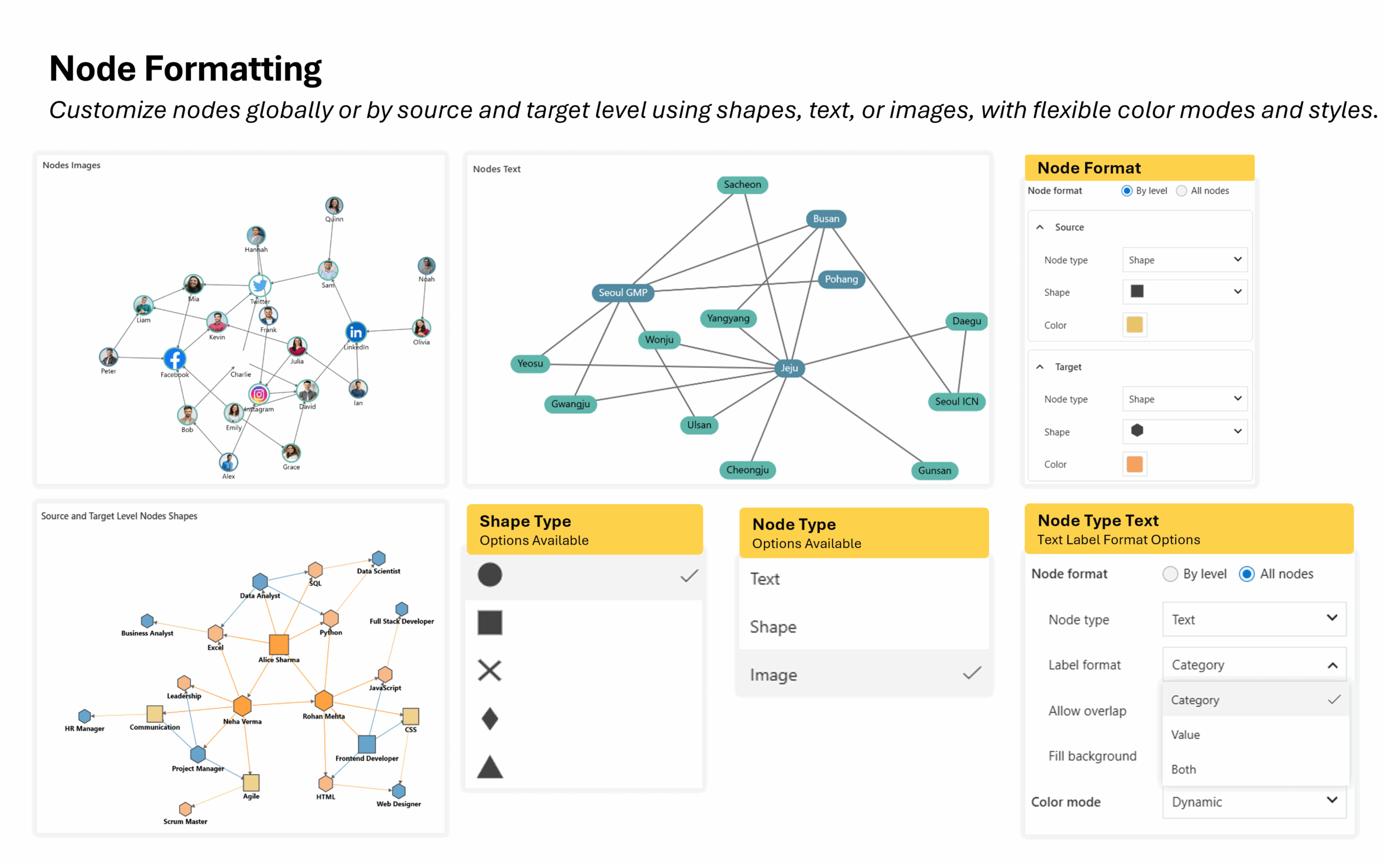
Advanced node customization

Advanced Node Customization

Customize nodes globally or by source and target level using shapes, text, or images, with flexible color modes, outlines, and styles.
Link line styling

Link Line Styling

Format edges with solid, dotted, or dashed lines, apply gradients or source/target-based colors, and choose smooth or curved styles.
Data labels

Data Labels

Display category, value, inflow, outflow, or total flow values with customizable positions, fonts, and colors for better readability.
Conditional formatting

Conditional Formatting

Use custom rules, color scales, or patterns to highlight outliers or key nodes, revealing insights at a glance more.

Resources

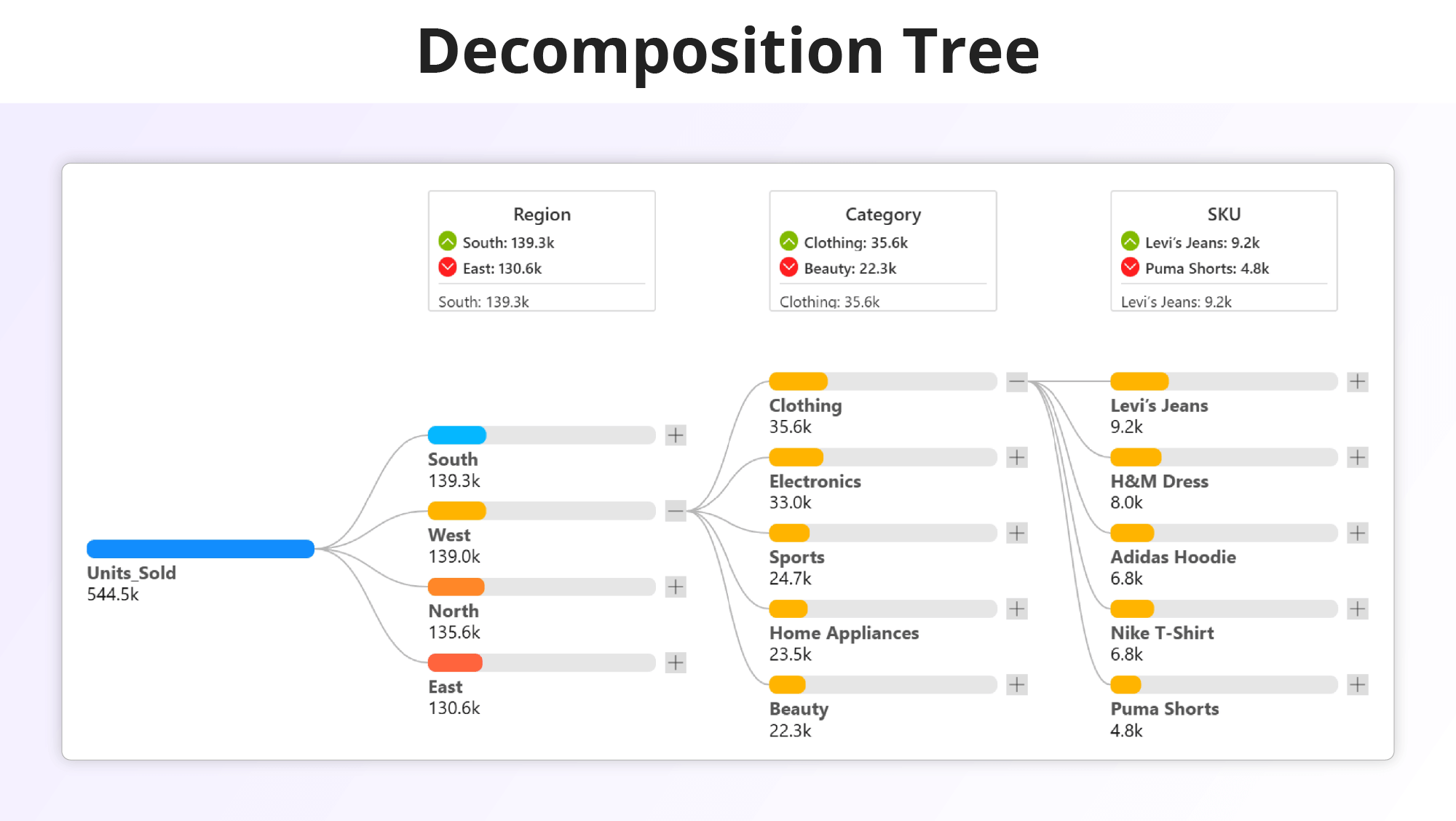
A Decomposition Tree is an interactive Power BI visual used for root cause analysis and performance exploration. It helps break down a key metric such as revenue, profit, or sales across multiple dimensions to identify what drives results.
Inforiver Analytics+ enhances the native Decomposition Tree with advanced customization, formatting, and layout controls. It enables users to build structured, presentation-ready visuals for detailed analysis all without writing a single line of code.
Try for FREE

Key features

One-Click Color Formatting

Apply unique colors to parent categories for clear distinction and branded visual consistency.

Show Header with Key Metrics

Display hierarchy headers with maximum and minimum values using formatted icons to highlight top and bottom contributors

Bar Type Options

Select from Card, Progress Bar, or Tile styles and customize backgrounds, borders, and sizing to match your layout.

Scale To Options

Adjust scaling by Top Node, Parent Node, or Level Maximum to compare performance across hierarchy levels accurately

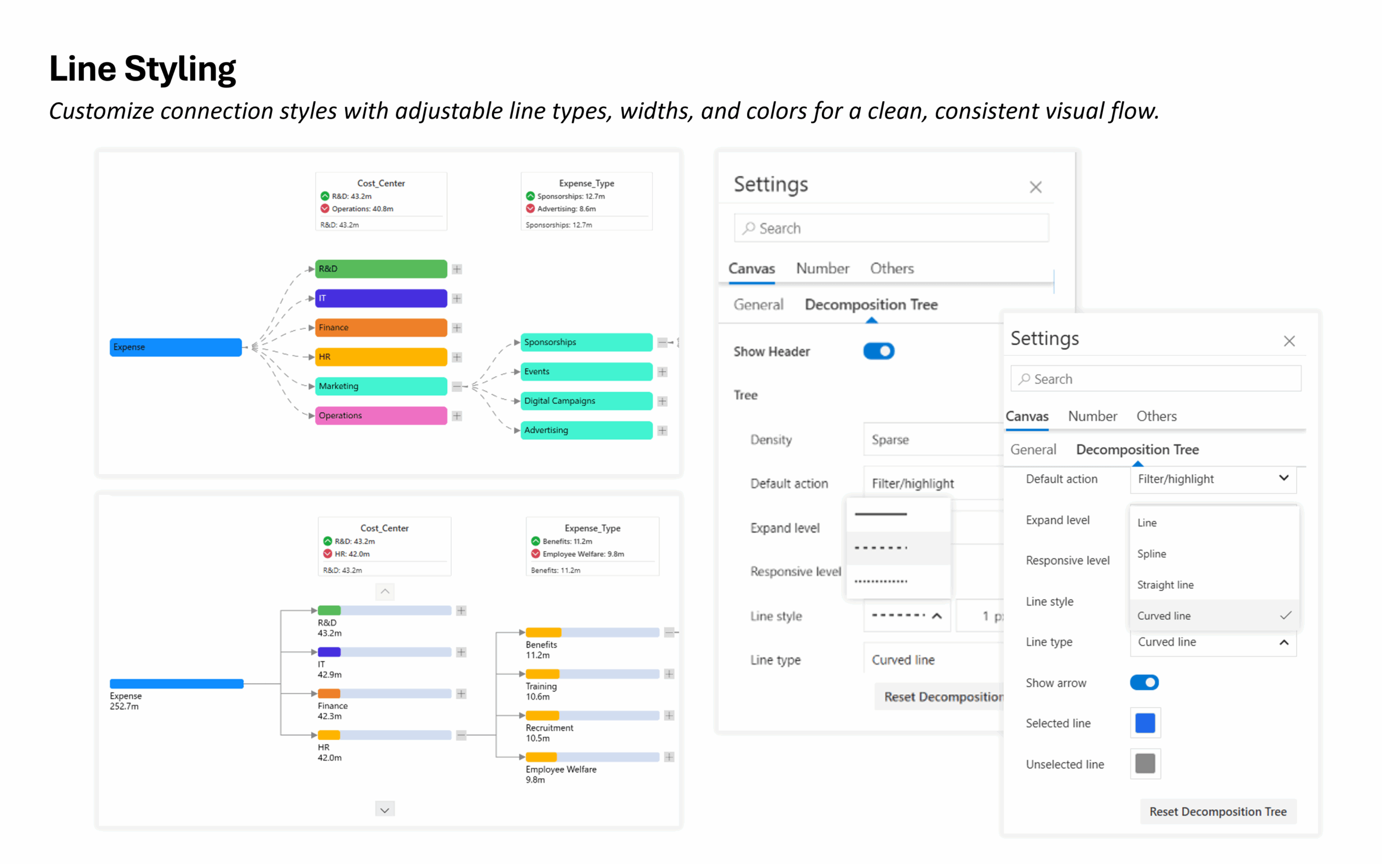
Line Styling & Type

Customize connection lines with solid, dashed, or dotted styles and choose between straight, curved, or spline types.

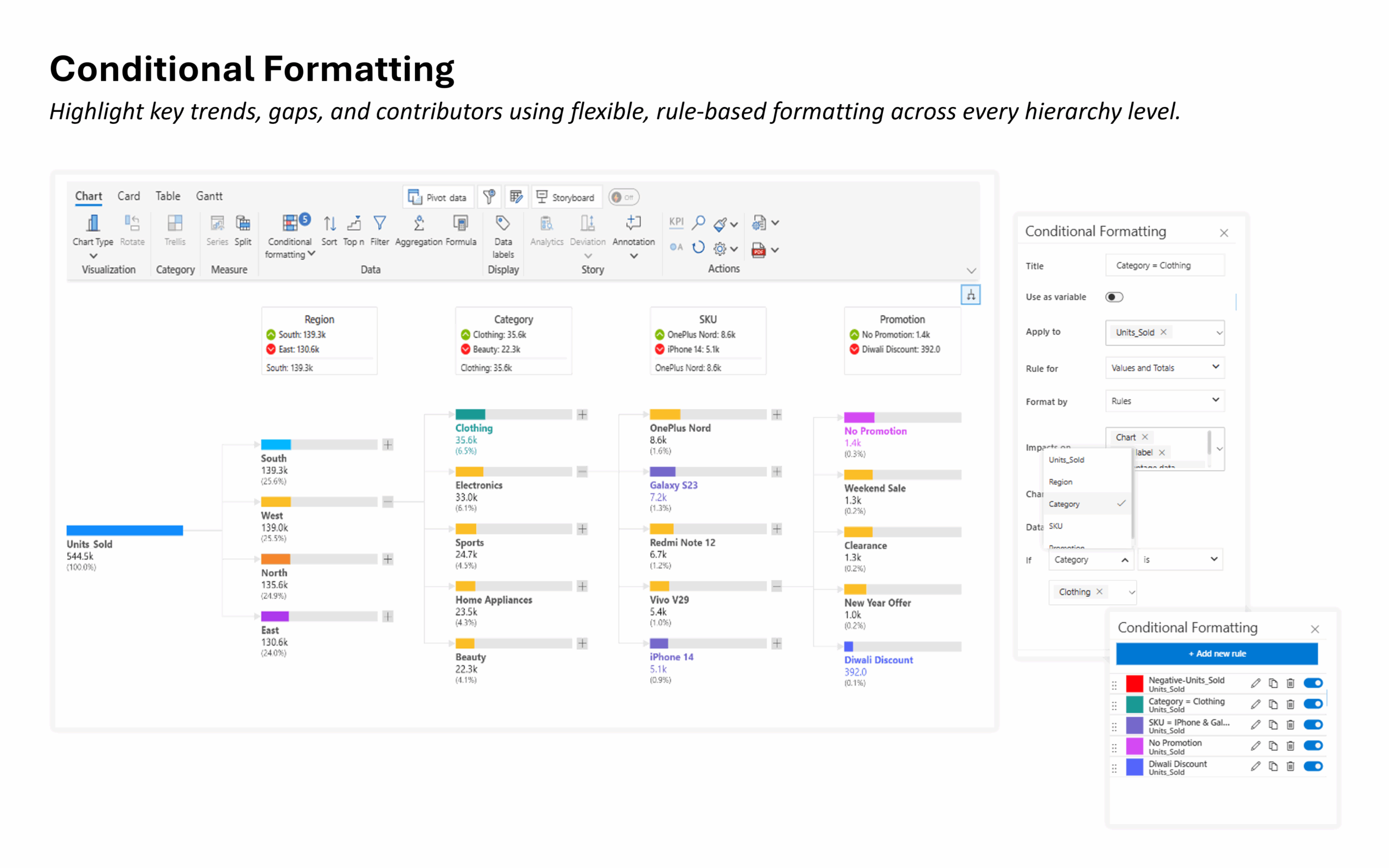
Conditional Formatting

Highlight performance patterns using rule-based conditions with custom logic for measures and hierarchy levels

Data Labels

Display category, value, or percentage labels or combine all three with flexible positioning and formatting.

Small Multiples

Compare multiple decomposition trees side by side with grid layouts for multi-category or scenario-based analysis.

Resources

Gallery

Show More
Show Less

Pricing

Get Hierarchy Family

Billed at
$9,995 Unlimited users
Buy hierarchy chart family for your entire organization;
Buy now

Get the entire Analytics+ suite

Starts at
$3  /user/month (2 - 999 users)
$2.40  /user/month (1000+ users)
Buy all the 100+ Charts, KPI cards and Tables;
Buy now

Get Waterfall chart Family

Billed at

$9,995

/year
Buy waterfall chart family for your entire organization;
Buy now

Get Inforiver brochure

Maximize your business potential with Inforiver's paginated reporting, data entry, planning & budgeting capabilities
Download now
Inforiver

Inforiver helps enterprises consolidate planning, reporting & analytics on a single platform (Power BI). The no-code, self-service award-winning platform has been recognized as the industry’s best and is adopted by many Fortune 100 firms.

Inforiver is a product of Lumel, the #1 Power BI AppSource Partner. The firm serves over 3,000 customers worldwide through its portfolio of products offered under the brands Inforiver, EDITable, ValQ, and xViz.

linkedin facebook pinterest youtube rss twitter instagram facebook-blank rss-blank linkedin-blank pinterest youtube twitter instagram