Inforiver

Upcoming webinar on 'Inforiver Charts : The fastest way to deliver stories in Power BI', Aug 29th , Monday, 10.30 AM CST.    Register Now
Drive IBCS adoption across your enterprise

Traditional software tools for IBCS reporting adopt a strict, standards-centric approach that limits adoption to specific teams or geographies. 

Leverage Inforiver’s inclusive & flexible approach to support users and teams at various levels of maturity & readiness; Consolidate IBCS and non-IBCS users on a single platform

* IBCS: International Business Communication Standards 
One click interchangeable ibcs template

IBCS Certified Products

Inforiver analytics plus
100+ Charts, KPI, Gantt and Tables
All-in-One visualization suite for Power BI
Inforiver IBCS Badge
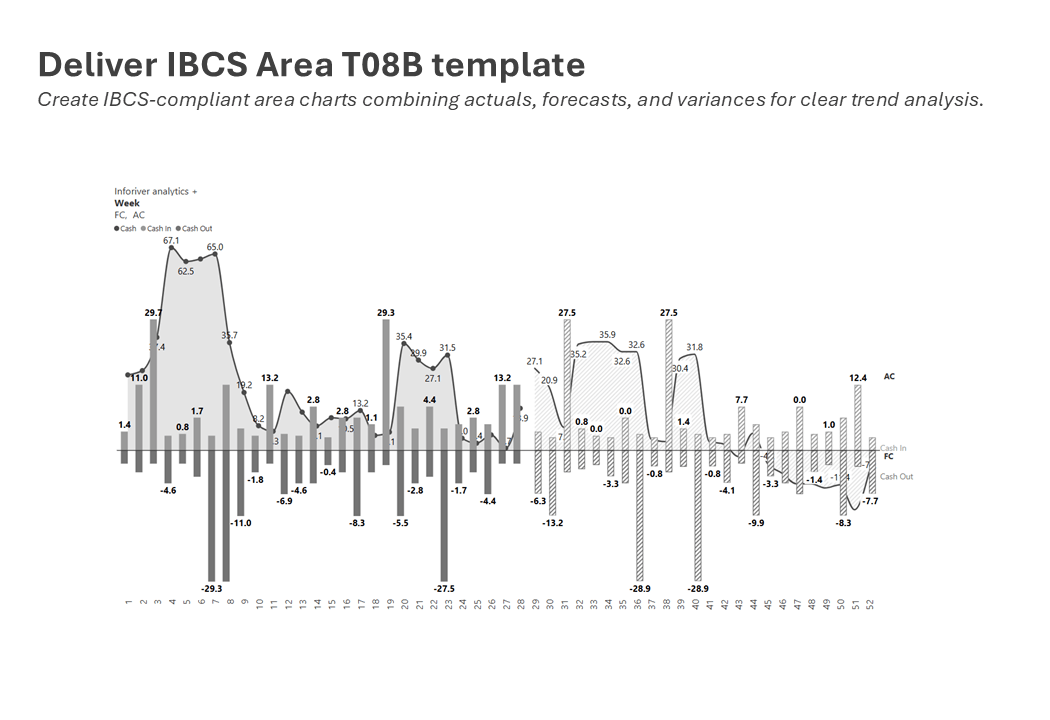
  • C01–C013 – Covers all chart templates

  • Support IBCS theme for specialized charts like Marimekko, box plot, and bullet chart

  • One-click IBCS theme for tables, cards, and charts.

  • Automatic absolute and relative variance

  • Nested Top N + Others for both axis and trellis layouts.

  • Trellis/Small multiples with scaled layout, total and average panel.

  • Uniform scaling and number formatting.

  • Pixel-perfect formatted export to PDF (including pagination) with small multiples.

  • Support for data point and canvas annotations with rich text editor 

  • Import and export your visual customization using JSON for quick setup 
Inforiver matrix
No-Code Reporting; Features snapshots & scheduling
Excel like matrix for business reporting
Inforiver IBCS Badge
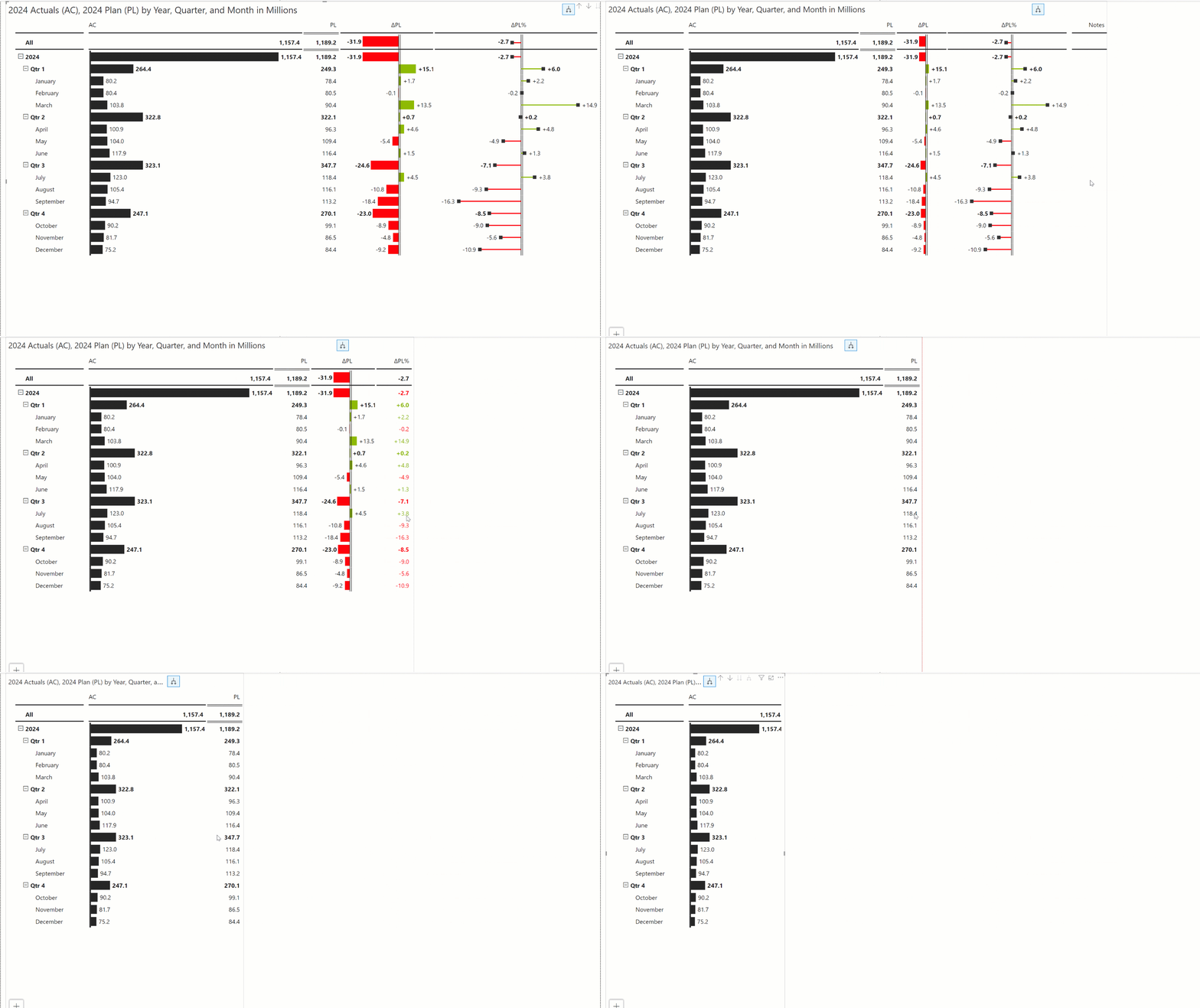
  • T01-T04 with bonus T05 table templates

  • Advanced pivot analysis 

  • Expand/Collapse-enabled row & column hierarchies with support for ragged and unbalanced structures 

  • Choose layouts like Drilldown, Stepped, Hierarchy, Outline, or Measures on Rows/Columns.  

  • Totals & subtotals management with split subtotals & grouped subtotals.  

  • Create forecast, budget, or what-if scenarios directly in the matrix with support for direct data entry and bulk edits 

  • Invert signs, semantic formatting, and IBCS-compliant number displays 

  • Top N + Others analysis with minimal clicks 

  • Integrated inline, footer & column-based commenting and annotations. 

See our IBCS Templates in Action 

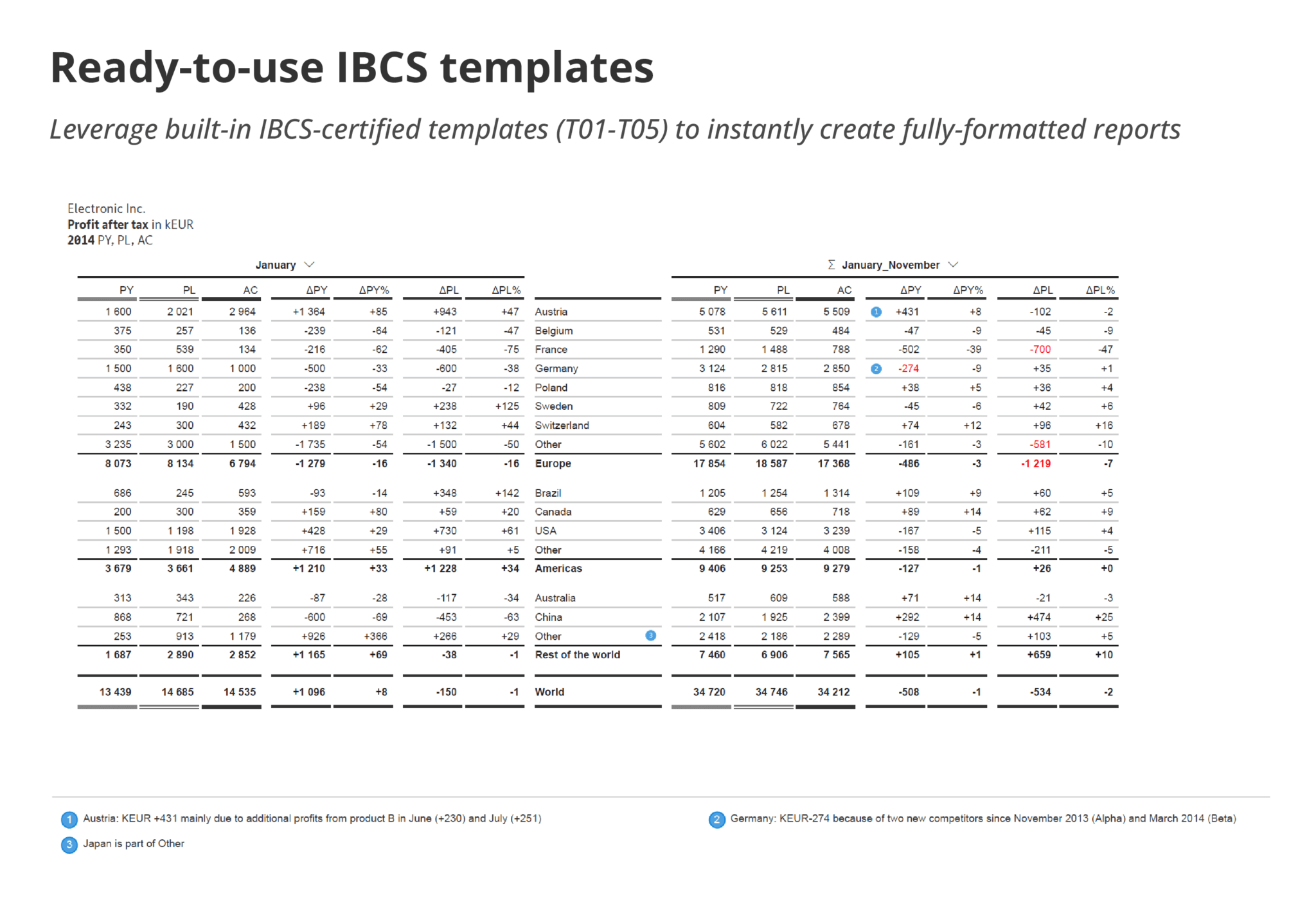
  • One click interchangeable ibcs template

    Use one-click, interchangeable IBCS templates ​

    Accelerate your reporting by leveraging easily interchangeable IBCS templates; this ensures you are not building any template from scratch.
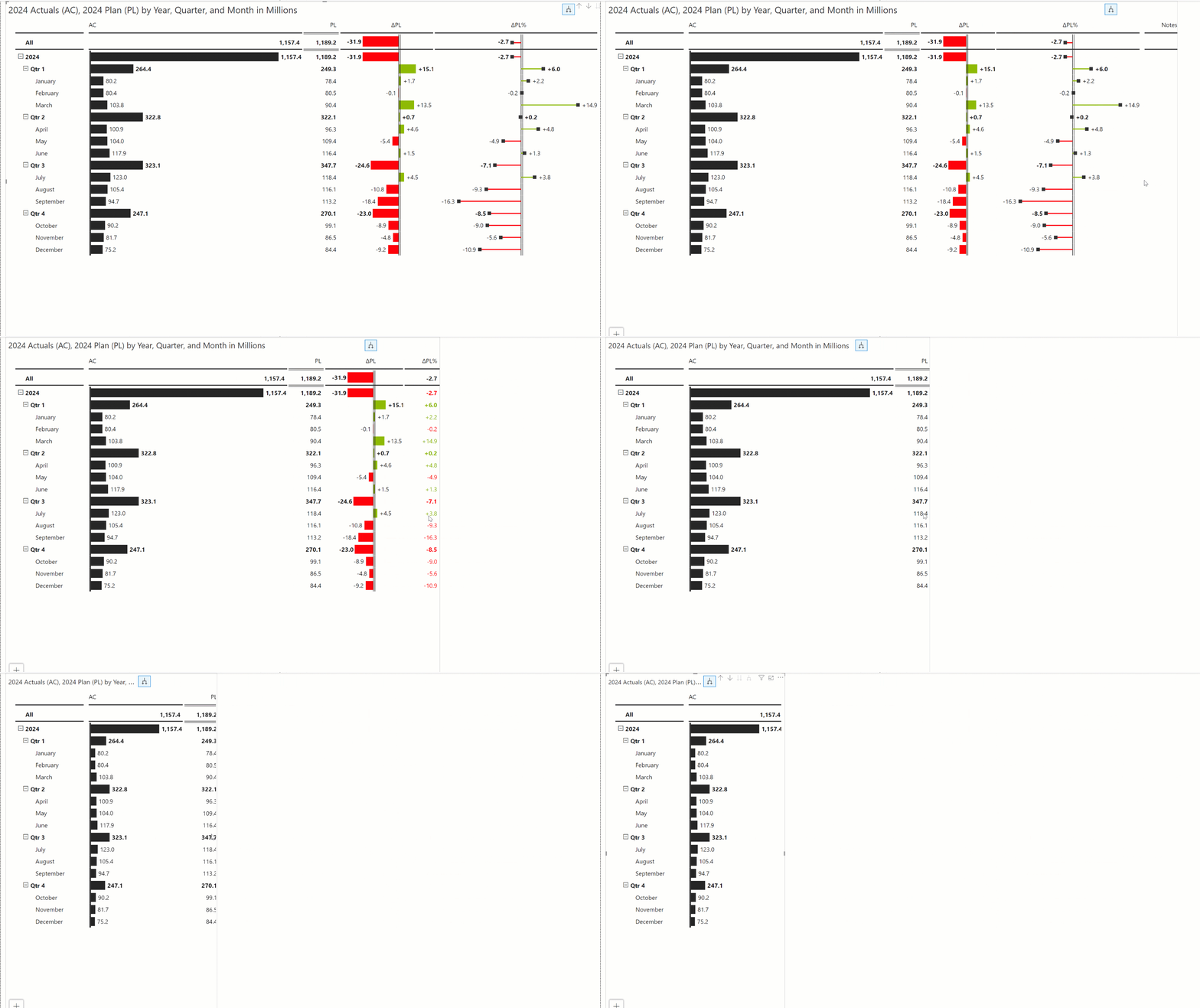
  • Leverage responsive IBCS visuals

    Experience the best visual experience regardless of the canvas size for your IBCS reports.
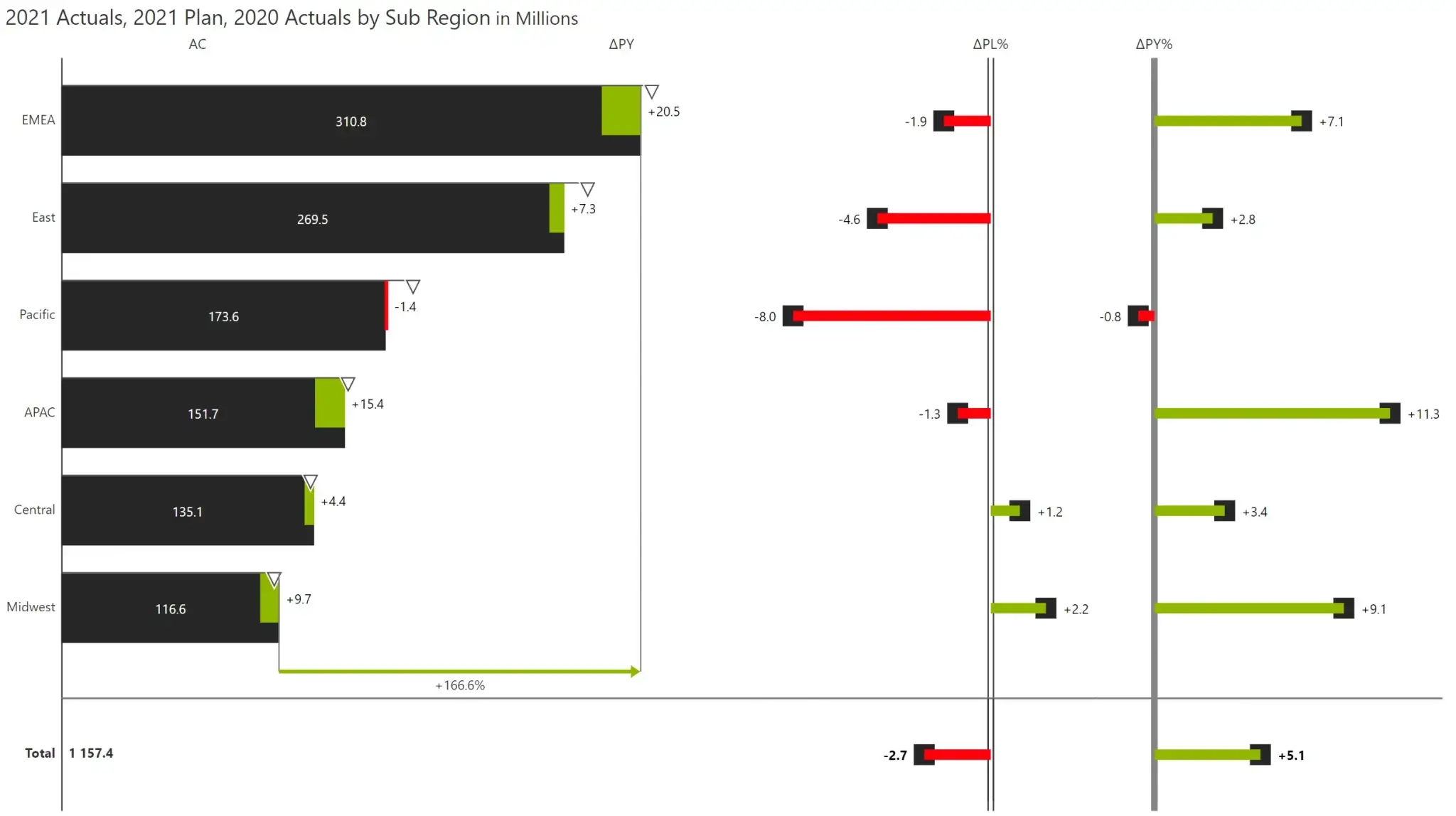
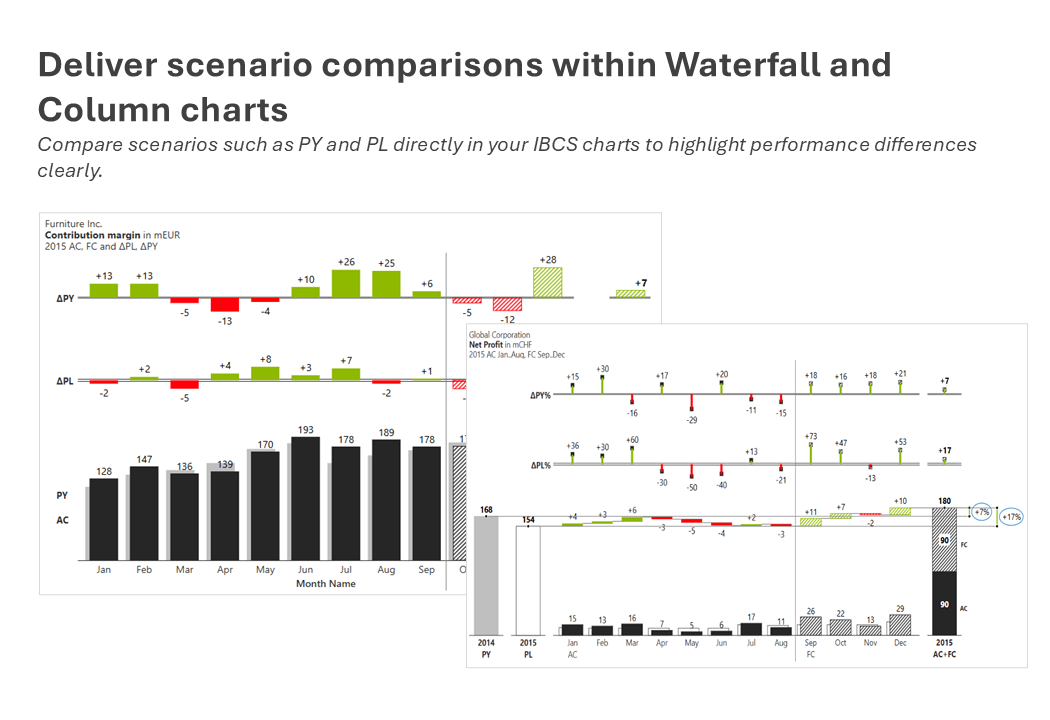
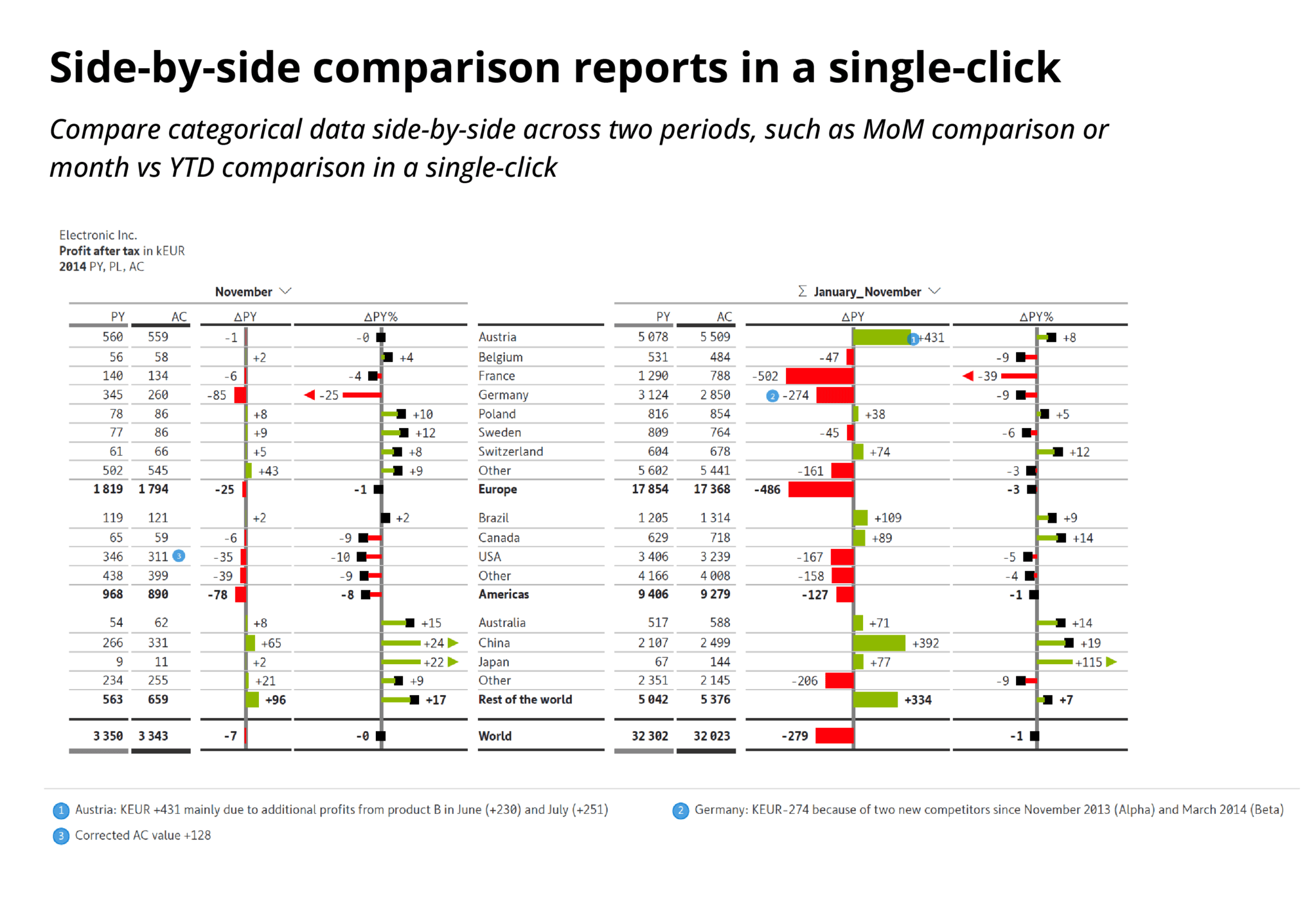
  • Automatic variance

    Automatic variance and total calculations

    Automatically calculate and visualize variances between actuals, forecasts, plans, and prior year for your IBCS reports. Totals and subtotals are calculated automatically.
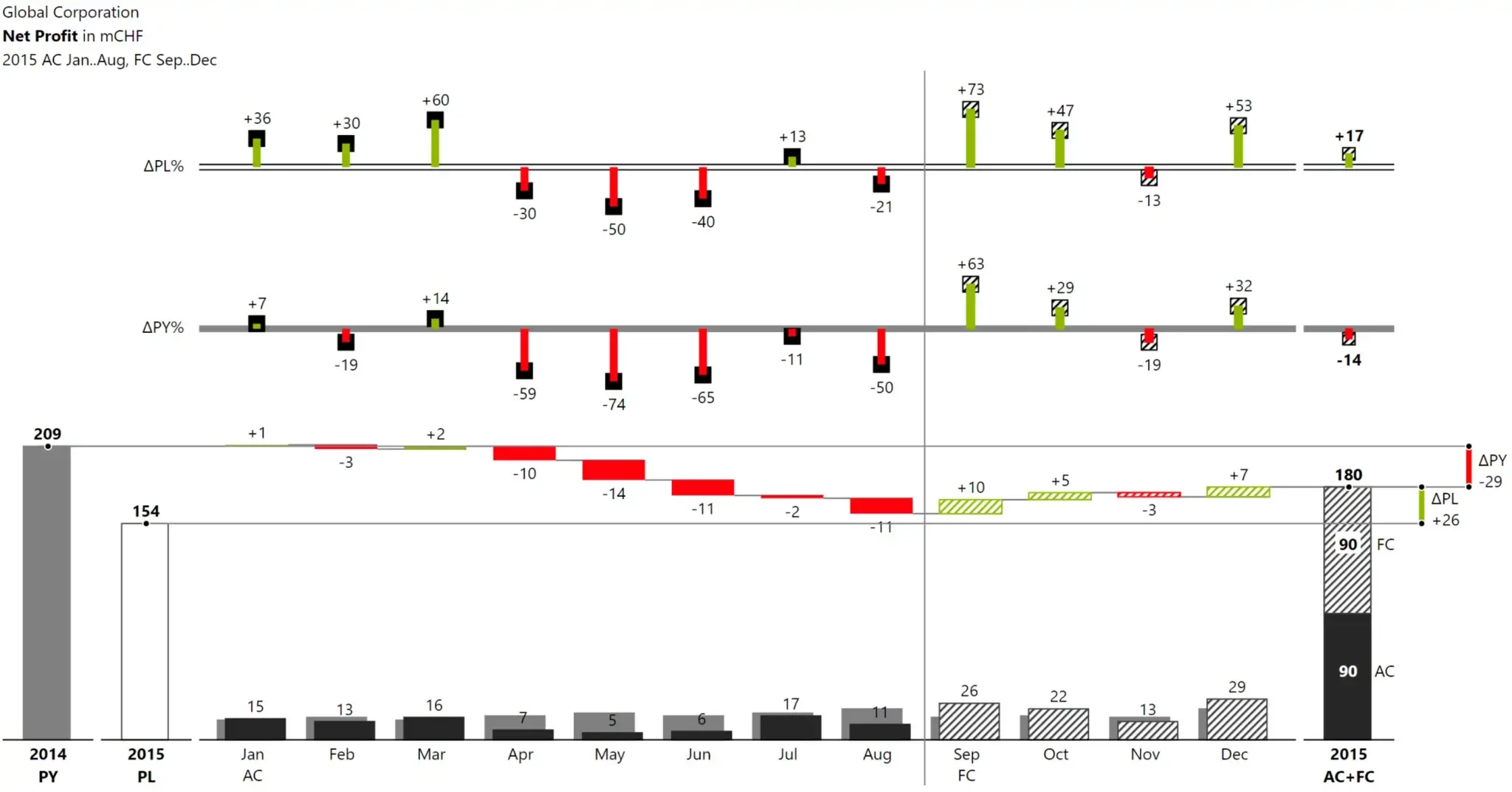
  • Solid outline

    Use solid, outlined, hatched IBCS notations

    Use solid, outlined, hatched IBCS notations
  • Structured annotation

    Add structured annotations and commentary across visuals

    Enable inline, footer, column-based, and data point annotations with rich text support fully compatible with tables, charts, and small multiples.
  • Export pdf

    Export to high-quality, multi-page PDF files

    Deliver pixel-perfect, formatted PDF exports of both charts & tables without losing formatting​​.
Inforiver IBCS Badge

Official IBCS Certification 

Our solution has undergone a rigorous evaluation process by the IBCS association to ensure full compliance with their standards. 
Read our complete report here

Key Advantages

One click templates
One clicks templates
IBCS automatic variance
Automatic
variance
Responsive view
Responsive
view
IBCS notation
IBCS notation - Solid, outlined, hatched
Comments and notes
Comments & Notes 
Import and export JSON
Import & export JSON – Reuse visual setups instantly 
Export pdf
Export to PDF - High resolution, pixel perfect reports

What the IBCS Experts Say About Us

Quote icon

Inforiver perfectly applies IBCS notation to its interactive and consumer-centric software. It feels like coming home. 
Dr. Rolf Hichert
Member of the certification team
Quote icon
Inforiver generates consistent-looking and easy-to-understand reports with an ease and speed you've only seen in Excel before. 
Jürgen Faisst
Member of the certification team

Featured Videos

IBCS charts for Power BI

Experience the fastest way to deliver insightful IBCS charts using Inforiver Analytics+
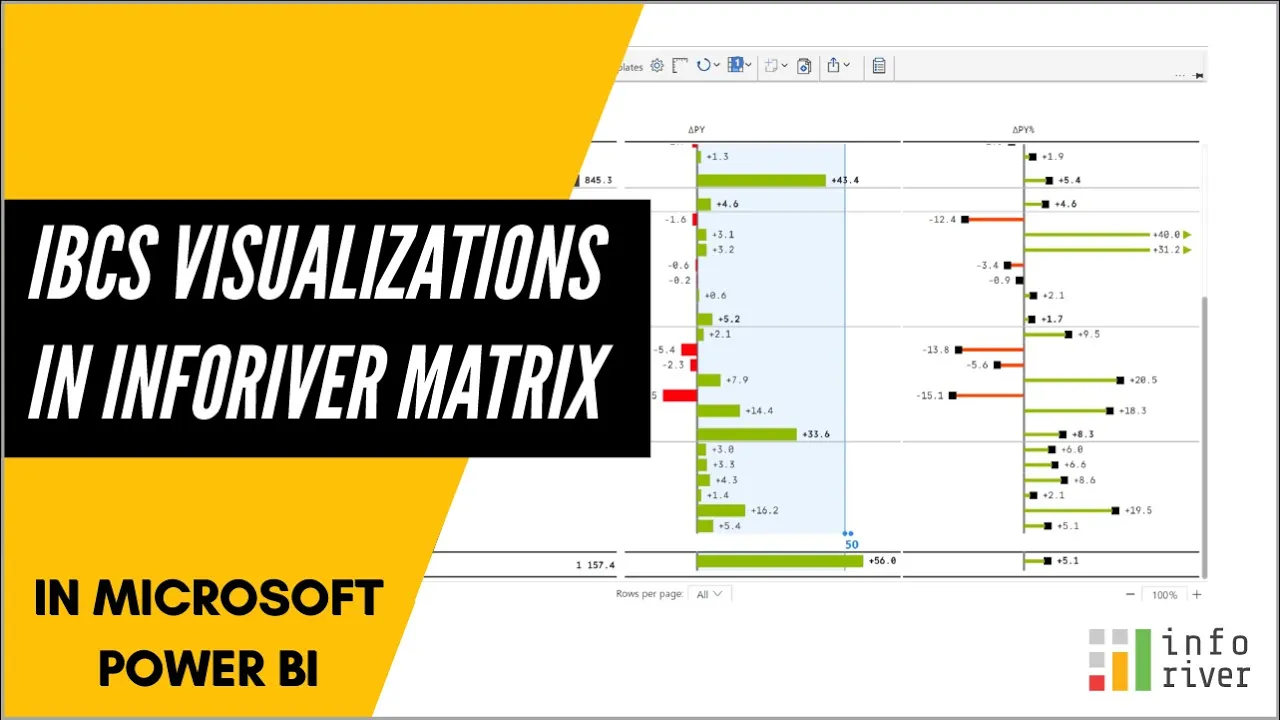
IBCS visuals in matrix/tabular reports

Experience the fastest way to deliver insightful visualizations following IBCS standards using Inforiver Matrix.
IBCS Charts

These features are available in Inforiver Analytics+
Show More
Show Less

IBCS Tables

These features are available in Inforiver Reporting Matrix & Writeback Matrix
Show More
Show Less

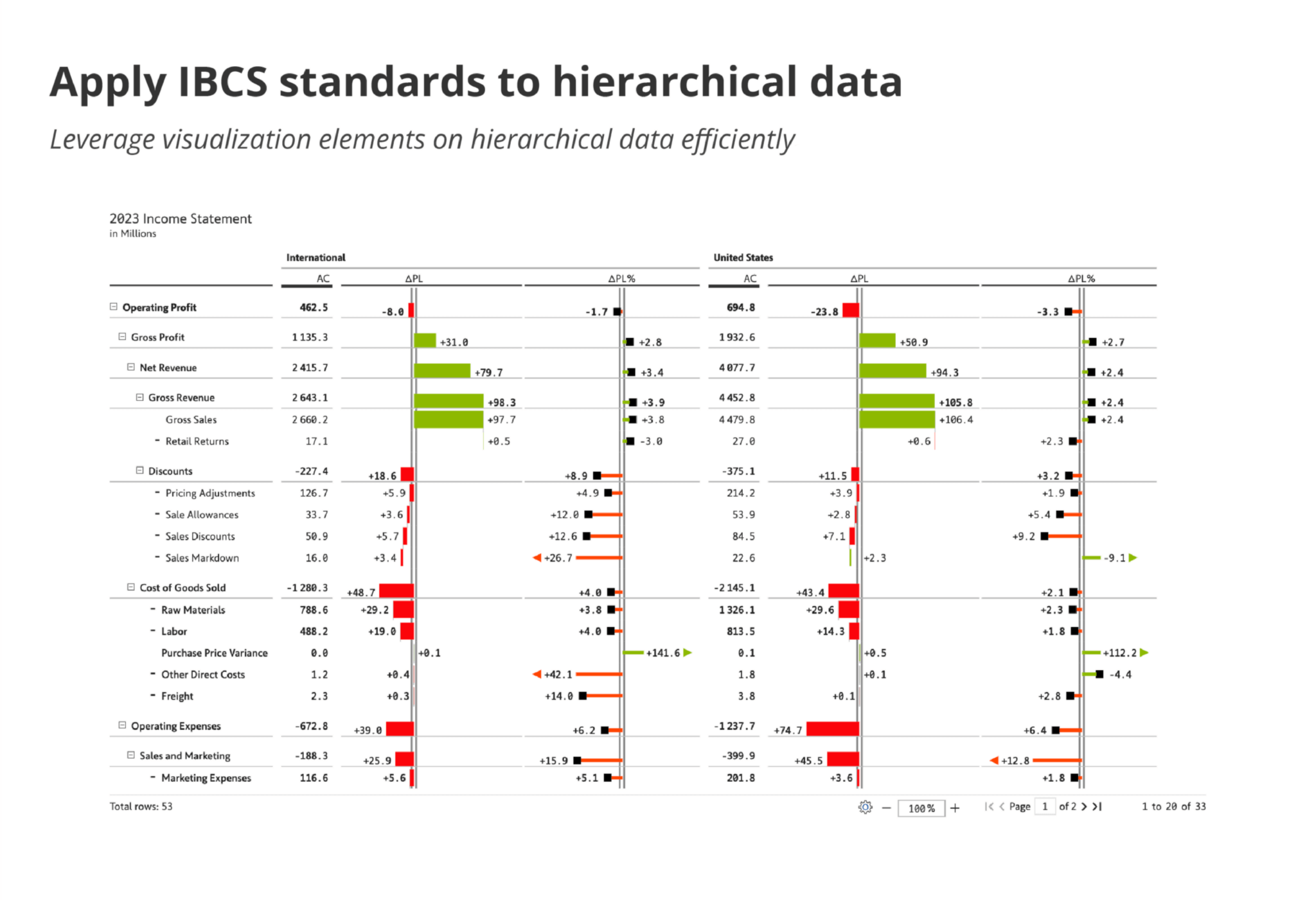
1. Apply IBCS standards to hierarchical data

Leverage visualization elements on hierarchical data efficiently​.

table-resize

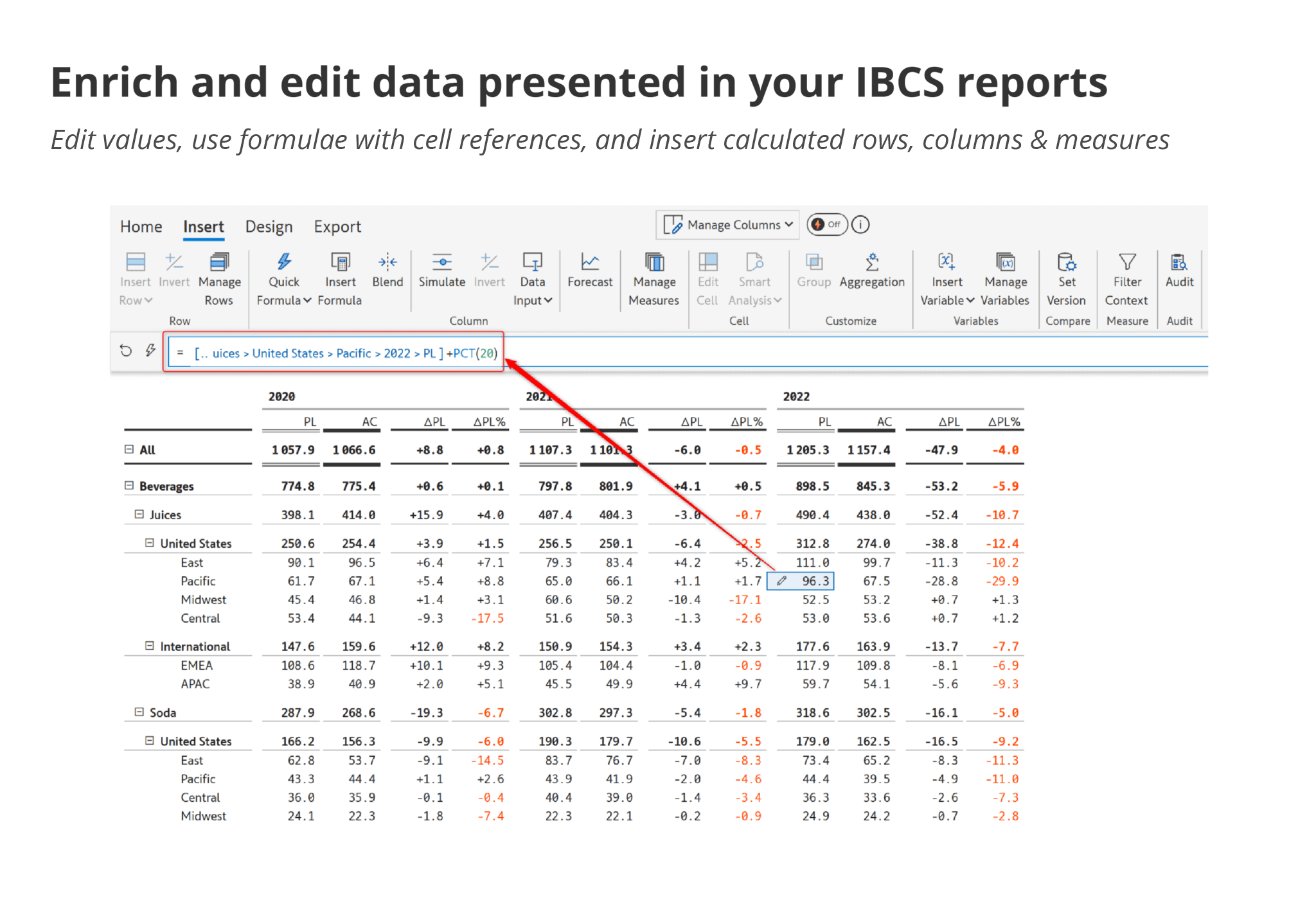
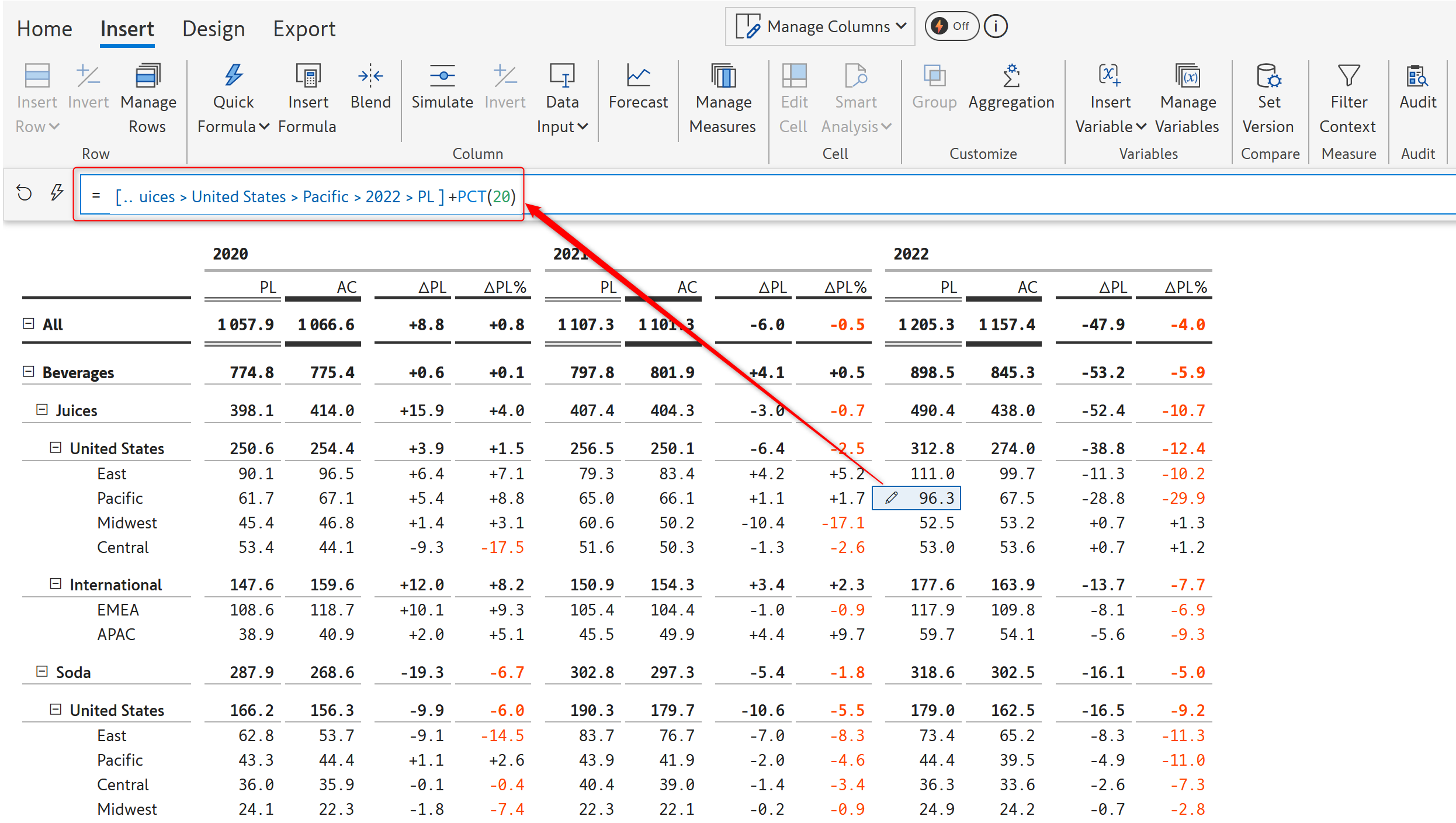
2. Enrich and edit data presented in your IBCS reports​

Edit values, use formulate with cell references, and insert calculated rows, columns & measures​.

edit-values-ibcs-reports

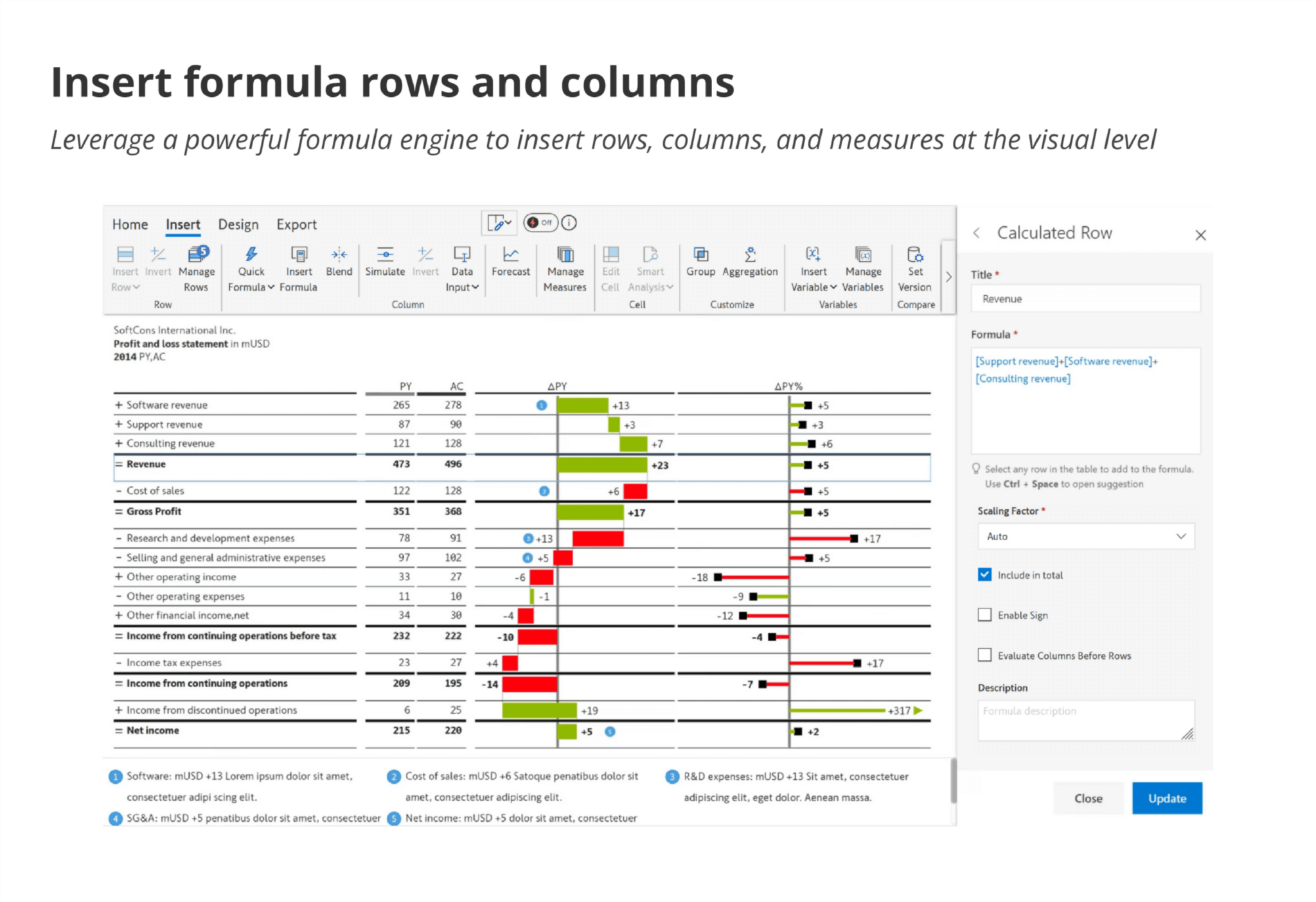
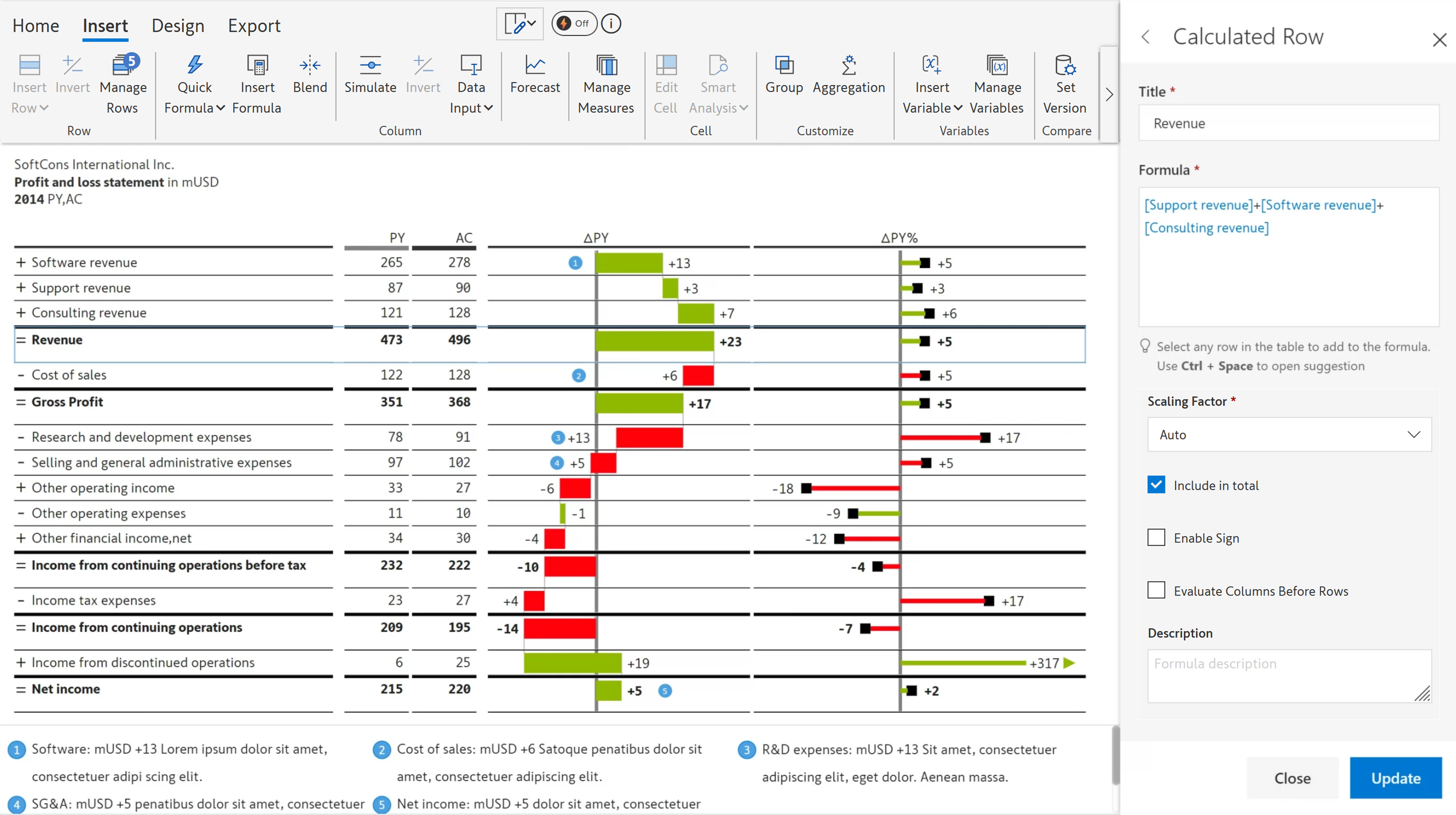
3. Insert formula rows and columns​

Leverage a powerful formula engine to insert rows, columns, and measures at the visual level.​

calculated-rows-ibcs-reports

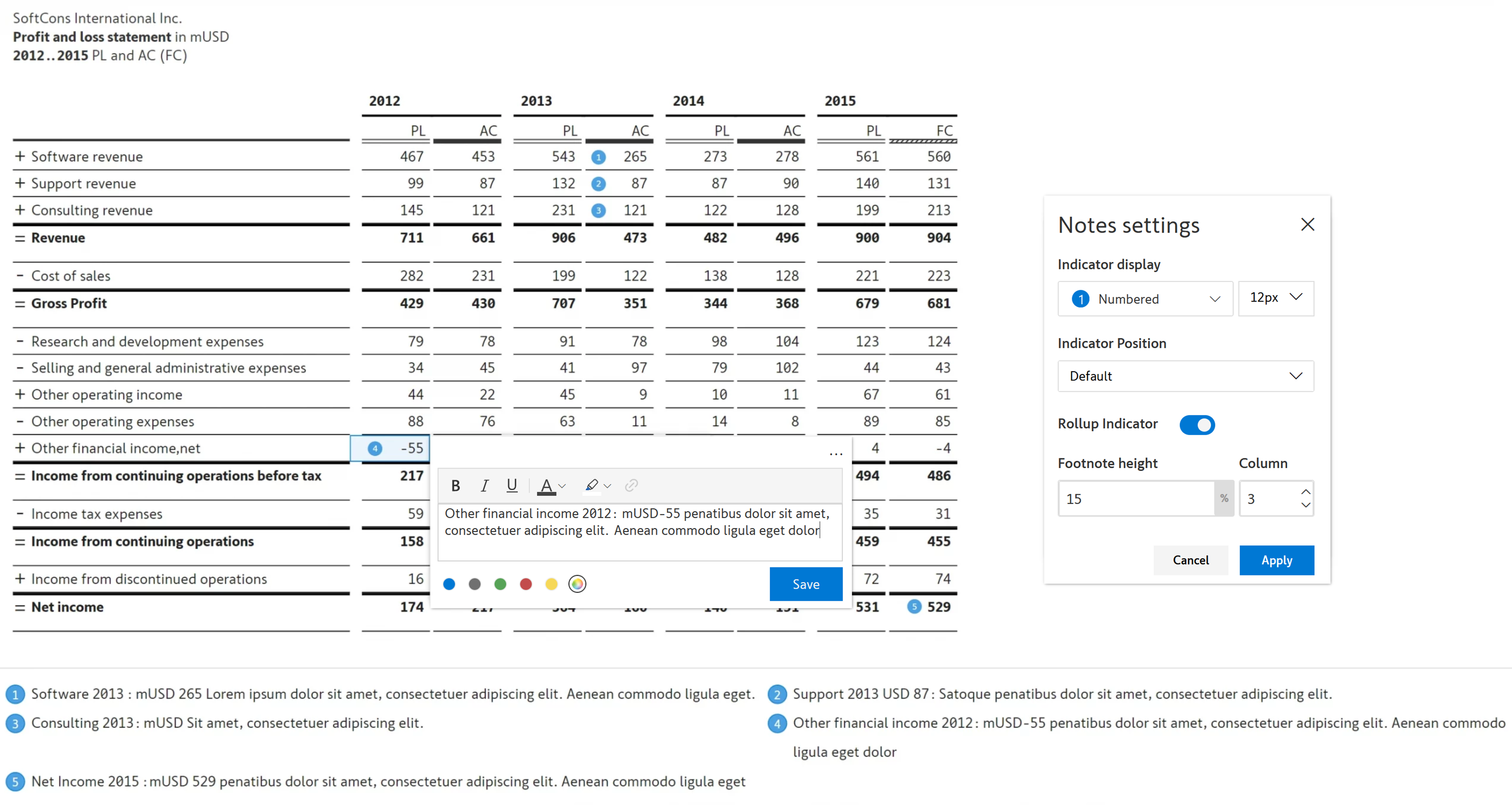
4. Add multi-line headers, notes & footnotes out of the box

Enhance your reports with formattable multi-line headers, cell / row / column-level notes, footnotes & annotations​.

notes-ibcs-reports

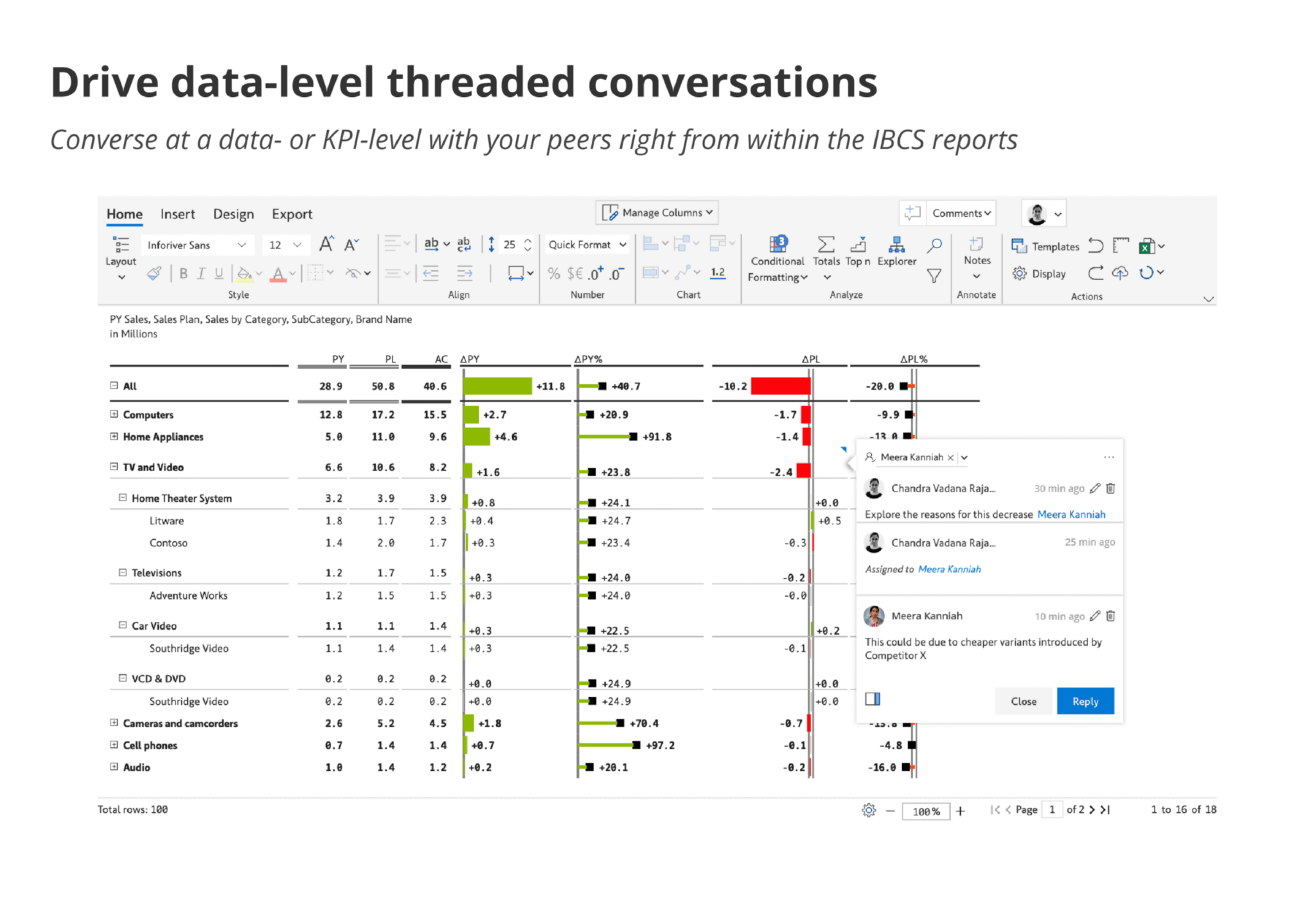
5. Drive data-level threaded conversations

Converse at a data- or KPI-level with your peers right from within the IBCS reports​.

table-resize

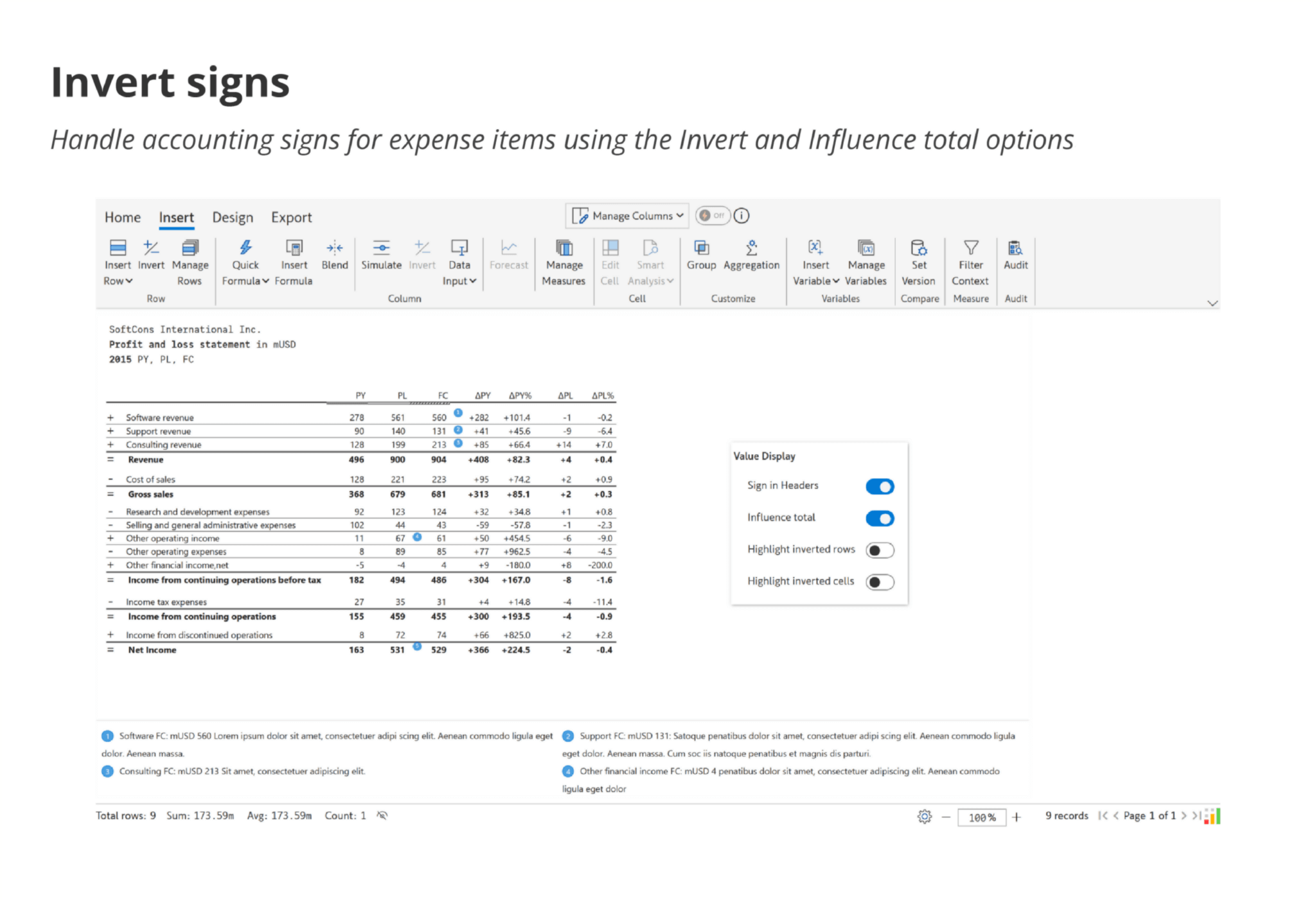
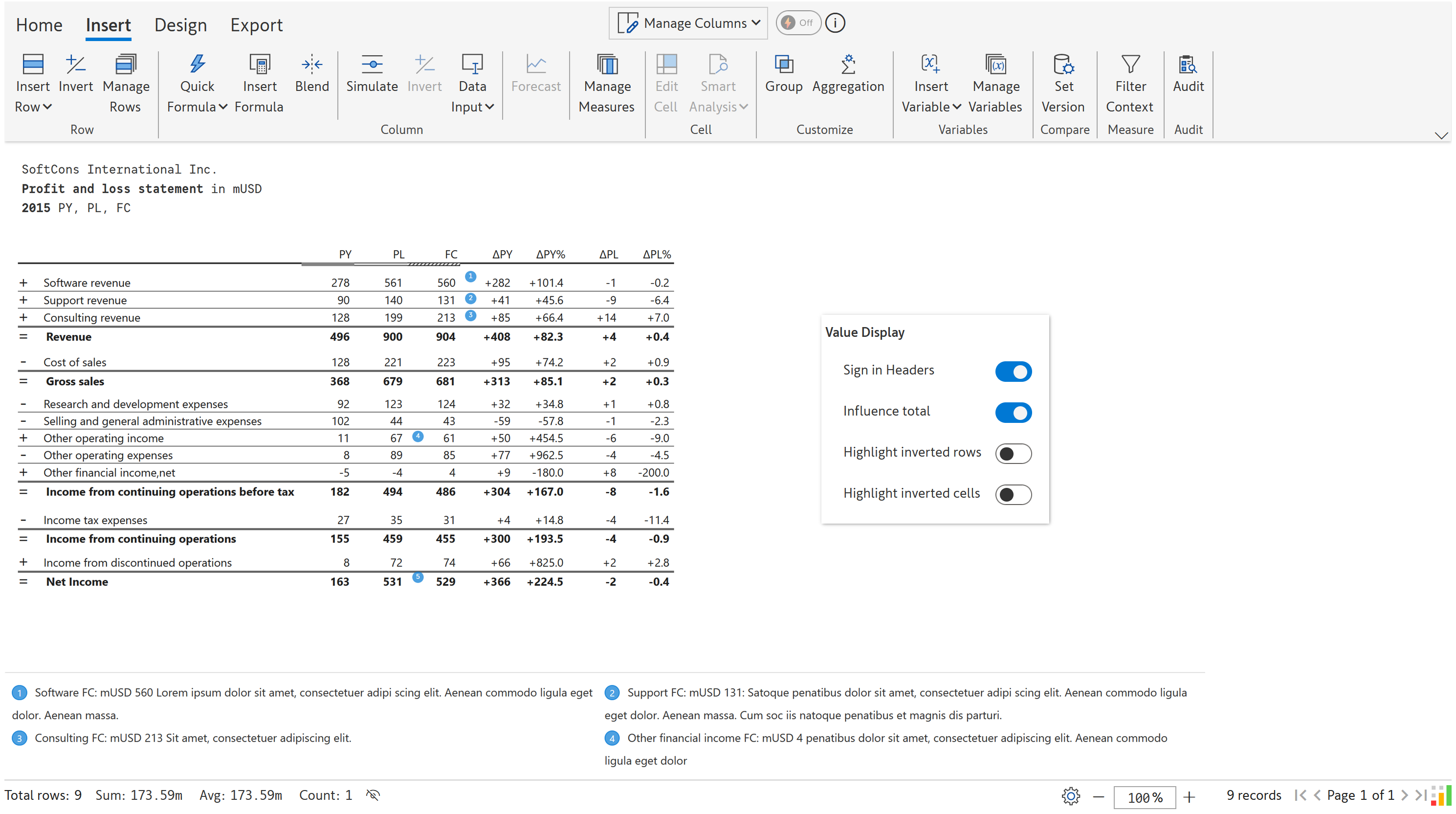
6. Invert signs

Handle accounting signs for expense items using the Invert and Influence total options​.

invert-sign-ibcs-reports

Featured Webinar

replay-building-ibcs-compliant-reports-in-power-bi

In this webinar, learn how to leverage one-click IBCS report templates to deliver stunning and engaging visualizations in Power BI. 

Watch Replay

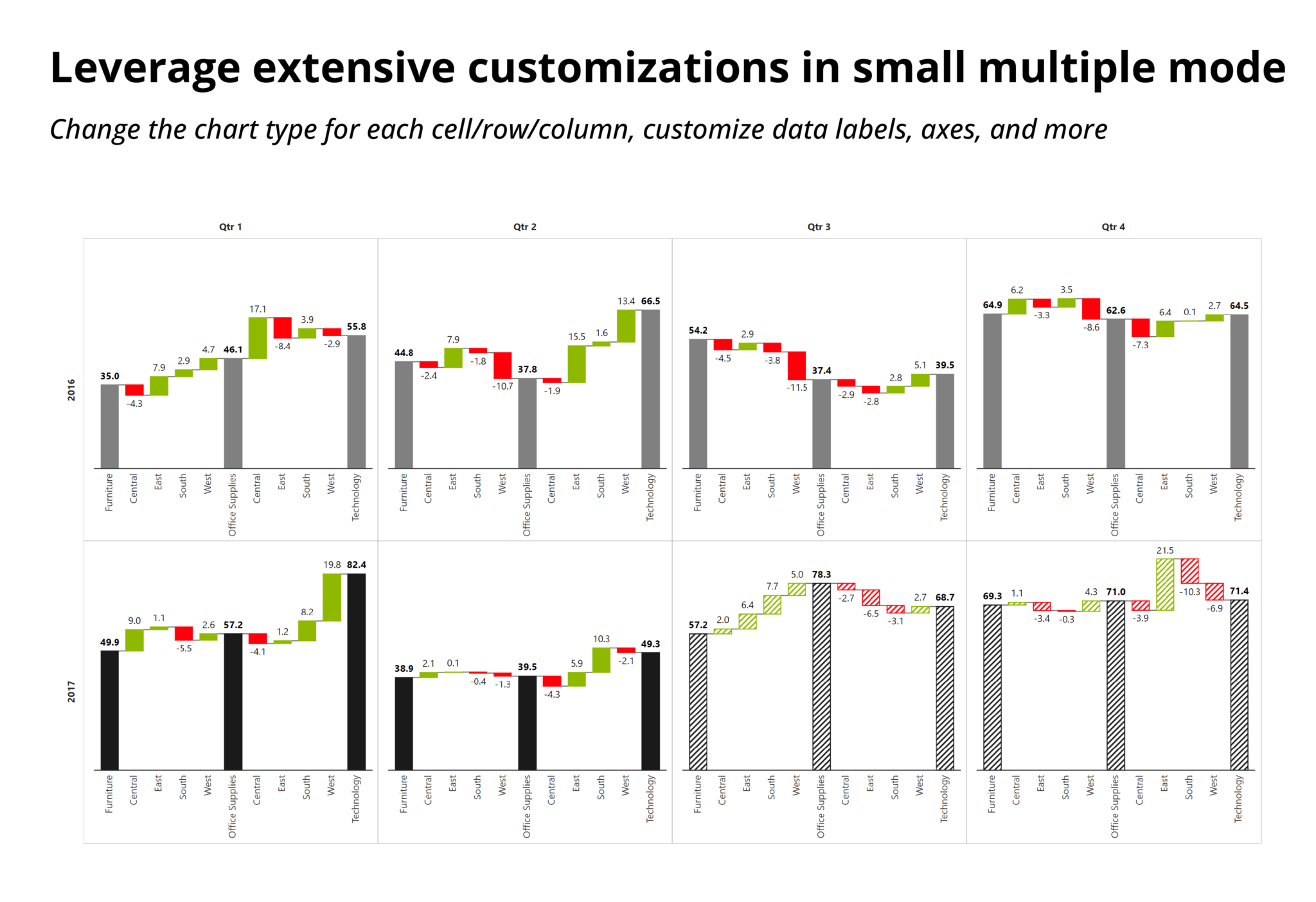
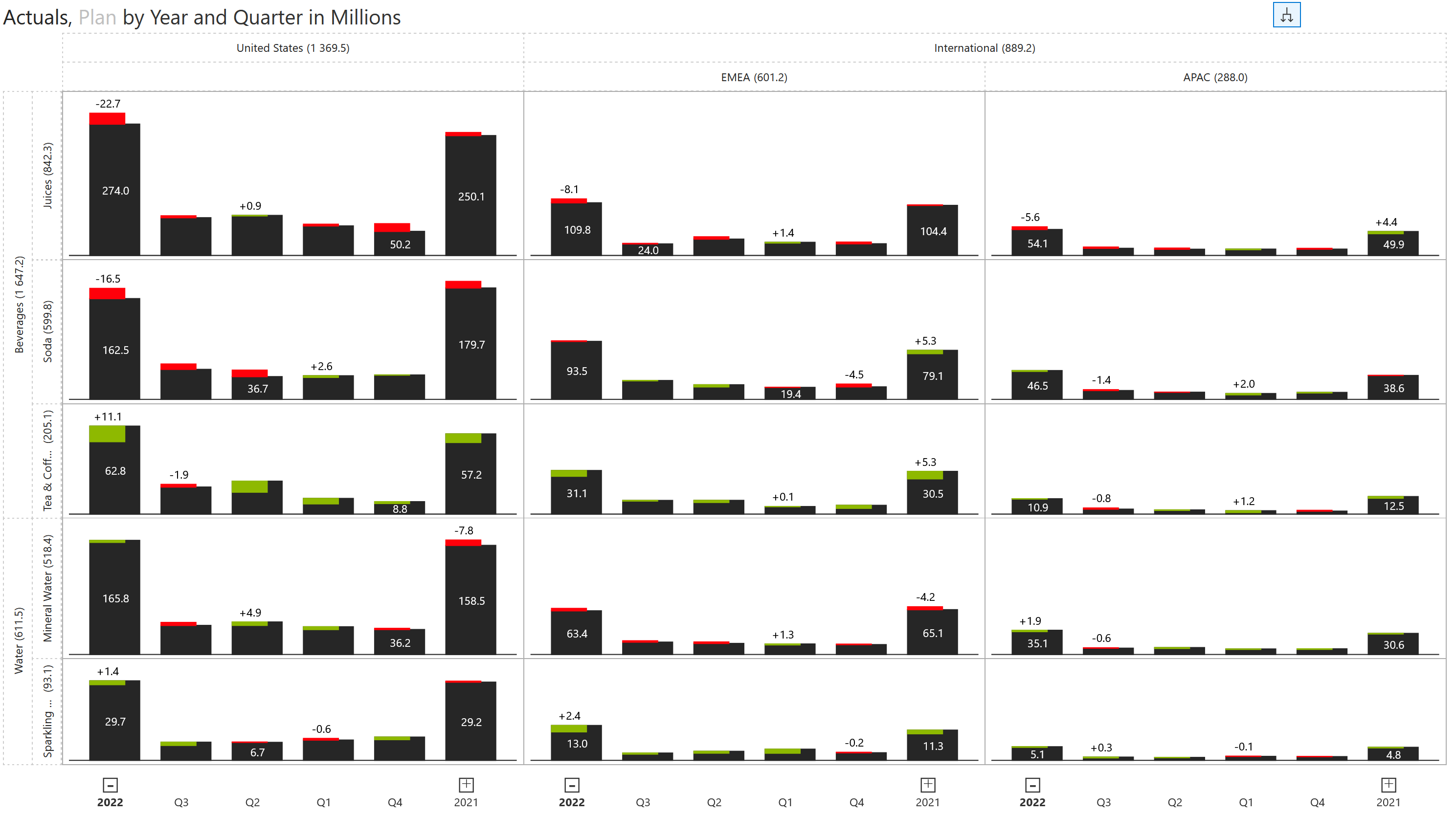
1. Deliver hierarchical small multiple IBCS charts

Experience a true multi-dimensional analysis experience in your IBCS reports. Add categories to rows, columns, axes, and legends, and enable hierarchy expand/collapse in rows, columns, and x-axis.
small-multiple-ibcs-reports

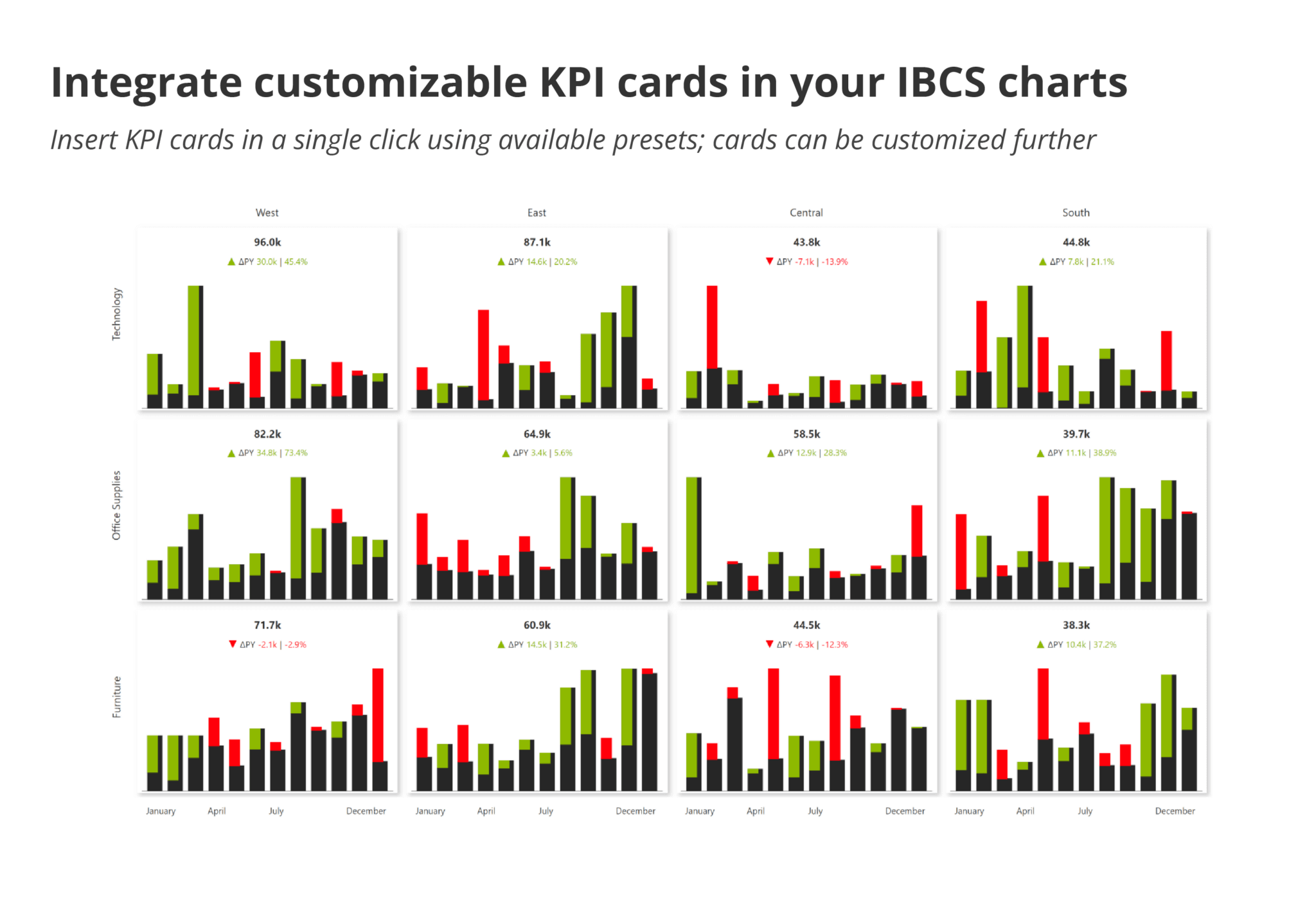
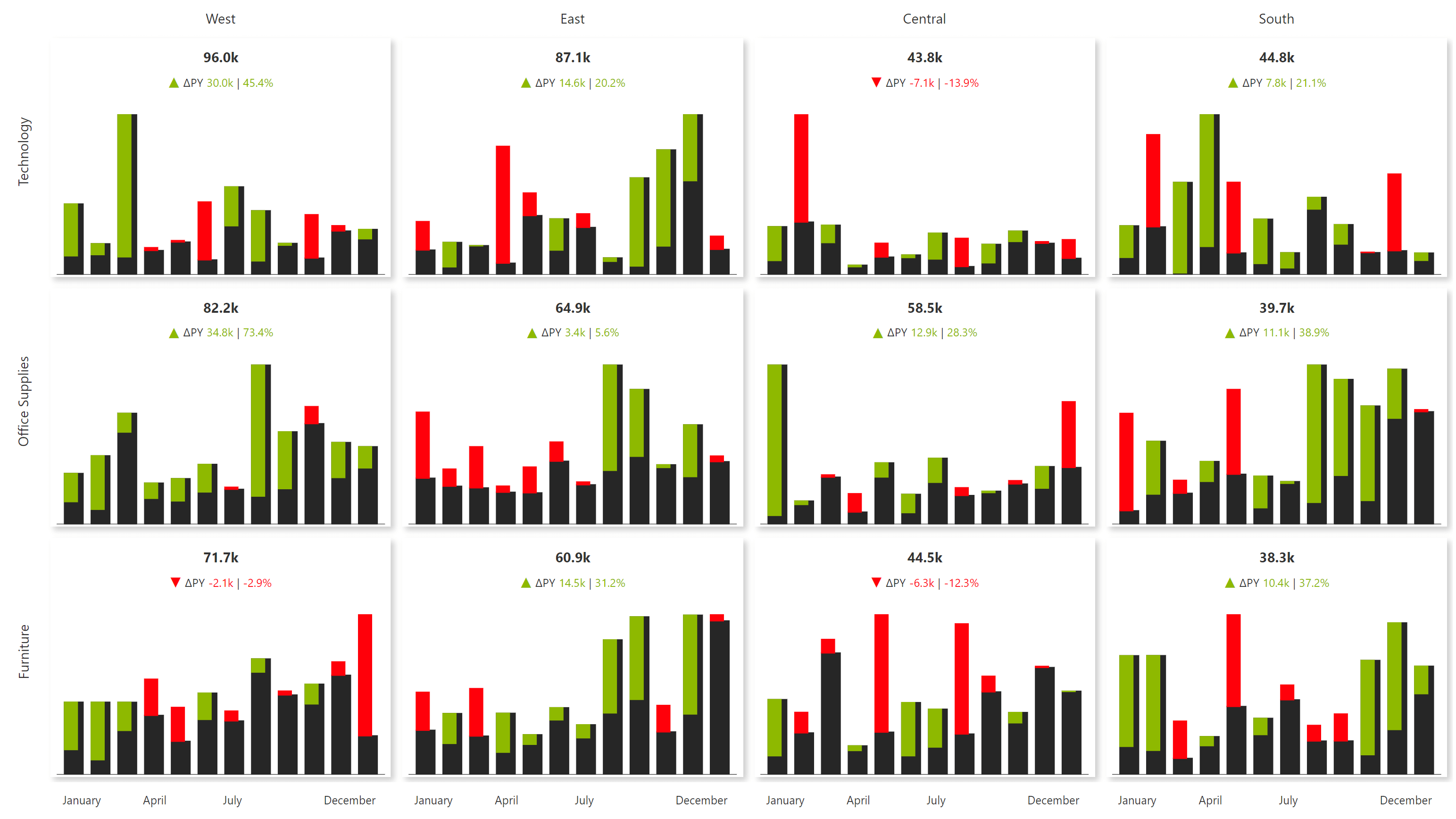
2. Integrate customizable KPI cards in your IBCS charts

Insert KPI cards in a single click using available presets; cards can be customized further.
KPI Matrix Column

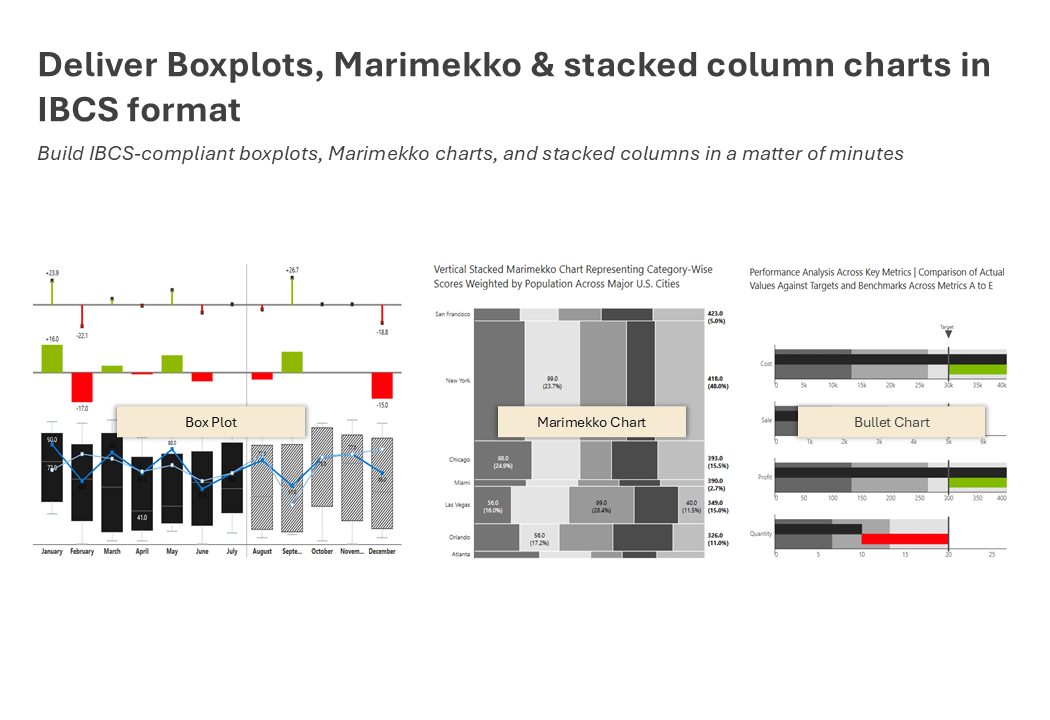
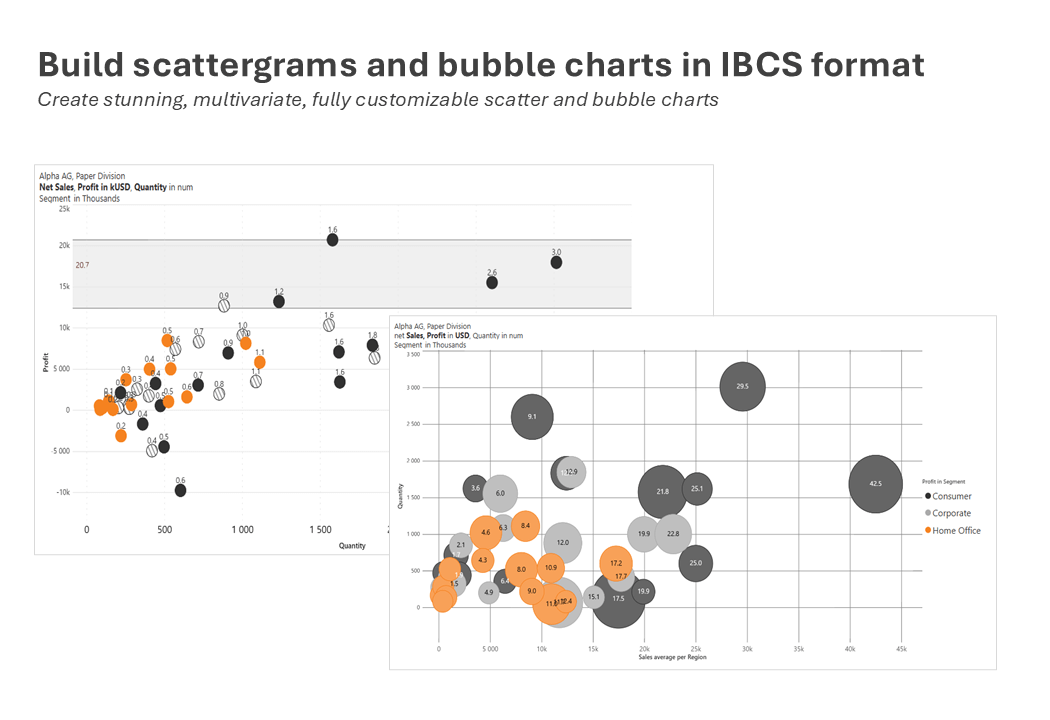
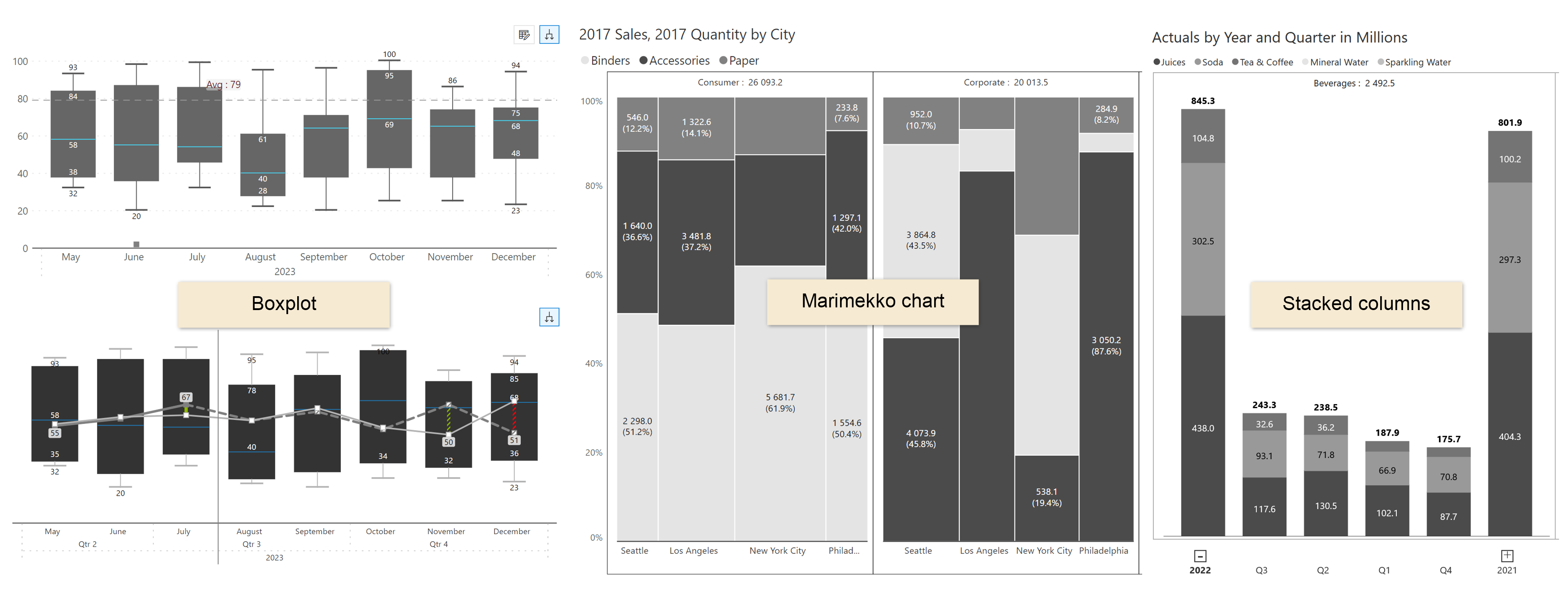
3. Deliver Boxplots, Marimekko & stacked column charts in IBCS format

Build IBCS-compliant boxplots, Marimekko charts, and stacked columns in a matter of minutes.
boxplots-ibcs-reports

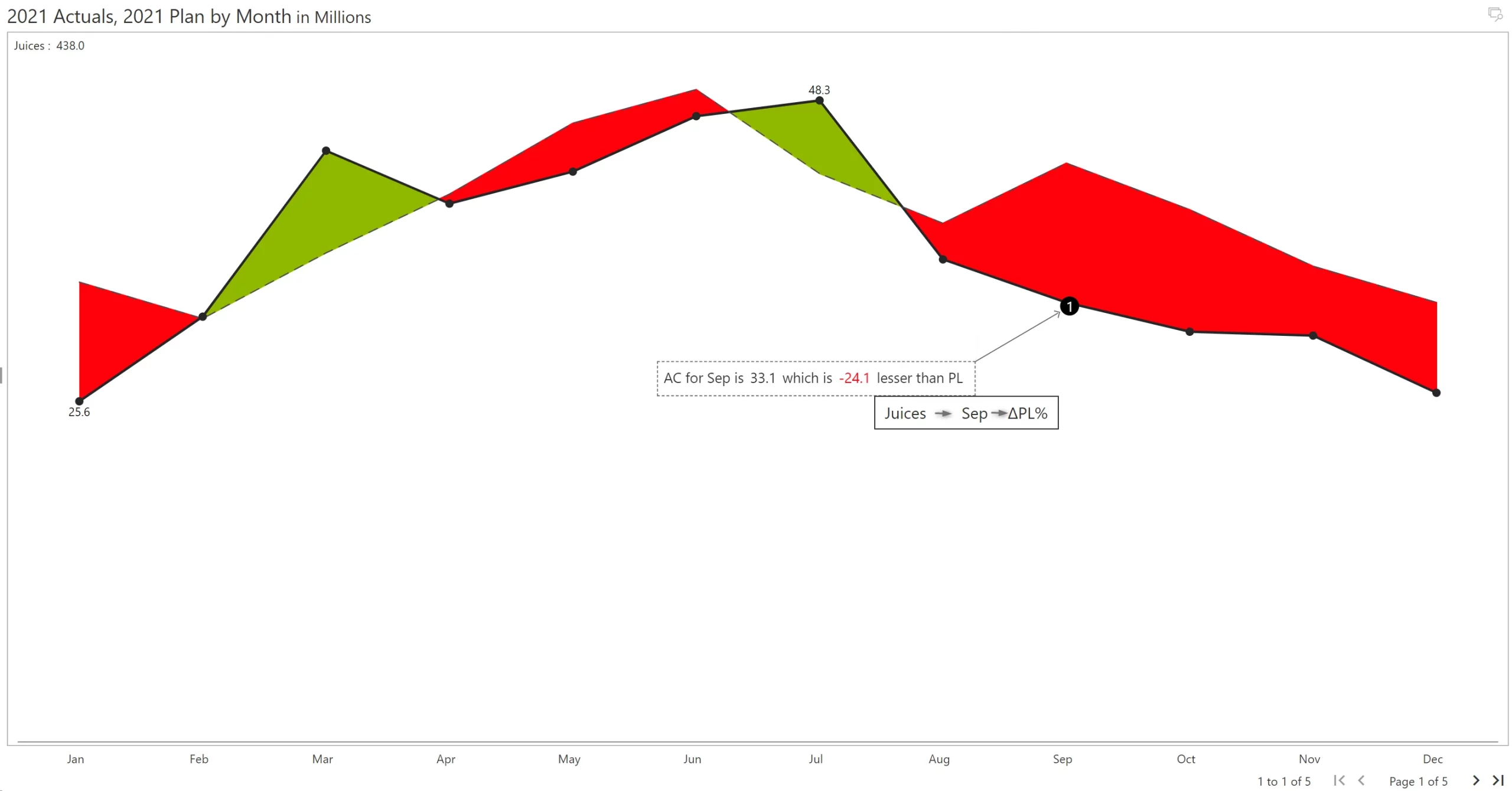
4. Incorporate dynamic annotations in your IBCS reports

Tell compelling stories using dynamic data-level comments. It supports options such as small multiples, vertical text orientation, dynamic data tags, and more.​

Dynamic Data-Level Comments

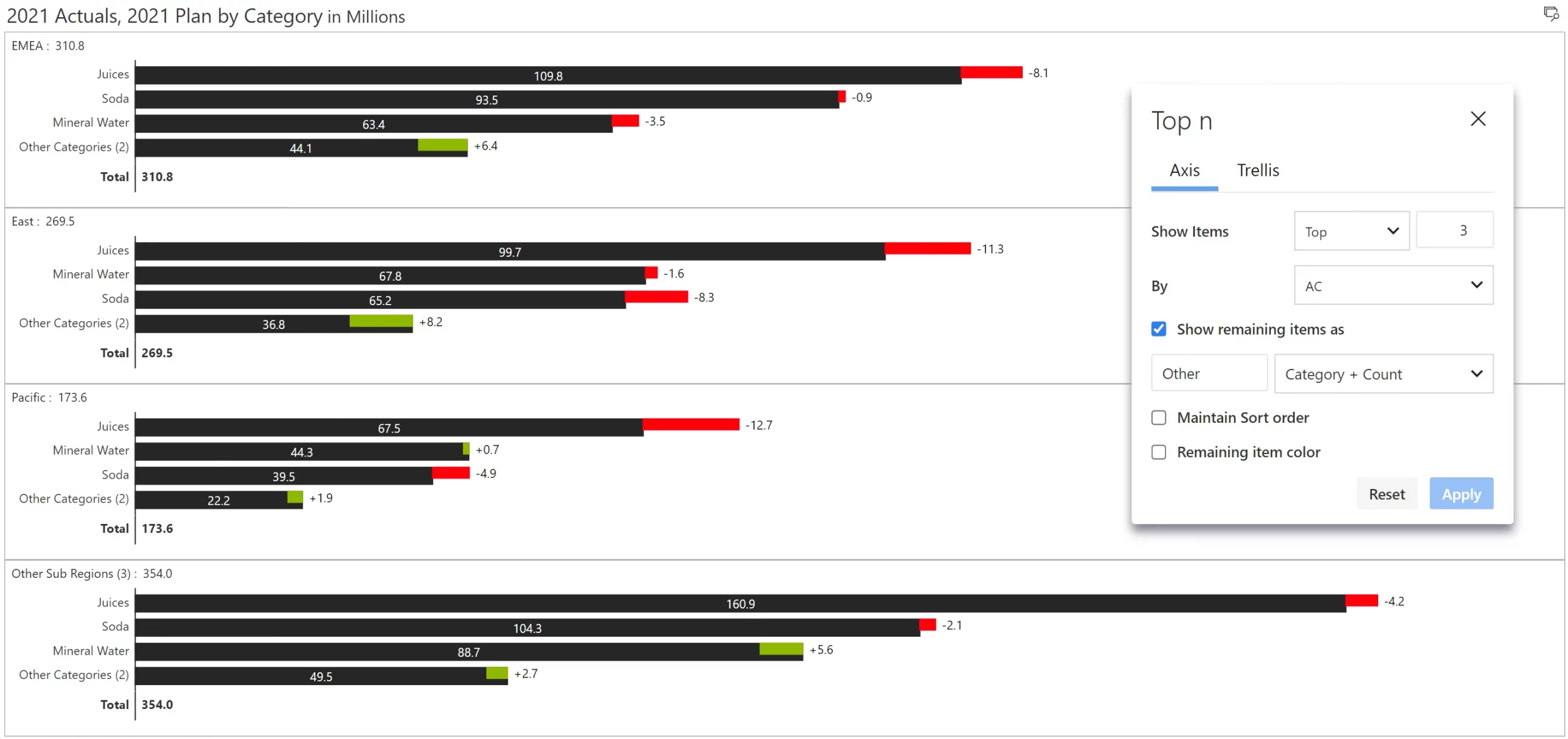
5. Delivery dynamic Top N + Others filtering in your IBCS charts

Filter the top/bottom N categories and display the rest as others​.

Top N + Others

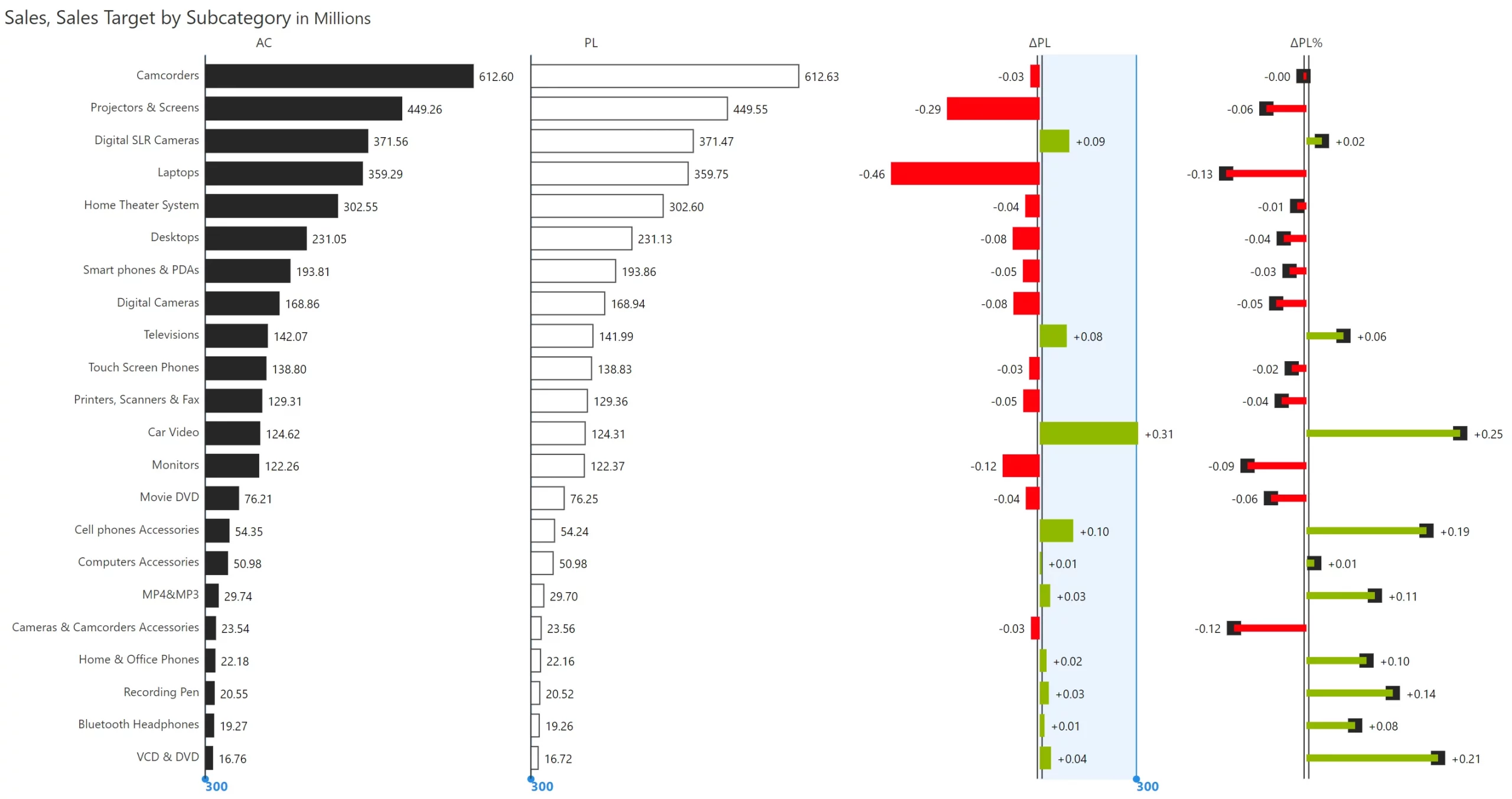
6. Use scale bands to enhance readability of variances

The scale bands, introduced from IBCS version 1.1, help magnify smaller variances thereby enhancing readability
Scale Band Functionality​

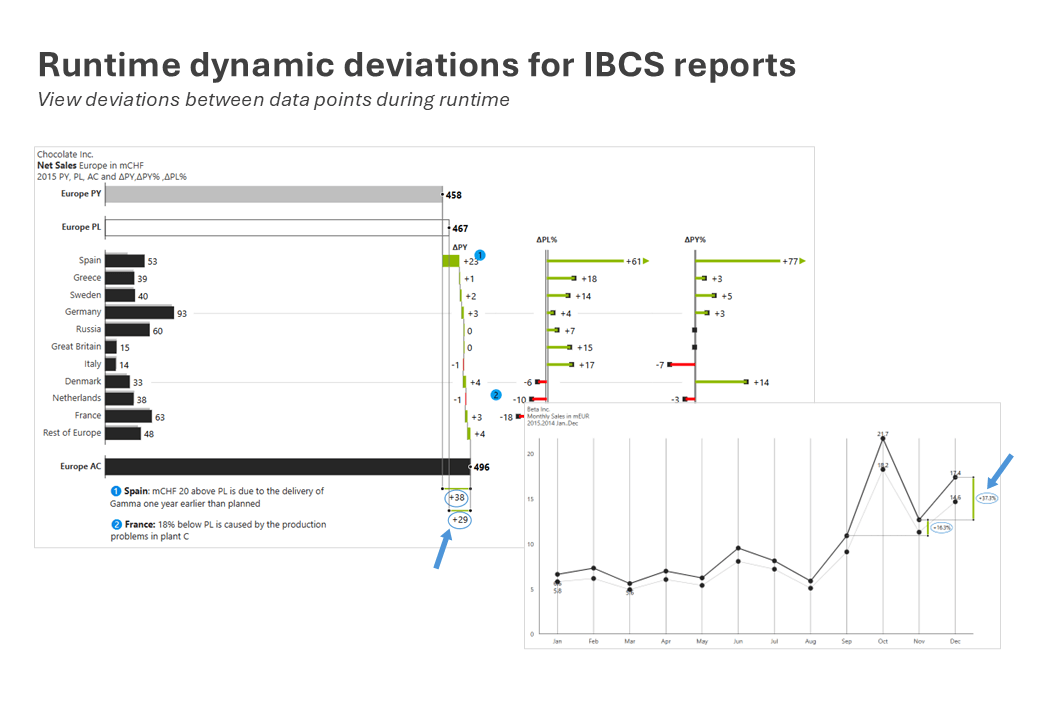
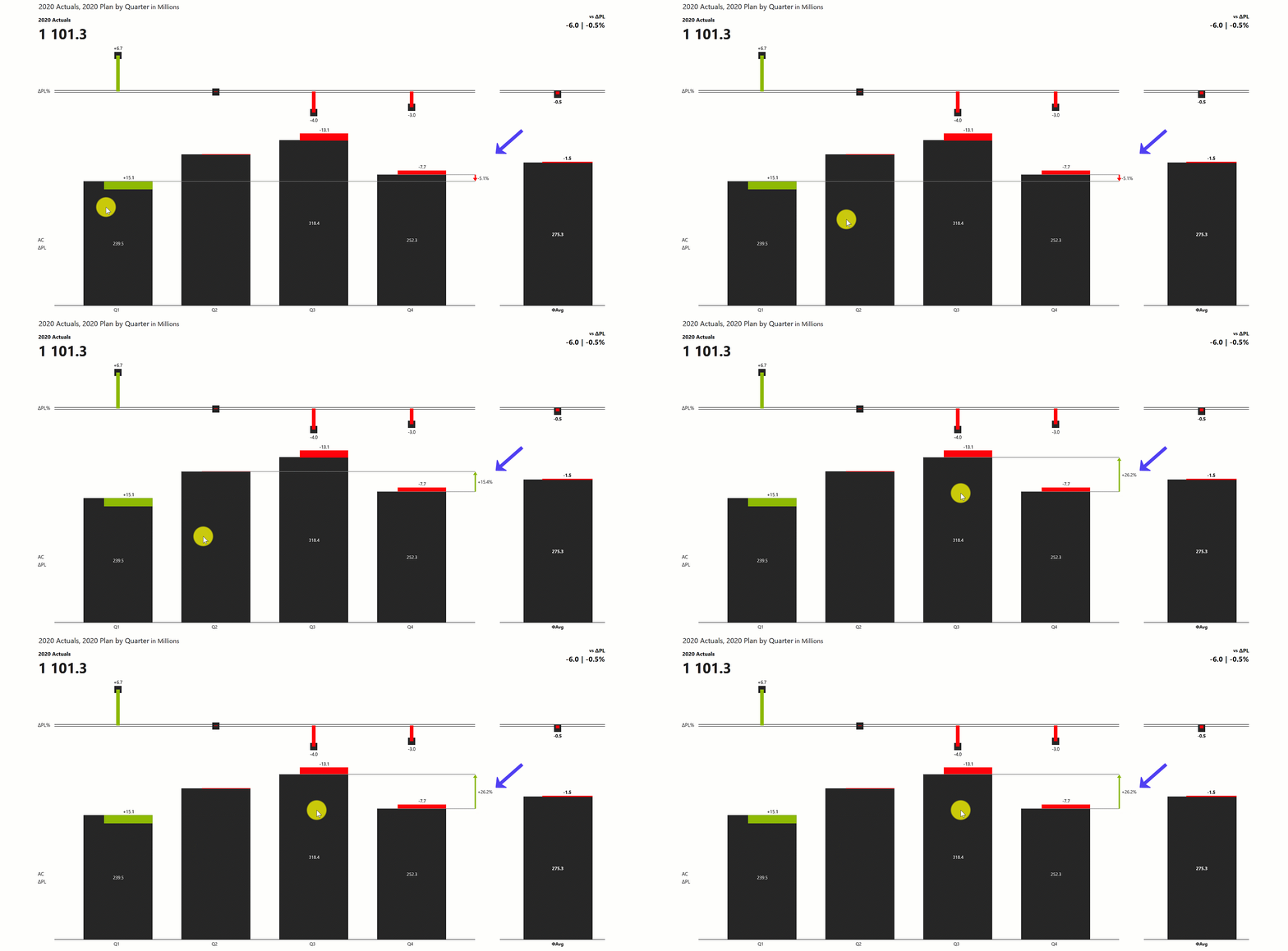
7. Runtime dynamic deviations for IBCS reports

View deviation between two data points during runtime​.

Runtime Dynamic Deviation

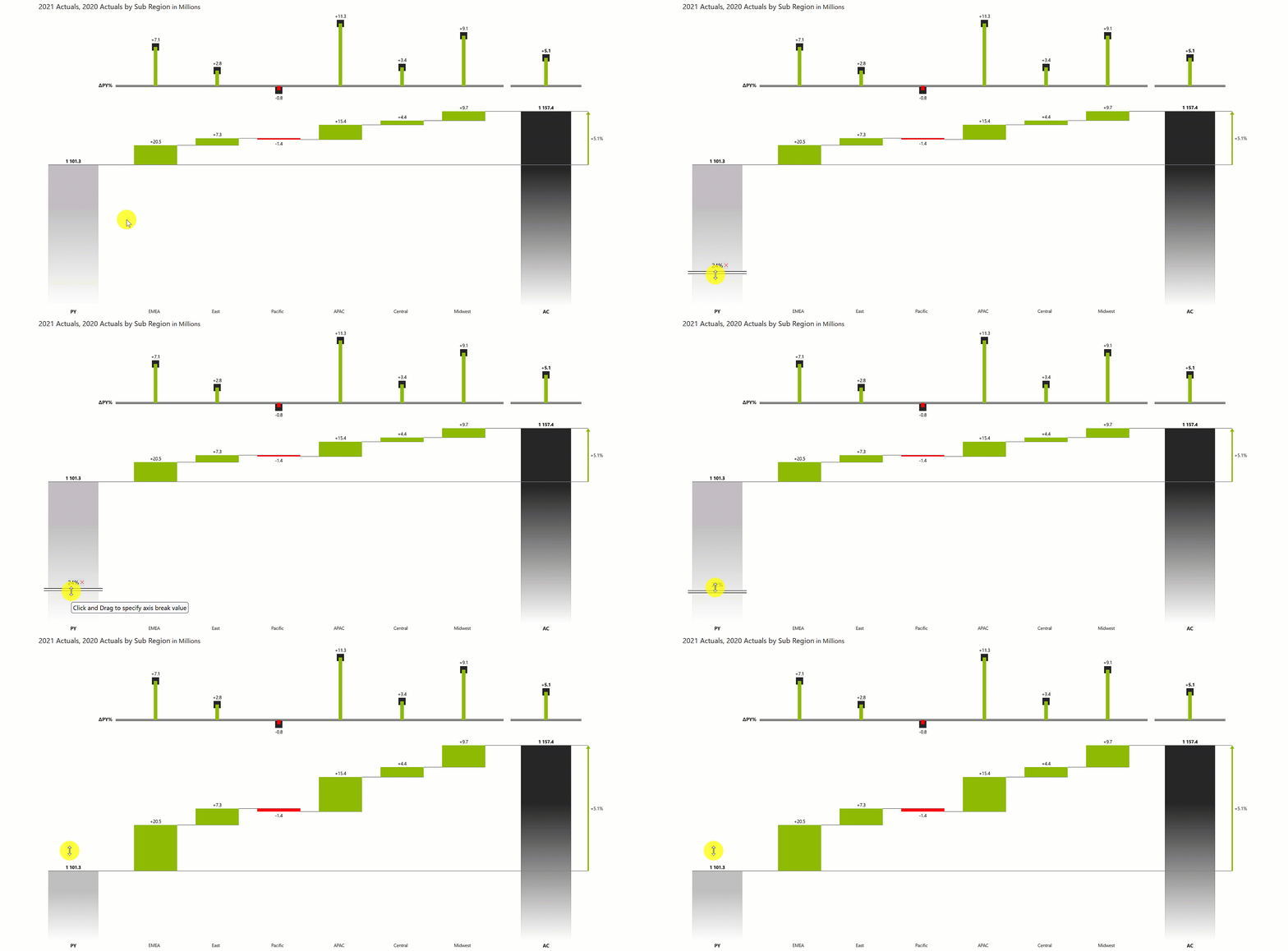
8. Dynamic axis sizing

Dynamically re-size your Y axis to zoom into large value ranges with minimal deviations​.

Dynamic Axis Break

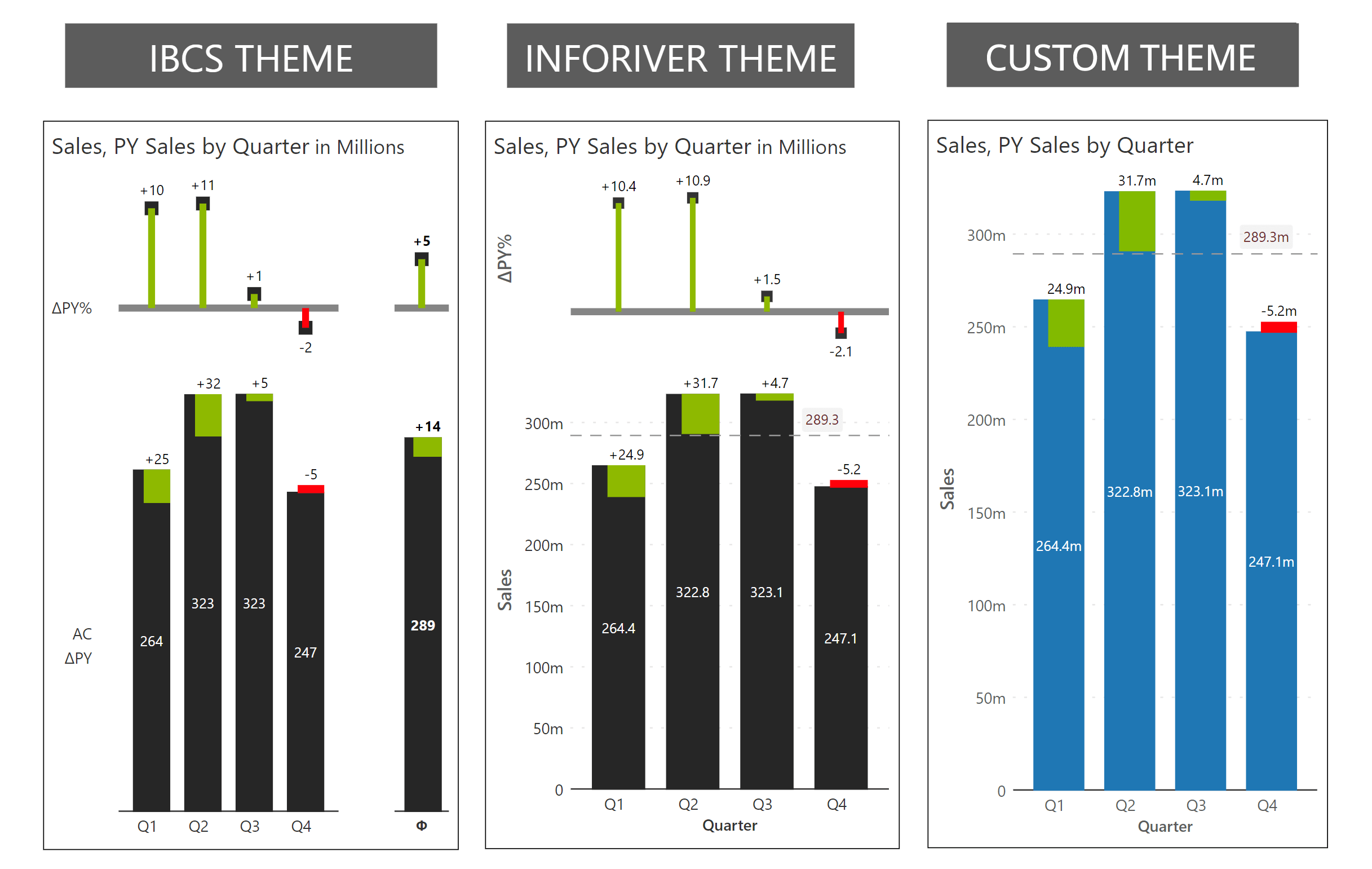
9. Customize the IBCS theme as per your needs

Customize theme options to blend IBCS standards with other visualization best practices​.

Rich themes

Get Inforiver brochure

Maximize your business potential with Inforiver's paginated reporting, data entry, planning & budgeting capabilities
Download now
Inforiver

Inforiver helps enterprises consolidate planning, reporting & analytics on a single platform (Power BI). The no-code, self-service award-winning platform has been recognized as the industry’s best and is adopted by many Fortune 100 firms.

Inforiver is a product of Lumel, the #1 Power BI AppSource Partner. The firm serves over 3,000 customers worldwide through its portfolio of products offered under the brands Inforiver, EDITable, ValQ, and xViz.


linkedin facebook pinterest youtube rss twitter instagram facebook-blank rss-blank linkedin-blank pinterest youtube twitter instagram