Upcoming webinar on 'Inforiver Charts : The fastest way to deliver stories in Power BI', Aug 29th , Monday, 10.30 AM CST. Register Now
Upcoming webinar on 'Inforiver Charts : The fastest way to deliver stories in Power BI', Aug 29th , Monday, 10.30 AM CST. Register Now
Tired of rewriting the same DAX logic again and again? Discover how User-Defined Functions (UDFs) can make your Power BI models smarter, scalable, and maintenance-free turning repetitive formulas into clean, reusable logic blocks.
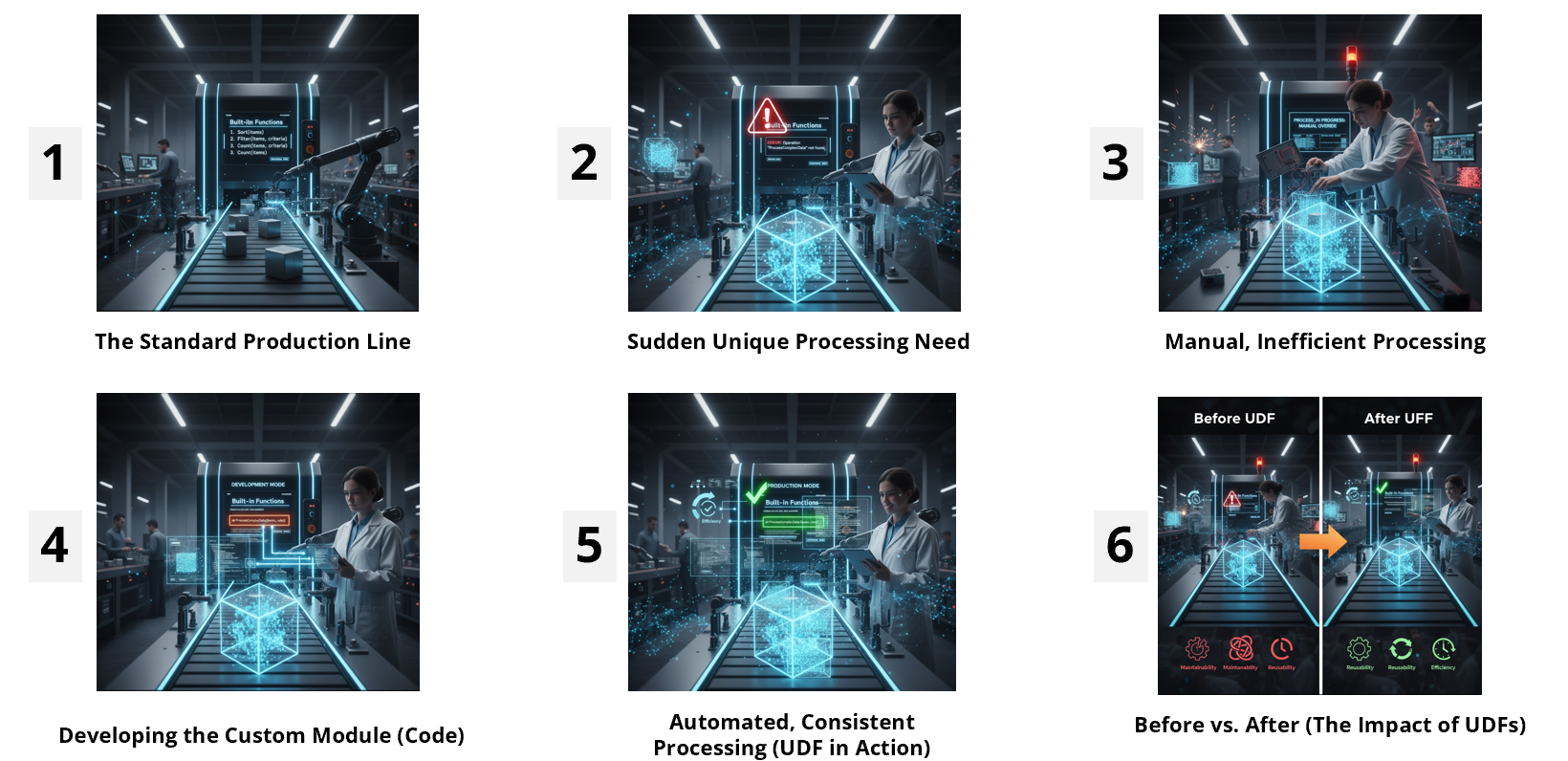
Think of your data preparation process like a perfectly synchronized factory production line every machine, every operator, and every conveyor belt working in harmony. Standard operations like sorting or counting run like clockwork, and everything feels smooth… until something sticky comes along.
That “sticky” moment in analytics often happens when you face repetitive but slightly complex tasks like calculating sales for the last 30, 60, and 90 days.
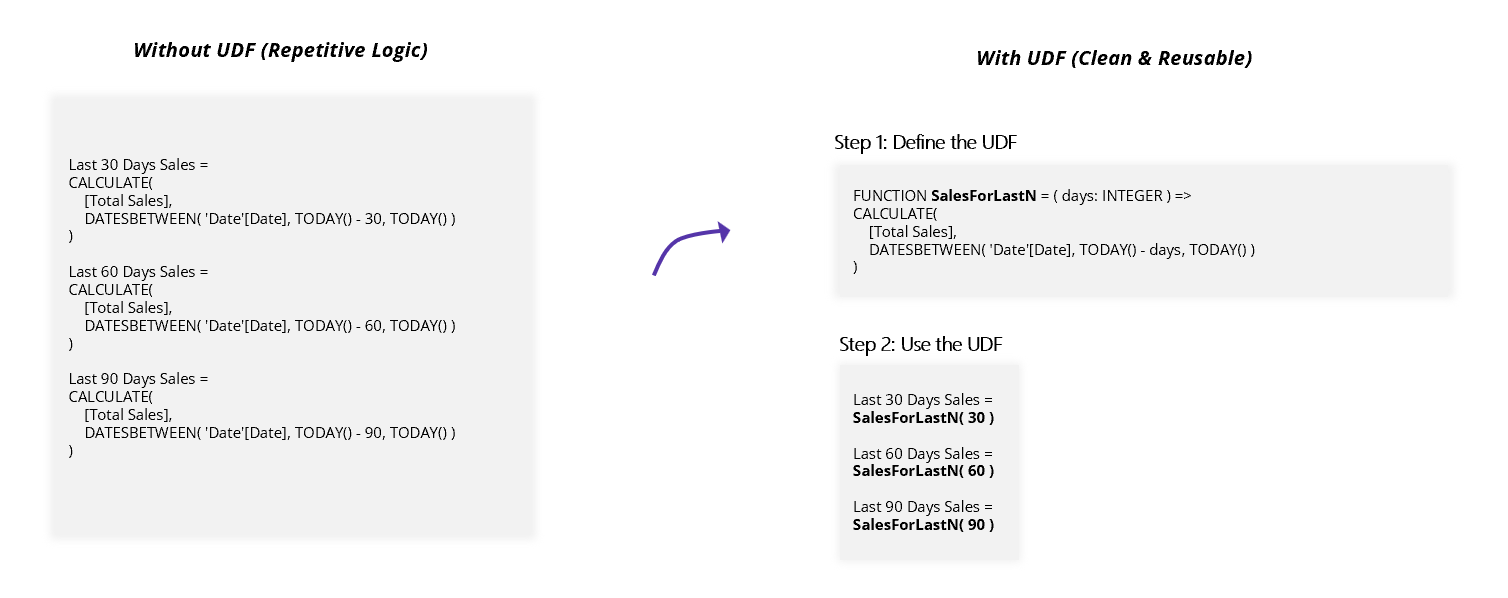
Before the era of User-Defined Functions (UDFs), DAX developers had little choice but to write nearly identical measures multiple times changing just one small piece of logic each time. For example:
Last 30 Days Sales = CALCULATE([Total Sales], DATESBETWEEN(..., TODAY() - 30, TODAY()))
Last 60 Days Sales = CALCULATE([Total Sales], DATESBETWEEN(..., TODAY() - 60, TODAY()))
Last 90 Days Sales = CALCULATE([Total Sales], DATESBETWEEN(..., TODAY() - 90, TODAY()))
This approach works but it’s manual, repetitive, and error-prone.
If you ever need to tweak the logic for [Total Sales] (say you add a filter or modify the date logic), you’d have to remember to update every single measure individually. One small change suddenly turns into a full production halt a classic example of inefficiency on the “factory floor.”
This is where User-Defined Functions (UDFs) truly shine.
A UDF lets you encapsulate the repeated logic once neatly and clearly and then reuse it anywhere you like.
Think of it as designing a custom tool for your production line one that performs a complex task consistently, every single time.
The goal? Smart, Scalable, and Consistent Solutions.
1. Defining the Function
A UDF begins with the FUNCTION keyword. Instead of hardcoding values (like 30 or 60 days), you define a parameter as a flexible placeholder that accepts input when the function is called.
General Syntax:
FUNCTION <FunctionName> =
(<ParameterName>: <ParameterType>, ...) =>
<FunctionBody>The => arrow is a crucial part — it separates the function’s signature (its name and parameters) from the function body (the logic it executes).
So in our case, we could define:
FUNCTION SalesForLastN (Days: INTEGER) =>
CALCULATE([Total Sales], DATESBETWEEN(..., TODAY() - Days, TODAY()))
2. Calling the Function
Once defined, calling your function is beautifully simple:
Last 30 Days Sales = SalesForLastN(30)
Last 60 Days Sales = SalesForLastN(60)
Last 90 Days Sales = SalesForLastN(90)
With this setup, you never have to repeat that long calculation again.
If you modify the date logic later, you only do it once — in the UDF definition — and every measure using it instantly benefits.
That’s maintainability at its best.
Now, let’s clear up one of the biggest misconceptions in DAX UDFs are not the same as Calculation Groups.
While both aim to make your DAX models more efficient and modular, they serve different purposes:
| Feature | User-Defined Functions (UDFs) | Calculation Groups |
| Primary Goal | Encapsulate and reuse programmatic logic | Apply transformations (like Time Intelligence) to existing measures |
| Model Role | Acts as a standalone, reusable code block (not a table) | Appears as a special table containing calculation items |
| Interactivity | Not directly visible or interactive for report users | Can be exposed to users via slicers or filters |
In simpler terms:
1. Calculation Groups decide which measure or perspective to show.
2. UDFs help you build cleaner and smarter measures to begin with.
Both are powerful but they live in different parts of your Power BI or Fabric model’s ecosystem.
UDFs are more than just a new syntax feature they represent a mindset shift in how we write DAX.
Instead of treating every measure as an isolated formula, you start building modular, reusable components much like developers do in mature programming languages.
This not only reduces redundancy but also elevates your data model’s consistency, scalability, and professionalism.
When your business logic evolves, you’ll thank yourself for building it once, cleanly rather than hunting through a dozen repetitive formulas.
If your DAX models are starting to feel like a sticky production line. repetitive, hard to maintain, and error-prone it’s time to let User-Defined Functions take the wheel.
Write once. Reuse often. Your future self (and your team) will thank you.

Inforiver helps enterprises consolidate planning, reporting & analytics on a single platform (Power BI). The no-code, self-service award-winning platform has been recognized as the industry’s best and is adopted by many Fortune 100 firms.
Inforiver is a product of Lumel, the #1 Power BI AppSource Partner. The firm serves over 3,000 customers worldwide through its portfolio of products offered under the brands Inforiver, EDITable, ValQ, and xViz.