Upcoming webinar on 'Inforiver Charts : The fastest way to deliver stories in Power BI', Aug 29th , Monday, 10.30 AM CST. Register Now
Upcoming webinar on 'Inforiver Charts : The fastest way to deliver stories in Power BI', Aug 29th , Monday, 10.30 AM CST. Register Now
Traditional forecasting treats the future as a simple extension of the past, with business outcomes falling within a predictable range between the worst and best cases based on past trends. However, this approach is easily derailed by unexpected events, a reality many businesses have faced in recent years due to geopolitical shifts, economic downturns, and technological disruptions.
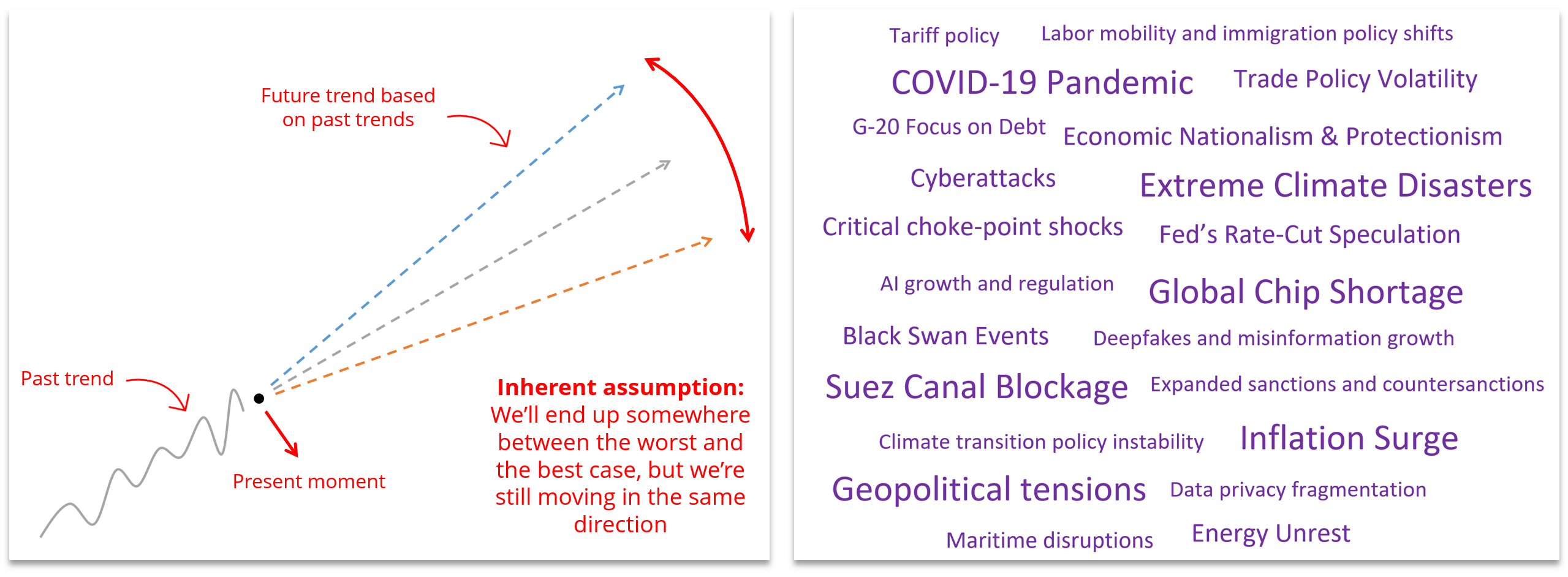
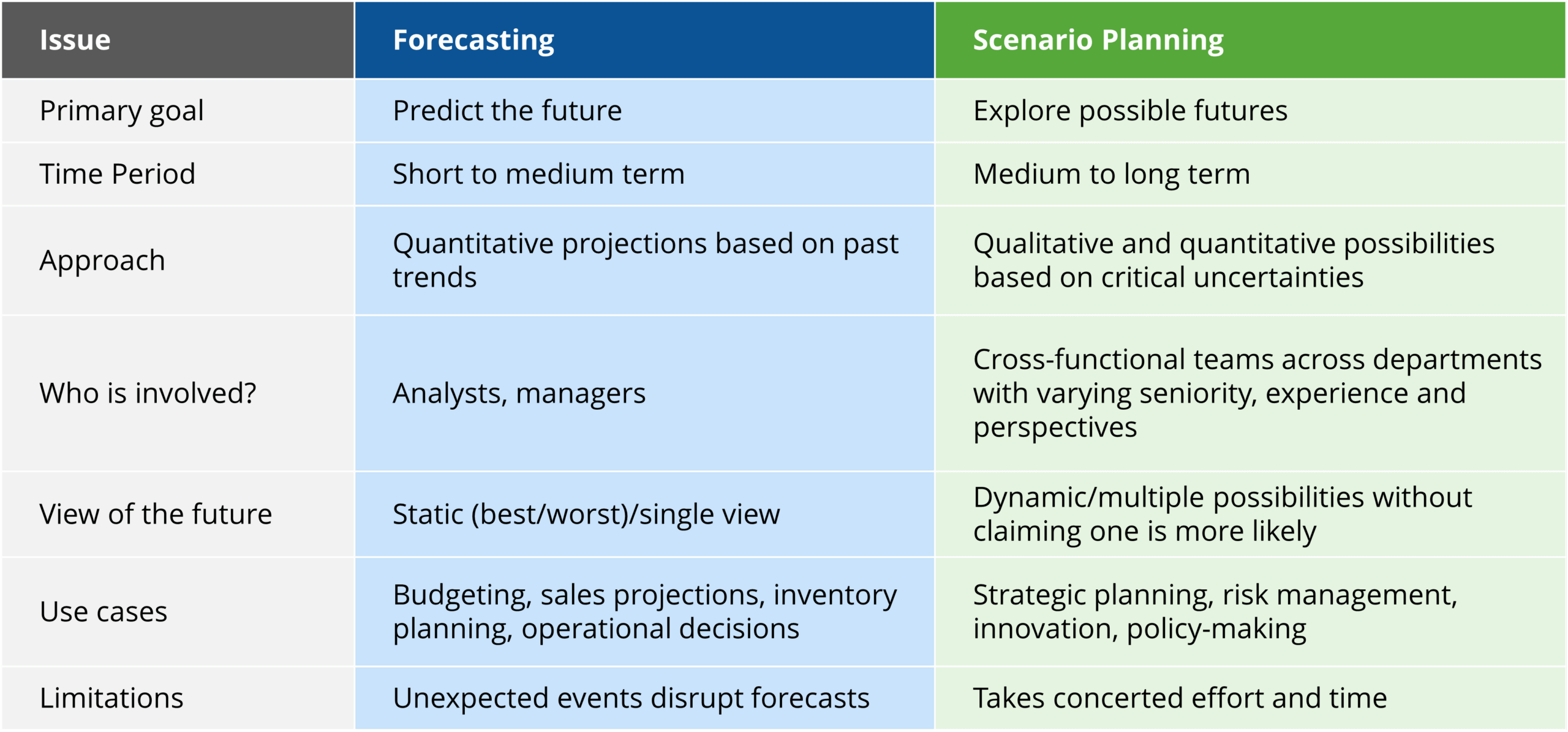
Unlike a linear forecast, scenario planning integrates these uncertainties into your strategic thinking. Instead of trying to predict a single outcome, it explores a range of possible futures, helping you to see a bird's-eye view of the business landscapes that may emerge.

While forecasting is a limited approach to planning, scenario planning provides an alternative that fills the gaps by preparing your business for multiple uncertain futures.
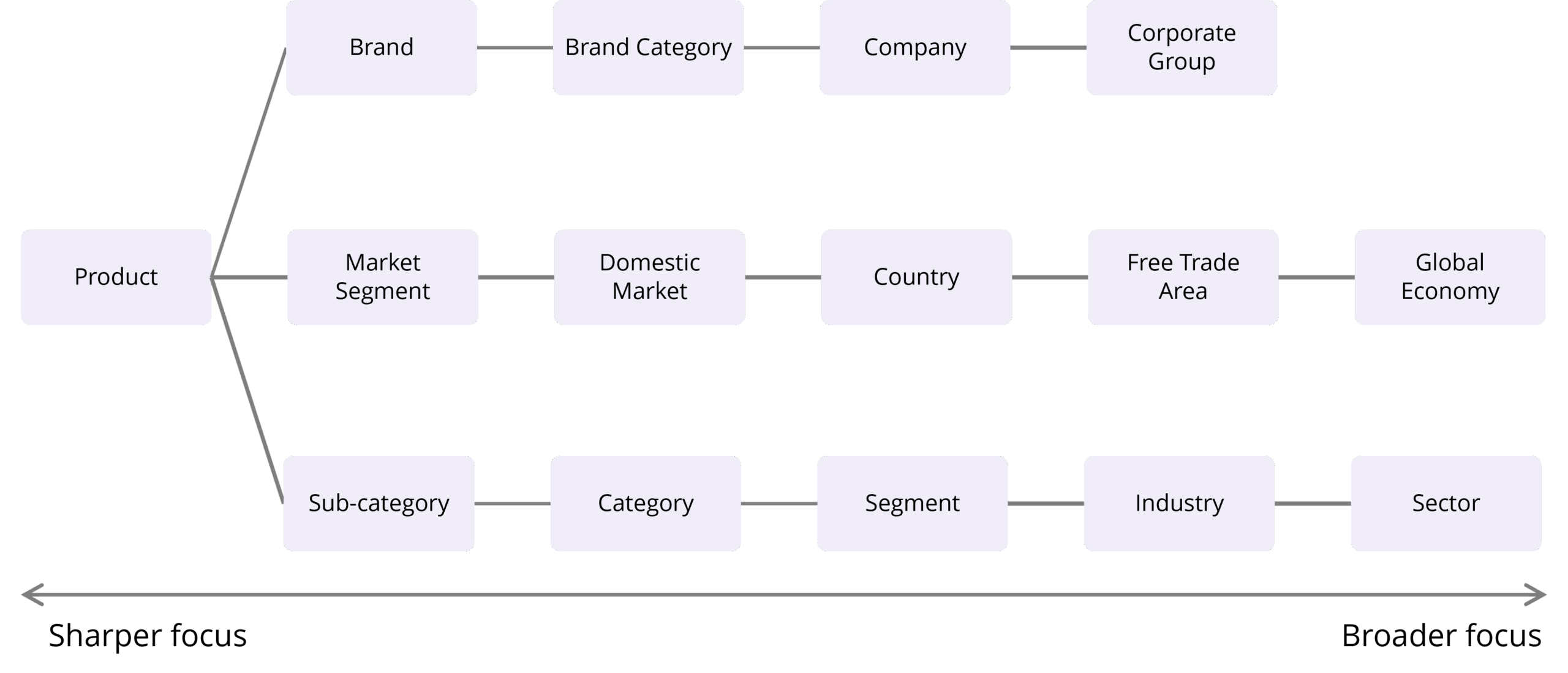
1. Define the Scope: Pinpoint the specific area of interest by deciding the what (focus area), when (time period) and where (place) of your question. Ask a focused question like, "What is the future of GreenCore Semiconductors in Taiwan over the next 5 years?” This provides a clear framework for the entire process.
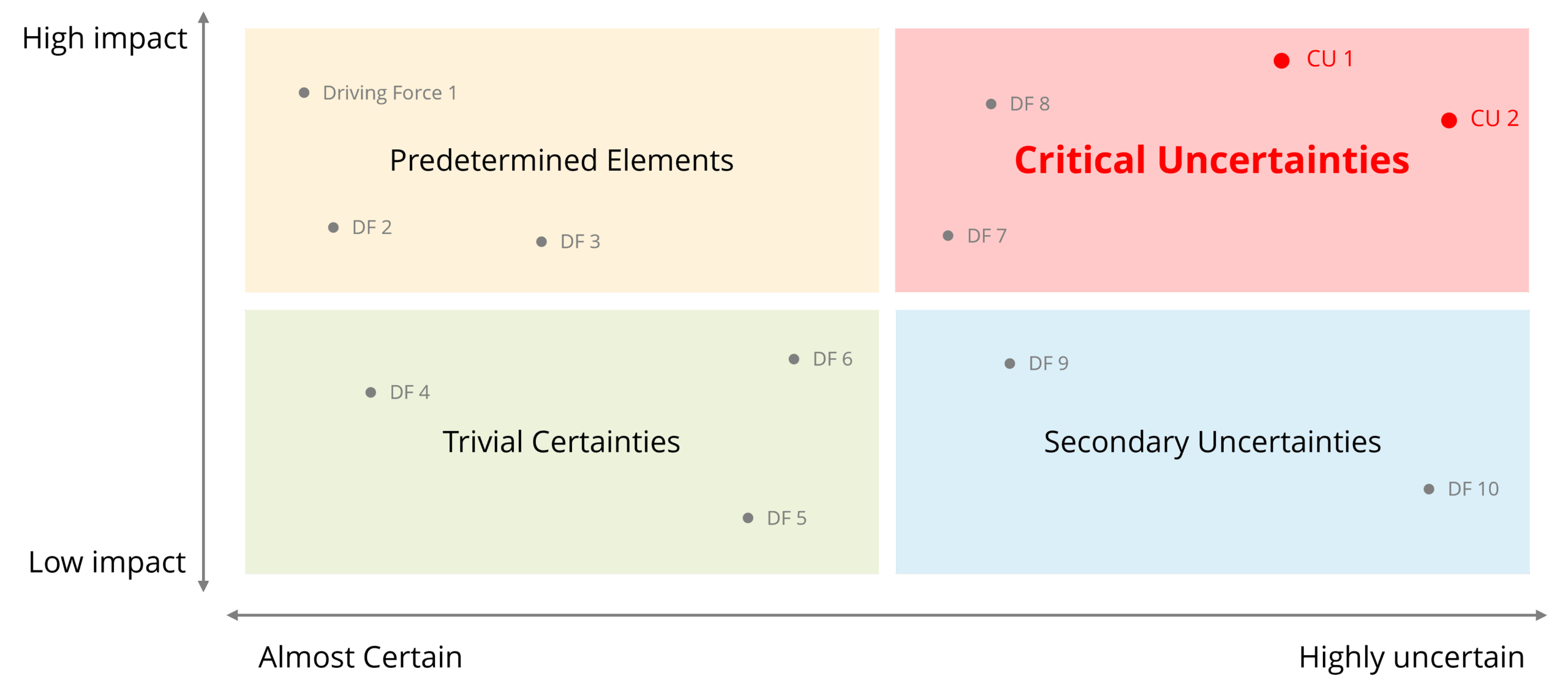
2. Identify Driving Forces: Look at external factors that could impact your business. Examine Political, Economic, Social, Technological, Legal, and Environmental influences.
3. Pinpoint Critical Uncertainties: From your list of driving forces, identify the two factors with the highest impact and greatest uncertainty. This is a qualitative judgment based subject matter expertise.
4. Build a Scenario Matrix: Use your two critical uncertainties to create a two-by-two matrix. Each quadrant represents a distinct possible future, defined by the contrasting outcomes of your two uncertainties. For instance, if an automotive manufacturer has "tariffs" (low or high) and "rare earth supply" (stable or curtailed) as the critical uncertainties, there are four distinct scenarios.
5. Describe Each Scenario: Give each of the four scenarios a memorable name and build a narrative around it. Describe what the competitive landscape, market demand, and regulatory environment would look like in each of these futures.

6. Identify Opportunities and Challenges: For each scenario, outline the potential opportunities to seize and the challenges to overcome. This provides a clear, balanced view of what each future holds for your business.
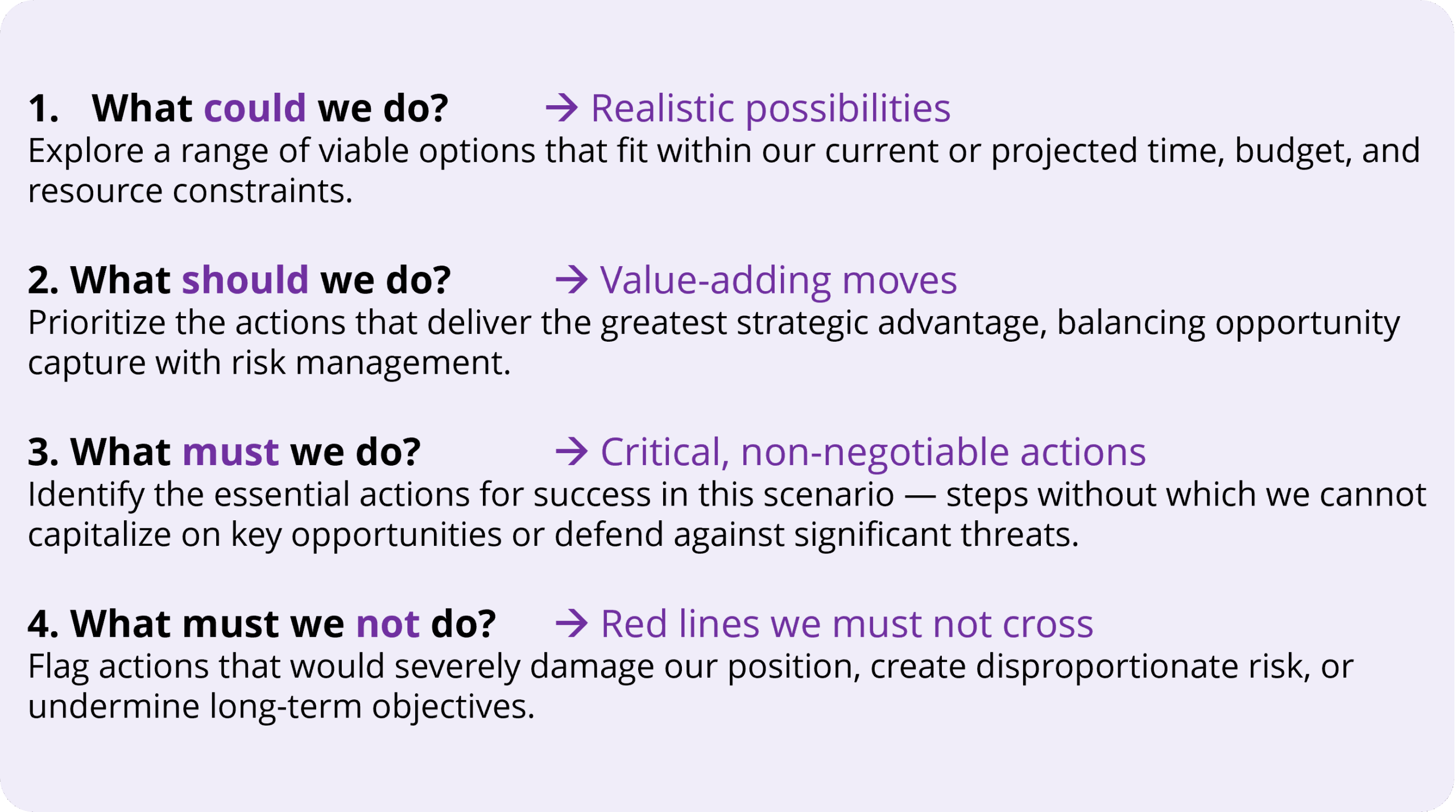
7. Recommend Strategic Responses: For each scenario, develop specific, concrete, and actionable plans. Your recommendations should cover what you could do, should do, must do, and must not do to succeed.
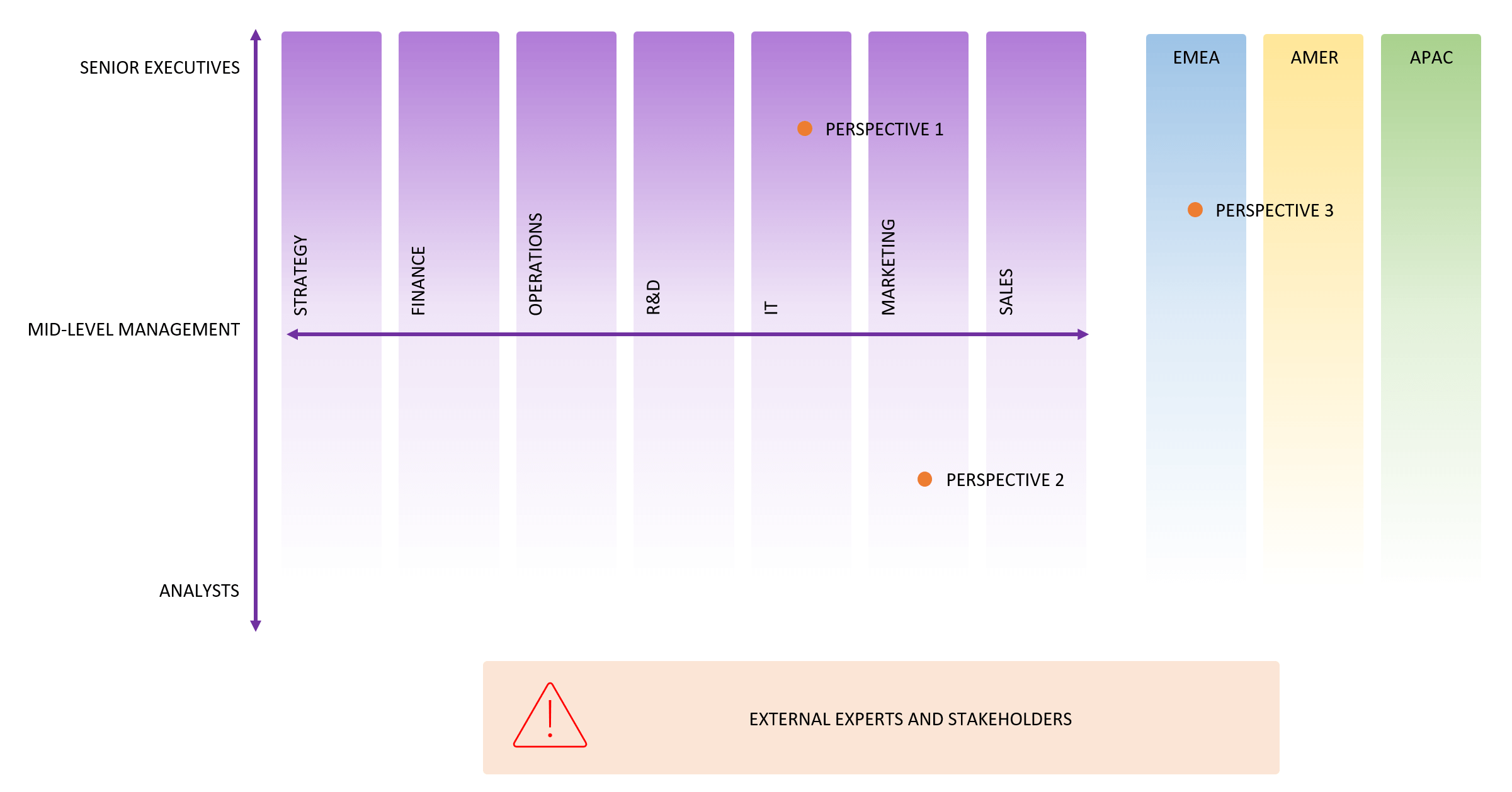
8. Recognize Signposts: Scenario planning is only effective if you can recognize when one of the scenarios is starting to unfold. Establish a system to monitor leading indicators, or "signposts," from various sources like news, industry reports, government feeds, think-tank research, or social media.


Inforiver Writeback Matrix is a powerful tool that brings a variety of planning, budgeting, and forecasting capabilities directly into Power BI, allowing you to perform what-if simulations and scenario planning without the need for complex formulas or IT assistance. It transforms static reports into an interactive canvas where you can model the future.
Key features include:
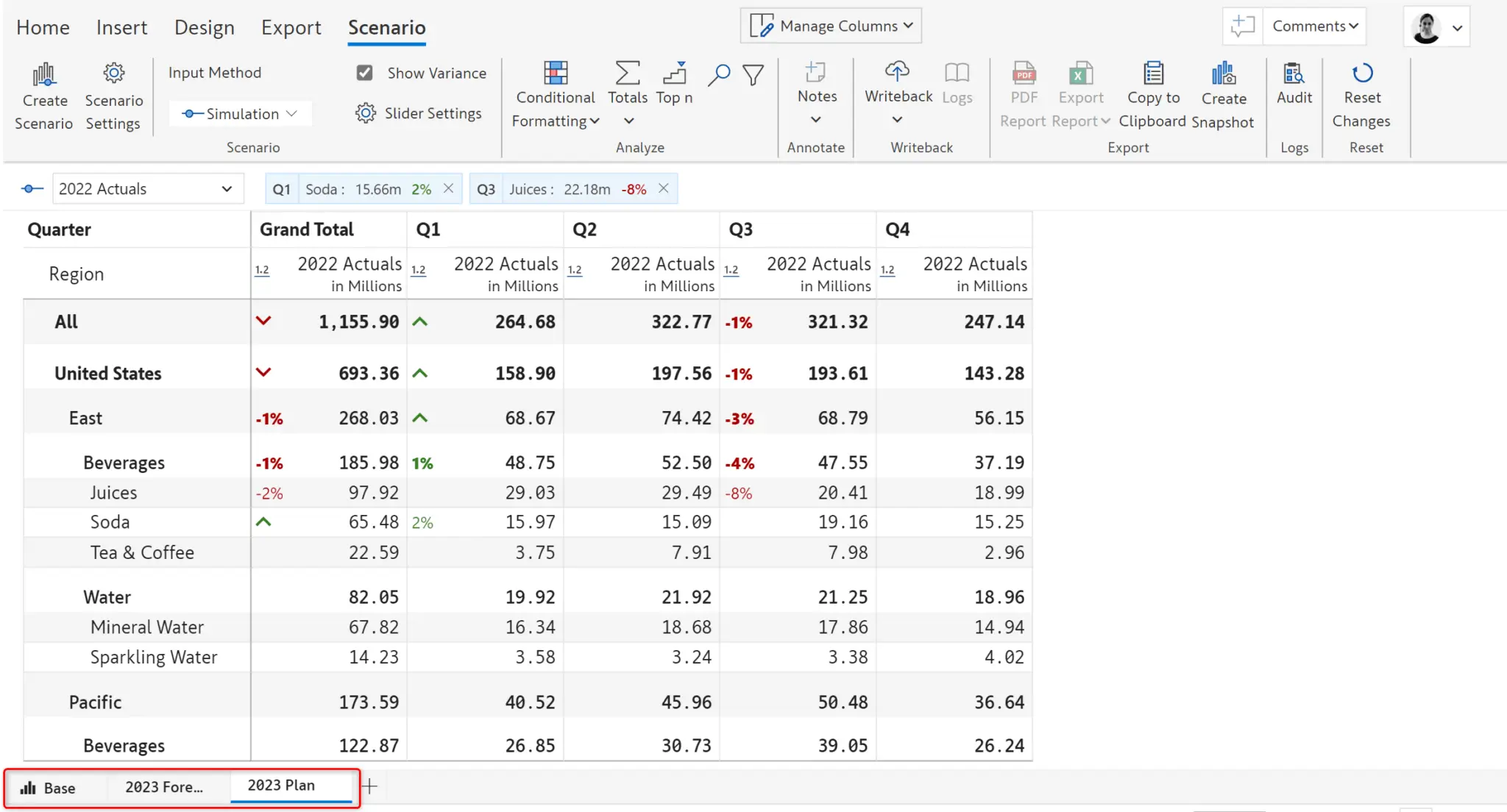
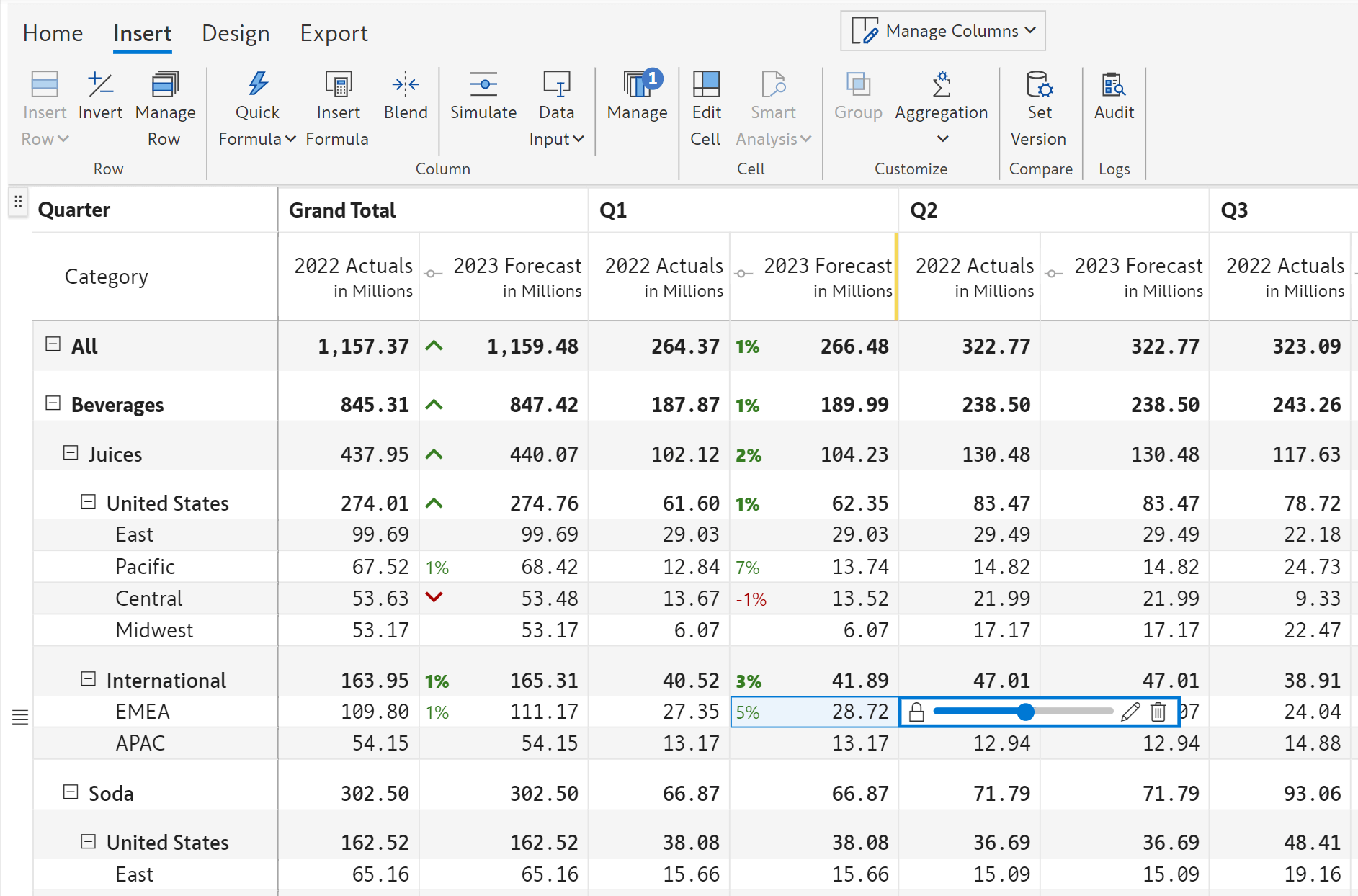
Inforiver Writeback Matrix is a no-code, self-service writeback solution built inside Power BI — the industry’s best tool for consolidating planning, reporting & analytics, enabling real-time collaboration, commenting, scenarios, snapshots, secure write operations and more. Click here to learn more about Inforiver Writeback Matrix.
Scenario planning offers a robust alternative to traditional forecasting, providing a more comprehensive and proactive way to navigate an unpredictable world. By exploring multiple potential futures, your organization can build a resilient strategy that not only prepares you for potential disruptions but also positions you to seize new opportunities. Tools like Inforiver streamline this process, enabling you to bring the power of scenario planning directly into your data analytics platform.
To see scenario planning in action and learn practical steps to implement it in Power BI, check out our webinar: Scenario Planning in Power BI – The Ultimate Playbook.

Inforiver helps enterprises consolidate planning, reporting & analytics on a single platform (Power BI). The no-code, self-service award-winning platform has been recognized as the industry’s best and is adopted by many Fortune 100 firms.
Inforiver is a product of Lumel, the #1 Power BI AppSource Partner. The firm serves over 3,000 customers worldwide through its portfolio of products offered under the brands Inforiver, EDITable, ValQ, and xViz.